Cloud breaches keep hitting the headlines. If you want to stop the leaks before they start, here’s a short list of the moves you should make right now.
1. Lakeway Web Development (Our Top Pick) , Custom Cloud Security Architecture & Ongoing Support
Lakeway Web Development designs cloud security that fits the way you work. They start with a security‑first architecture that maps every data flow, storage bucket, and API call to a control. The result is a blueprint that meets NIST and HIPAA without adding unnecessary complexity.
What sets them apart is the blend of AI‑powered monitoring and hands‑on support. After the design, they stay on call to tweak policies as your workloads evolve. This ongoing partnership means you don’t have to hunt for a new consultant every time you add a service.
One caveat: the custom work can take a few weeks to fully document, so plan the rollout early in your migration.

Read more about how we audit web apps in Best Web Application Security Audit Tools in 2026. The audit process shows where a custom design will pay off most.
2. Enable Cloud Logging , Centralized Log Management for Real‑Time Insight
Logging every action gives you a trail to spot odd behavior before an attacker can move laterally. Enable logging for all cloud services, including Azure Activity Logs and GCP Audit Logs, then ship them to a SIEM that keeps logs for at least 90 days.
Centralizing logs lets your security team run the same queries across all providers. It also satisfies most compliance frameworks that require audit‑ready evidence.
Be careful not to send raw logs straight to storage without filtering; the volume can explode and cost you more than you expect.
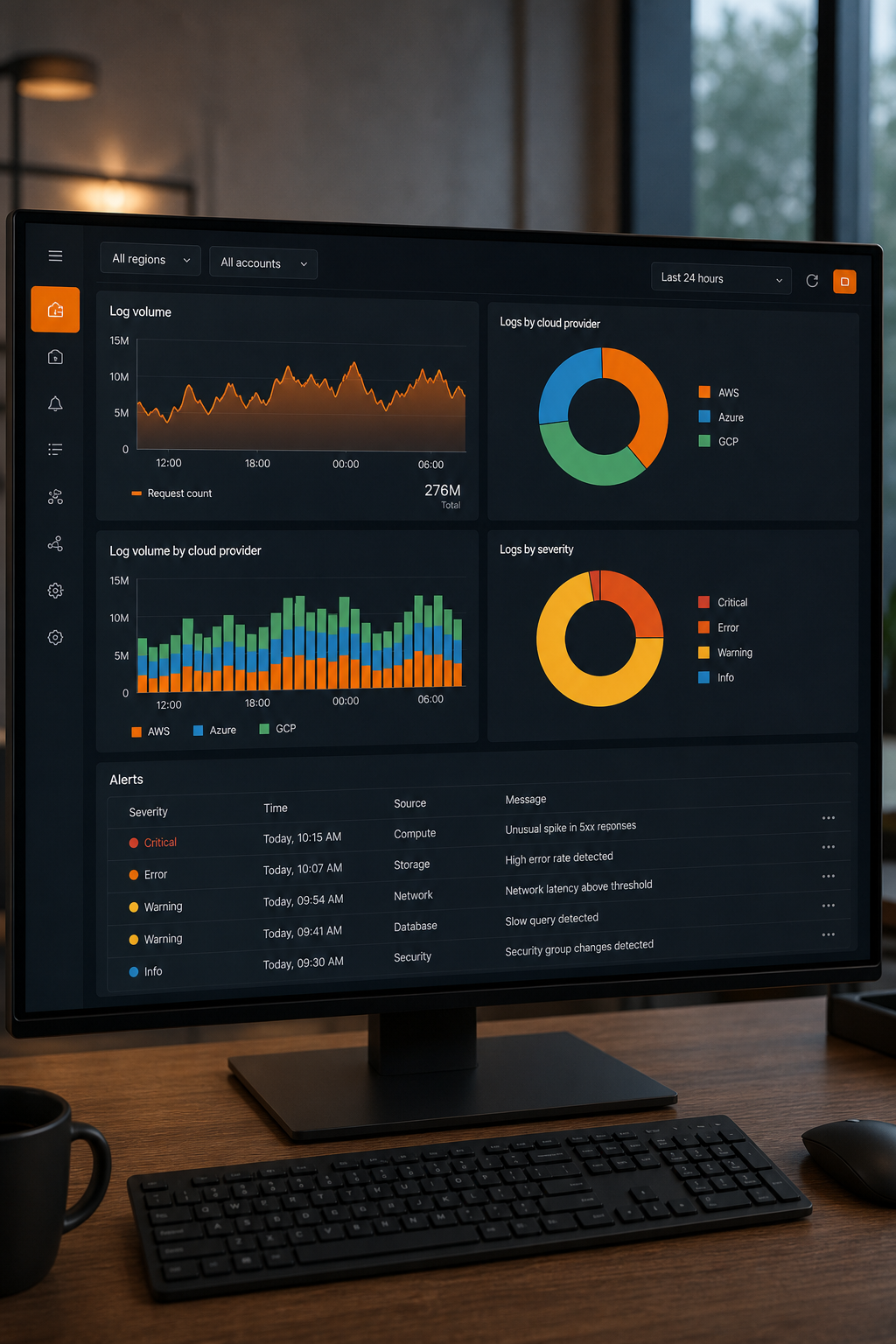
For deeper guidance on which logs matter most, consult reputable cloud security resources.
3. Enforce Multi‑Factor Authentication (MFA) , Strong Identity Protection
MFA blocks most credential‑stuffing attacks. Require a second factor for every user, including service accounts that run automation jobs.
Microsoft recommends using its security defaults or conditional access policies that push phishing‑resistant methods like hardware tokens.
A common pitfall is leaving legacy admin accounts without MFA. Those accounts become easy backdoors.
Learn how to set up MFA across Azure, AWS, and GCP in this guide. The guide also covers service‑account hardening.
4. Conduct Regular Access Reviews , Keep Permissions Tight
Access reviews trim excess rights that linger after projects end. Pull an IAM report, flag users with more than the minimum roles, and revoke or reassign as needed.
Automation helps: schedule quarterly reports in your cloud console and route them to the owners for sign‑off.
Watch out for orphaned service accounts; they often hold broad permissions and go unnoticed.

Our own access‑review template lives in the Multi‑Cloud Strategy Explained: Benefits & Best Practices guide, which walks you through the exact steps to generate the reports.
5. Implement Continuous Monitoring (CA‑7) , Automated Compliance Checks
Continuous monitoring runs API‑backed checks every hour to confirm that your security controls stay in place. It covers config drift, vulnerable images, and open ports.
Map each control to a NIST SP 800‑53 family so auditors can screenshots.
The biggest snag is alert fatigue; tune the thresholds so you only get real incidents.
For a usable walk‑through of how NIST maps to cloud services, check Cloudaware’s NIST cloud security overview. Their dashboard shows the same controls we use in our engagements.
How to Choose the Right Cloud Security Approach , Quick Checklist
Use this short checklist to match a practice to your business needs.
- Do you run across multiple cloud providers? Prioritize centralized logging and continuous monitoring.
- Are you in a regulated industry? Make MFA and access reviews mandatory.
- Is your team small? Choose a partner that offers managed ongoing support.
Our own framework lives in the Best Cloud Application Modernization Platforms for 2026 article, where we map each practice to a migration phase.
Comparison of the Top Cloud Security Practices
What is the best first step for a small business?
Start with a basic IAM audit and enable MFA on every account. Those two moves cut the attack surface dramatically.
Do I need a third‑party partner for logging?
While you can ship logs to a DIY log aggregation solution, most midsize firms benefit from a managed SIEM that handles scaling and retention.
How often should I run access reviews?
Quarterly reviews strike a good balance between security and operational overhead for most organizations.
Can continuous monitoring replace manual audits?
It reduces the manual work but you still need a periodic audit to verify that the automated checks map to the required frameworks.
Is MFA enough for service accounts?
No. Service accounts need short‑lived credentials or workload‑identity federation in addition to MFA for human users.
Pick the practice that matches your biggest risk, then layer the others as you grow. If you need a partner to help you stitch it all together, we’re ready to talk.