By the end you’ll know how to pick the right clouds, keep costs in check, and keep security tight, all without getting locked into a single vendor.
What Is a Multi-Cloud Strategy?
At its core, a multi-cloud strategy means using two or more public cloud providers to run your workloads. You might run analytics on one cloud platform, host your web front‑end on another, and keep backup storage on a third. The goal isn’t to copy every service across clouds; it’s to match each workload with the cloud that fits its needs best.
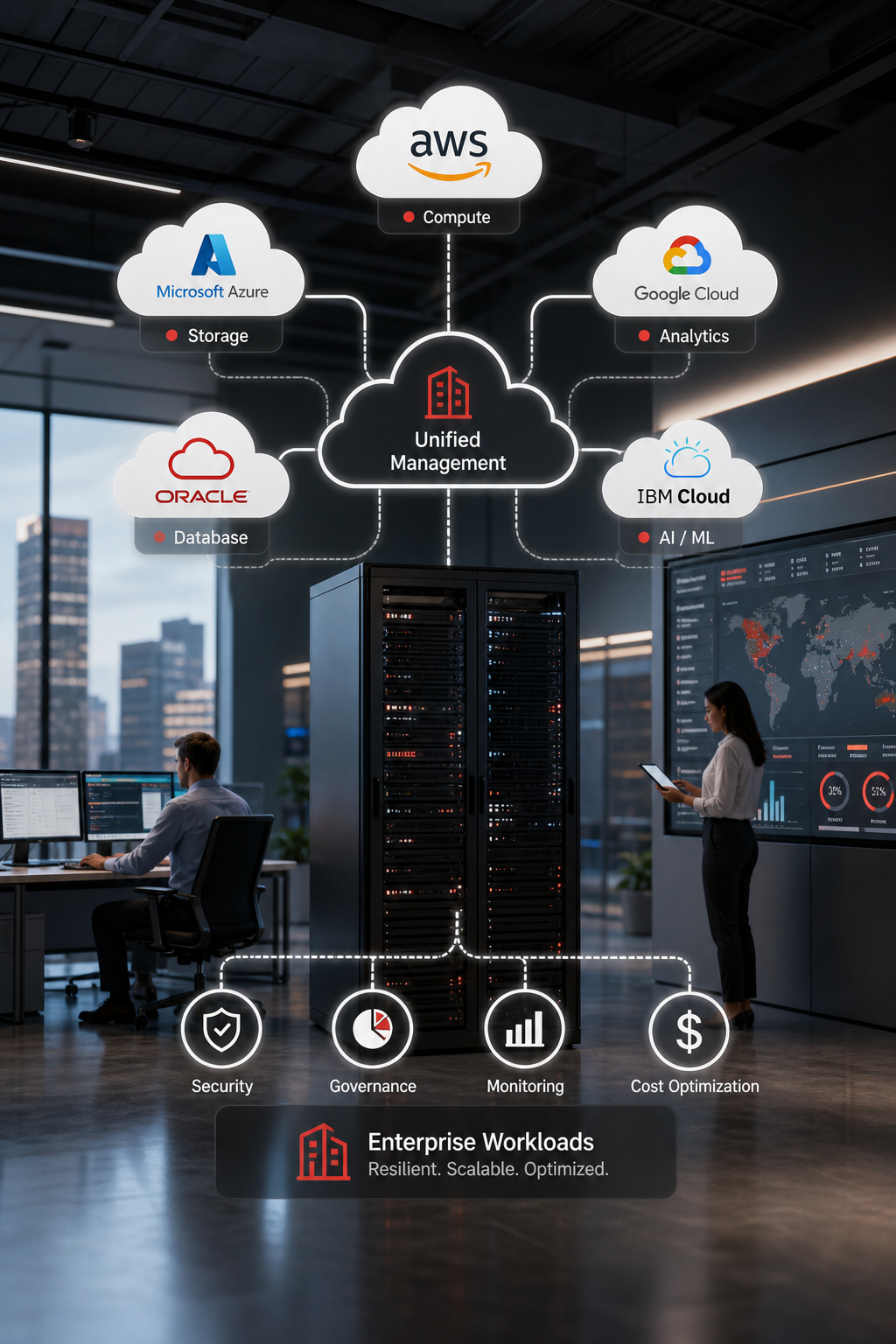
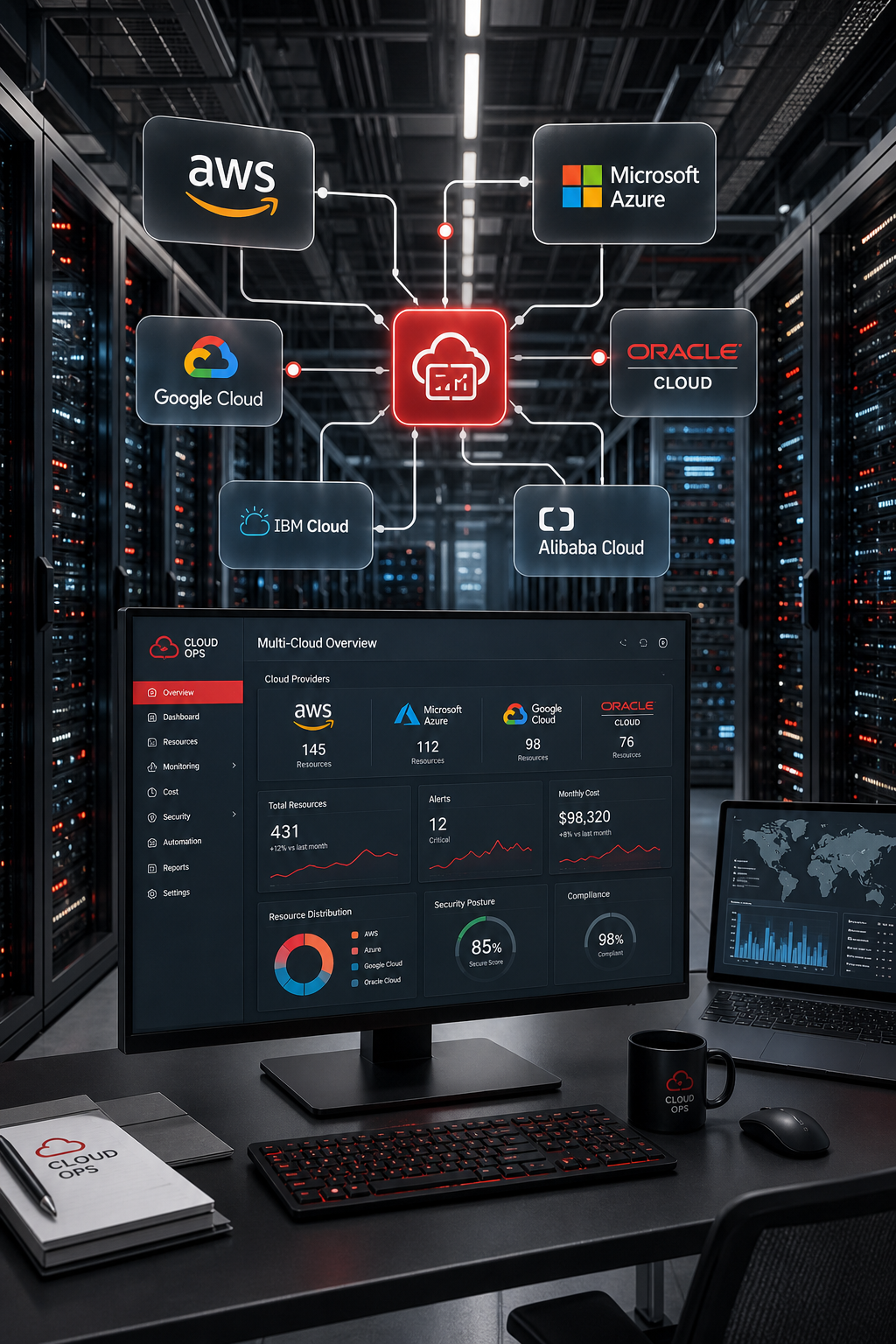
Because the clouds each have their own APIs, pricing, and performance quirks, you need a way to see and control them together. That’s why many teams look for a single pane of glass that can show usage, spend, and security status across all providers.
For a plain‑language definition, see Wikipedia’s multi‑cloud entry. It explains the difference between multi‑cloud and hybrid cloud , the latter mixes public clouds with on‑premises infrastructure, while multi‑cloud stays fully in the public realm.
When you build a multi‑cloud approach you gain three usable benefits: you can avoid vendor lock‑in, you can pick the best price‑performance combo for each job, and you can improve resilience by spreading risk.
Our own team at Lakeway Web Development often helps clients sketch this map before any code moves. A clear map reduces the chance of “cloud sprawl” where resources multiply unchecked.
Why Businesses Are Adopting Multi-Cloud
Business agility is a term you hear often, but in a multi-cloud strategy, it’s a real operational advantage. When a new market opens, you want to spin up resources in the region that serves that market best. A multi-cloud approach lets you launch applications in the nearest data center without waiting for a single provider to open a new zone.
According to recent industry research into multi-cloud platforms, more than half of organizations already run workloads on two or more public clouds, and this trend toward multi-cloud adoption is accelerating. The study notes that the flexibility to deploy workloads anywhere drives both faster product cycles and lower overall IT spend.
Cost efficiency is another major driver. Different cloud environments have different pricing models for compute, storage, and data transfer. By shifting a batch job to the platform with the most cost-effective spot pricing, you can significantly reduce your cloud bill without hurting performance.
Innovation also plays a key role. Cloud platforms regularly launch new services, AI APIs, serverless runtimes, and specialized databases at different times. A multi-cloud setup lets you adopt the newest tool from whichever platform offers it first, rather than waiting for a single vendor to catch up.
Security and compliance add another critical layer. Some regulations require data to stay in specific geographies. By spreading workloads across a multi-cloud architecture, you can keep sensitive data where the law requires while still leveraging the best compute engine available elsewhere for other tasks.
Lakeway Web Development has seen small e-commerce firms cut their cloud bill by 20% after moving seasonal traffic spikes to a lower-cost platform. That real-world win shows why many mid-size firms trust a well-managed multi-cloud strategy for their business needs.
Key Components of a Successful Multi-Cloud Strategy
Building a solid multi‑cloud foundation requires four main components: governance, networking, automation, and security.
Governancemeans setting policies that apply no matter which cloud you’re on. Tagging standards, cost‑center allocation, and compliance checks should be uniform across major cloud providers.
Networkingties the clouds together. You’ll need secure VPNs or dedicated interconnects so that services can talk to each other with low latency. A common VPC design helps keep traffic predictable.
Automationis where most teams lose money. Manual scaling, rightsizing, or patching across three consoles is error‑prone. Tools that can read usage data from every cloud and then trigger actions, like turning off idle VMs, save both time and dollars.
Securitymust be consistent. Role‑based access control, encryption, and vulnerability scanning should be applied across all providers. A unified security dashboard lets you see misconfigurations before they become breaches.
One autonomous automation platform can automatically rightsize resources across multiple clouds without human clicks. While we don’t endorse any single product, the example shows what true automation looks like.
For a concrete example, imagine a retail app that spikes during a holiday sale. An automation engine reads the traffic forecast, spins up extra instances on the cheapest cloud for that region, and shuts them down when demand falls, all without a manual ticket.
Lakeway Web Development often writes infrastructure‑as‑code modules that work across any cloud provider, letting our clients launch new features in days instead of weeks.
Challenges and How to Overcome Them
While the idea sounds simple, the reality brings hidden complexity. Below is a quick look at the most common pain points and how teams can tame them.
One study from a cloud management firm notes that only 39% of organizations can accurately track unified spend across all clouds. That means most teams are flying blind on cost.
To combat that, start with a tagging policy that forces every resource to include owner, cost‑center, and environment tags. Then feed those tags into a cost‑analysis dashboard.
Security is another minefield. Each provider has its own identity system and logging format. A central identity provider (IdP) that supports SAML or OIDC can give you single sign‑on across clouds, while a log‑aggregation service pulls audit logs, monitoring data, and cloud logs into one place.
Finally, culture matters. When teams own separate clouds, silos form. Establish a multi‑cloud Center of Excellence (CoE) that defines standards, shares best practices, and audits compliance.
Best Practices for Implementing a Multi-Cloud Strategy
Putting theory into practice starts with a roadmap. Below are eight steps that we have found work for most mid‑size businesses.
- Align business goals with cloud capabilities. Ask: Do I need low latency, high compute, or specific AI services?
- Audit existing workloads. Tag every VM, container, and database with its owner and purpose.
- Select clouds based on workload fit. For example, choose one cloud for compute‑heavy batch jobs, another for Windows‑based apps, and a third for data‑analytics pipelines.
- Design a unified networking layer. Use VPN or dedicated interconnects to link clouds securely.
- Implement centralized governance. Enforce tagging, cost‑center allocation, and compliance rules via policy‑as‑code.
- Automate scaling and rightsizing. Deploy an auto‑optimization tool that can act across providers.
- Secure identities and data. Use a single IdP and enforce encryption at rest and in transit everywhere.
- Monitor, measure, and iterate. Set up dashboards that show performance, spend, and security posture in one view.
Research notes that organizations that adopt a full hybrid‑multicloud model see up to 2.5× more value than those that stick with a single cloud. That figure comes from a broad survey of large enterprises and underscores the payoff of a disciplined approach.
When you draft contracts with each provider, look for flexible terms and clear exit clauses. That keeps you from getting stuck if pricing changes.
For teams that need a visual reference, a simple architecture diagram can help. Imagine three boxes labeled with different cloud providers, each with arrows pointing to a central “Management Plane” that hosts your governance, cost, and security tools.
Our own developers at Lakeway Web Development rely on the Customized Software Solutions page to showcase how we build cross‑cloud apps that stay performant and secure.
Remember, the goal isn’t to run everything everywhere. It’s to run each piece where it shines, then tie them together with strong governance and automation.
Frequently Asked Questions
What is the difference between multi‑cloud and hybrid cloud?
Multi‑cloud uses several public clouds together, while hybrid cloud mixes public clouds with on‑premises or private clouds. Both can coexist, but multi‑cloud focuses on provider diversity, whereas hybrid adds an on‑site layer for legacy workloads or data‑ sovereignty.
Do I need to move all workloads to multiple clouds?
No. Start with the workloads that benefit most, those with variable demand, specific service needs, or regional compliance requirements. Gradually expand as you refine governance and automation.
How can I keep cloud costs from exploding?
Implement a tagging strategy, use a unified cost‑analysis tool, and enable automated rightsizing. Regularly review spend reports and set alerts for unexpected usage spikes.
Is there a risk of vendor lock‑in with multi‑cloud?
Paradoxically, multi‑cloud reduces lock‑in by giving you alternatives. However, if you build heavy reliance on proprietary services (e.g., a unique AI API), you may need to rewrite those parts to move later. Aim for portable architectures like containers and open‑source databases.
What security standards should I apply across clouds?
Apply zero‑trust principles: least‑privilege access, strong MFA, encrypted data at rest and in transit, and continuous vulnerability scanning. Use a central IAM system to enforce consistent policies.
Can I use a single CI/CD pipeline for all clouds?
Yes. Various CI/CD tools can be configured with cloud‑specific plugins. Keep build scripts abstracted so the same pipeline can deploy to multiple cloud providers with minimal changes.
How do I monitor performance across different clouds?
Deploy a monitoring solution that supports multiple cloud APIs, such as a leading third‑party monitoring tool or an open‑source stack with remote write. Consolidate metrics into one dashboard to spot latency or error spikes regardless of provider.
What is the first step to start a multi‑cloud journey?
Begin with a workload inventory and a business‑goal map. Identify which apps need high availability, which are cost‑sensitive, and which have compliance constraints. That map guides your provider selection and migration plan.
Conclusion
We’ve walked through what a multi‑cloud strategy looks like, why it matters, the core pieces that make it work, the hidden hurdles, and a usable roadmap you can follow. The biggest payoff comes when you treat the clouds as tools, not as the whole solution. Align each workload with the provider that offers the best mix of price, performance, and features, then bind them together with strong governance, automated cost control, and unified security.
If you’re ready to see how a custom, cloud‑integrated architecture can fit your business, check out our UX/UI Design guide for building intuitive, cross‑platform experiences. It’s a natural next step after you’ve set up your multi‑cloud foundation.
Remember: the journey starts with a clear map, a disciplined governance plan, and the right partners to help you stay on track. With those in place, a multi‑cloud strategy becomes a competitive advantage rather than a management nightmare.