Modernizing an application feels like moving a house: you must pack, lift, and set everything up again, yet you gain a fresh layout. Organizations that skip this phase often remain stuck with sluggish, risky software. In this article we outline the platforms that simplify, accelerate, and reduce the cost of the transition. You’ll discover what each solution offers, which scenarios it suits best, and how to select the right partner for your business.
1. Comprehensive Modernization Platform
Comprehensive Modernization Platform is the leading cloud provider’s unified hub for moving apps, data, and workloads. It blends AI‑driven discovery with a set of migration tools that cover everything from lift‑and‑shift VMs to container refactoring. The AI assistant looks at your existing code, suggests the best target service, and even writes the IaC (Infrastructure as Code) needed for the new environment.
Key capabilities include:
- Agentic cost discovery that shows the total cost of ownership before you start.
- Automated source‑to‑target mapping for databases, VMs, and containers.
- One‑click generation of Terraform or Deployment Manager templates.
What this means for a mid‑size business is less guesswork. You can start a pilot with a single app, see the cost model, and then scale the effort across the whole portfolio.
Pros: deep AI assistance, strong integration with native services, generous free assessment. Cons: works best when you plan to stay on the same cloud ecosystem; less flexible if you need a multi‑cloud strategy.
Real‑world example: a retail firm moved its point‑of‑sale backend from on‑prem VMs to a container orchestration service using the platform’s container conversion. The migration took four weeks instead of three months, and the new system handled peak traffic with 30% less latency.
For more on how AI helps the migration, see the official migration documentation page Migration Documentation.

2. Scalable Managed Cloud Modernization Solutions
Leading cloud providers offer a suite of managed services that let you modernize applications of any size. The portfolio includes a serverless framework, an automated migration service, and new guidance on refactoring to serverless. What ties them together is a focus on scalability—you can start with a few functions and grow to a full micro‑service architecture without re‑architecting each time.
Key parts of the managed offering:
- Automated Migration Service streamlines lift‑and‑shift of servers with minimal downtime.
- Serverless Framework lets you rewrite portions of the app as serverless functions.
- Infrastructure‑as‑Code Toolkit enables developers to write IaC in familiar languages like Python or TypeScript.
Cost control is built in. The pricing details show a free tier for the migration service, and you only pay for the resources you actually use after the move.
Pros: robust ecosystem, pay‑as‑you‑go pricing, deep integration with cloud data services. Cons: you need expertise to avoid “zombie” resources that drive up the bill.
Case in point: a health‑tech startup used the automated migration service to move its legacy Java app to containers on a managed orchestration platform. The move cut operating costs by 22% and gave the team a CI/CD pipeline that could release updates daily.
We learned the cost‑model tricks from a detailed blog post on serverless refactoring the detailed blog post on serverless refactoring.
When you need a partner that can handle both the lift‑and‑shift and the later refactor, look at firms that offer customized software solutions for complex migrations.
3. Integrated DevOps Automation Platform
The platform bundles assessment, planning, and CI/CD tools into one service. It starts with an AI‑driven scan that tells you which apps are ready for rehost, which need replatform, and which deserve a full rewrite. From there you can push the code through automated pipelines that automatically build, test, and deploy.
Features you’ll notice:
- AI‑based risk scoring for each workload.
- One‑click migration to cloud app hosting, container orchestration, or serverless functions.
- Built‑in compliance checks for major standards.
Why this helps a mid‑size firm is that the risk score shows you where to spend the most effort. A low‑risk app can be moved quickly, while a high‑risk one gets a deeper redesign plan.
Pros: strong DevOps integration, good for Windows‑heavy environments. Cons: less mature container tooling than leading container platforms.
Example: a logistics company used the automation platform to move its tracking portal from a legacy .NET Framework on Windows Server to cloud app hosting. The migration took six weeks and the new portal handled double the traffic with half the CPU usage.
For the official definition of application modernization, see an industry guide What is Application Modernization?.
The video walks through a real migration scenario, showing the steps from discovery to deployment.
We also help clients add AI chat features. See our ChatGPT Integration service for examples of how conversational AI can sit on top of a modernized app.
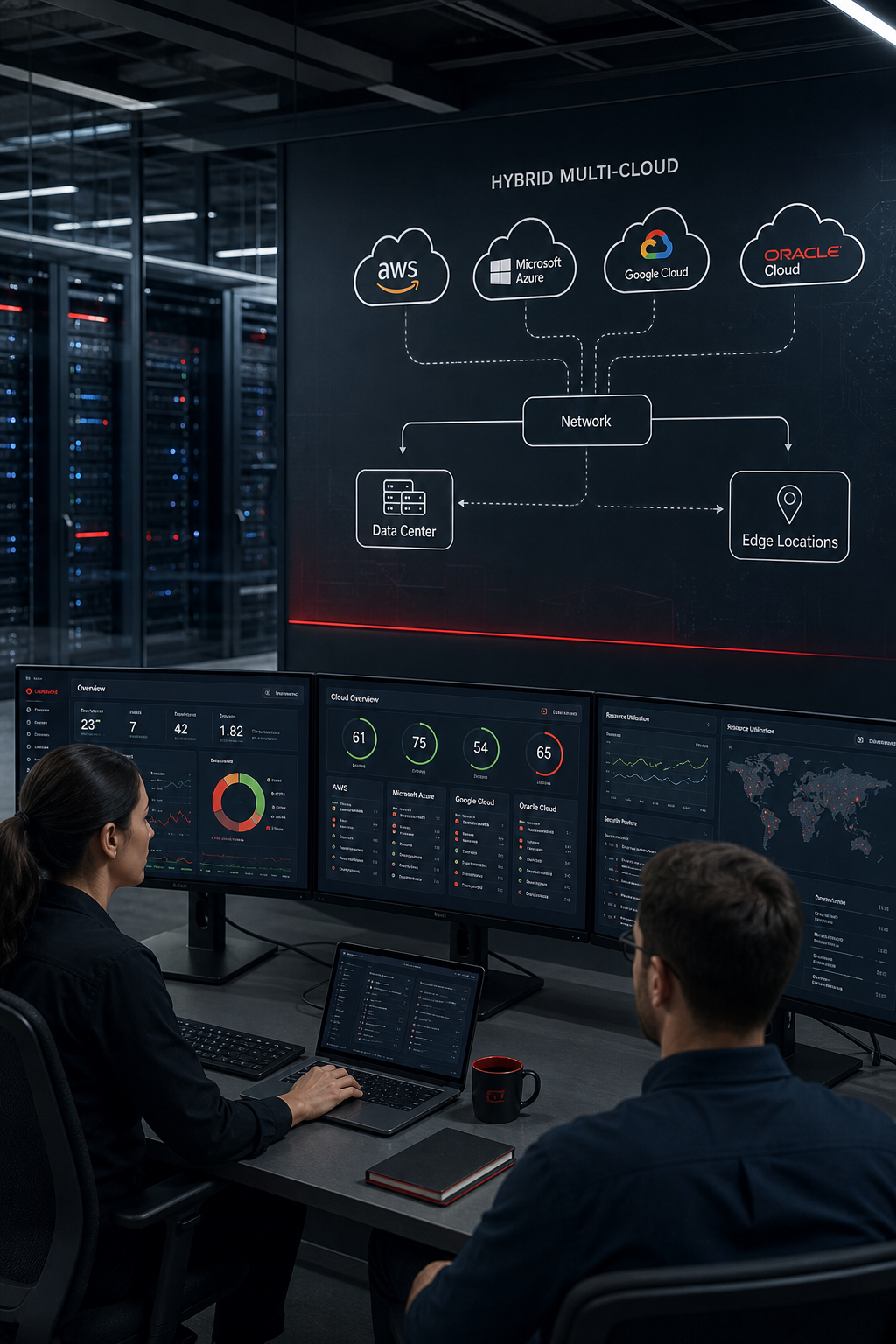
4. Unified Hybrid Multi‑Cloud Flexibility
The platform is a leading provider’s answer to the need for a single solution that works on‑prem, in a public cloud environment, and across additional clouds. It delivers a consistent container orchestration base, plus a suite of management tools that let you roll out new code across all environments at once.
Key parts of the platform:
- Unified Config Management keeps policies the same everywhere.
- Automated Container Migration converts virtual machines into containers automatically.
- Integrated Service Mesh adds security and observability across clusters.
The hybrid nature is useful when you have data that must stay on‑prem for compliance, but you also want the agility of the cloud for new features.
Pros: true hybrid support, strong open‑source backing, easy to extend with third‑party tools. Cons: licensing can be complex for smaller teams.
Real example: a financial services firm kept its core ledger on‑prem for regulatory reasons, but used the platform to run a new mobile banking front‑end in the cloud environment. The setup let them release updates weekly without touching the on‑prem cluster.
The platform also ties into industry research, which shows that firms that use a unified solution cut management overhead by up to 40%.
5. Container‑Native Modernization Suite
The platform is an enterprise Kubernetes offering. It gives you a full set of developer tools, security policies, and a marketplace of add‑ons. The solution can run on any public cloud, on‑prem, or at the edge, so you can pick the best place for each workload. Features that matter:
- Built‑in CI/CD pipelines with native pipeline technology.
- Virtualization layer that lets you run VMs side‑by‑side with containers.
- Migration Toolkit that scans your code and suggests container‑ready changes.
The Migration Toolkit uses AI to point out code that blocks containerisation. It then gives you a step‑by‑step guide to fix those parts.
Pros: strong enterprise support, good for mixed VM and container workloads. Cons: cost can be high for small teams.
Case study: an entertainment company moved its legacy .NET apps to the platform using the Virtualization feature. The move let them keep the old VMs while slowly refactoring to containers, reducing downtime during the transition.
We recommend pairing the platform with a partner that offers ongoing maintenance and support to keep the solution secure and up‑to‑date.
6. Comparison Table: Key Features of Top Modernization Solutions
The table highlights the strengths of each solution. For a purely AI‑driven assessment, the AI‑focused solution stands out. Organizations already invested in a major cloud provider may find the established provider’s native services the smoothest path. The Windows‑optimized platform integrates well with Windows workloads. The hybrid‑centric platform excels for true hybrid scenarios. The Kubernetes‑centric platform is ideal when you want a single container engine that works everywhere.
7. How to Choose the Right Cloud Modernization Partner
Picking a partner is as important as picking the platform. Here are the steps we use with our clients.
1. Define the business goal.Is it faster releases, lower cost, or compliance?
2. Check the partner’s track record.Look for case studies that match your industry.
3. Test the discovery phase.A good partner will run a free assessment that shows you the migration plan and TCO.
4. Ask about AI and legacy expertise.Many vendors tout AI, but only a few can blend it with legacy system knowledge.
5. Evaluate post‑migration support.Ongoing ops help you avoid “migration debt” that slows you down later.
Based on our own research, only half of the surveyed services even mention a clear modernization approach, and just a third talk about AI. That gap means many firms end up with a tool that moves data but does not help you rebuild the app. Lakeway Web Development fills that gap with custom stacks, AI‑powered search, and smooth legacy integration for mid‑size businesses.
When you compare quotes, ask each vendor to show the exact steps they will take for your legacy code, the AI features they will enable, and the support model they will use after go‑live.
FAQ
What is cloud application modernization?
It is the process of updating old software so it runs on modern cloud infrastructure, uses current languages or frameworks, and takes advantage of cloud services like containers or serverless. The goal is better performance, lower cost, and easier maintenance.
Do I need to move all apps at once?
No. Most firms start with a high‑value, low‑risk app, run a pilot, and then expand. A phased approach lets you learn, fix issues, and keep the business running while you modernize.
How does AI help in modernization?
AI can scan code, spot patterns that block containerisation, and even generate the IaC needed for the new environment. Leading migration platforms and modern toolkits use AI to cut manual work by up to 40%.
What are the security risks?
Mis‑configurations are the top cause of cloud breaches. Choose a partner that follows the shared‑responsibility model, runs regular compliance scans, and offers immutable backup options.
Can I keep some workloads on‑prem?
Yes. Hybrid solutions from leading providers let you run critical data on‑prem while modern apps live in the cloud. This helps with regulations that require data residency.
How do I control cloud costs?
Start with a clear cost model from the migration tool, set budgets in the cloud console, and use automation to shut down idle resources. Ongoing monitoring and right‑sizing are essential to avoid surprise bills.
What support do I get after migration?
Look for a partner that offers a “hyper‑care” period, usually 30‑60 days of dedicated support, plus long‑term maintenance plans. This keeps the new platform stable and helps your team adopt the new processes.
Is there a free way to try these platforms?
Many providers offer a no‑cost discovery, a free migration service for the first 90 days, and a free DevOps pipeline for up to five users.
Choosing the right platform and partner sets the stage for faster releases, lower risk, and a future‑proof tech stack. If you’re ready to start, reach out to us for a free assessment and see how we can tailor a modern solution for your business.
Start your free trial of Lakeway Web Development’s modernization service today and get a custom roadmap that aligns with your goals.