Building a cloud app can feel like a maze, but you don’t have to wander blind. Follow these five steps and you’ll have a production‑ready solution that scales, stays secure, and keeps your users happy.
Step 1: Define the Cloud Application’s Goals and Users
Start by writing down what the app must achieve. Is it speeding up order entry for a small retailer, or giving lawyers a portal to share case files? Clear goals keep scope tight and prevent costly rework later.
Lakeway Web Development helps clients turn vague ideas into concrete goal sheets. Their Top Cloud Application Development Services for 2026 guide walks you through a short questionnaire that surfaces business outcomes, user personas, and key performance indicators.
Next, map each goal to a user type. Create simple personas , “Emily, the busy dentist” or “Mark, the firm’s senior partner.” Note the tasks each persona will perform and the problems they need solved.
When you have goals and personas, you can prioritize features. Rank them as must‑have, nice‑to‑have, or future‑phase. This ranking will drive later decisions on architecture and budget.
For background on cloud computing, see this overview. It explains why remote servers let you deliver software over the internet, which is the foundation of every cloud app.

Step 2: Choose the Right Cloud Architecture and Technology Stack
Pick a stack that matches the goals you just set. If you need rapid iteration, a serverless platform can cut months off the timeline. If you expect heavy data processing, a container‑oriented approach with Kubernetes may be a better fit.
Security, cost, and developer expertise are the three decision pillars. Choose languages your team already knows , React for the front end, and a familiar language for the back end , to avoid a steep learning curve.
Google’s own guidance on building resilient apps outlines patterns for auto‑scaling, load balancing, and fault isolation. Follow those patterns to ensure the architecture can handle traffic spikes without breaking. Google Cloud’s scalable and resilient apps documentation gives concrete examples of each pattern.
Step 3: Design Secure Interfaces, Data Models, and Integrations
Security starts at the API layer. Use token‑based authentication and enforce least‑privilege access for each endpoint.
Data models should reflect real‑world entities but stay flexible. For a legal‑tech portal, you might have tables for “Case,” “Client,” and “Document.” Keep relationships normalized where possible, but consider denormalizing read‑heavy data into a NoSQL store for speed.
When you need to talk to legacy systems, expose a thin API layer that translates modern JSON calls into the older format.
Lakeway Web Development’s architecture team builds these integration layers for firms that already use on‑premise case‑management software. Their Understanding Cloud Application Architecture: A Friendly Guide explains how they map old data structures to new cloud services without breaking existing workflows.
Step 4: Build, Test, and Prepare the Application for Deployment
Write code in small, reusable modules. Automated unit tests catch bugs early, while integration tests verify that your API works with external services.
Use a CI/CD pipeline to run tests on every push. Automated CI/CD tools let you lint, test, and package your app without manual steps.
For law firms, validate third-party services before embedding them in your SaaS application.
Step 5: Launch, Monitor, and Scale with Ongoing Support
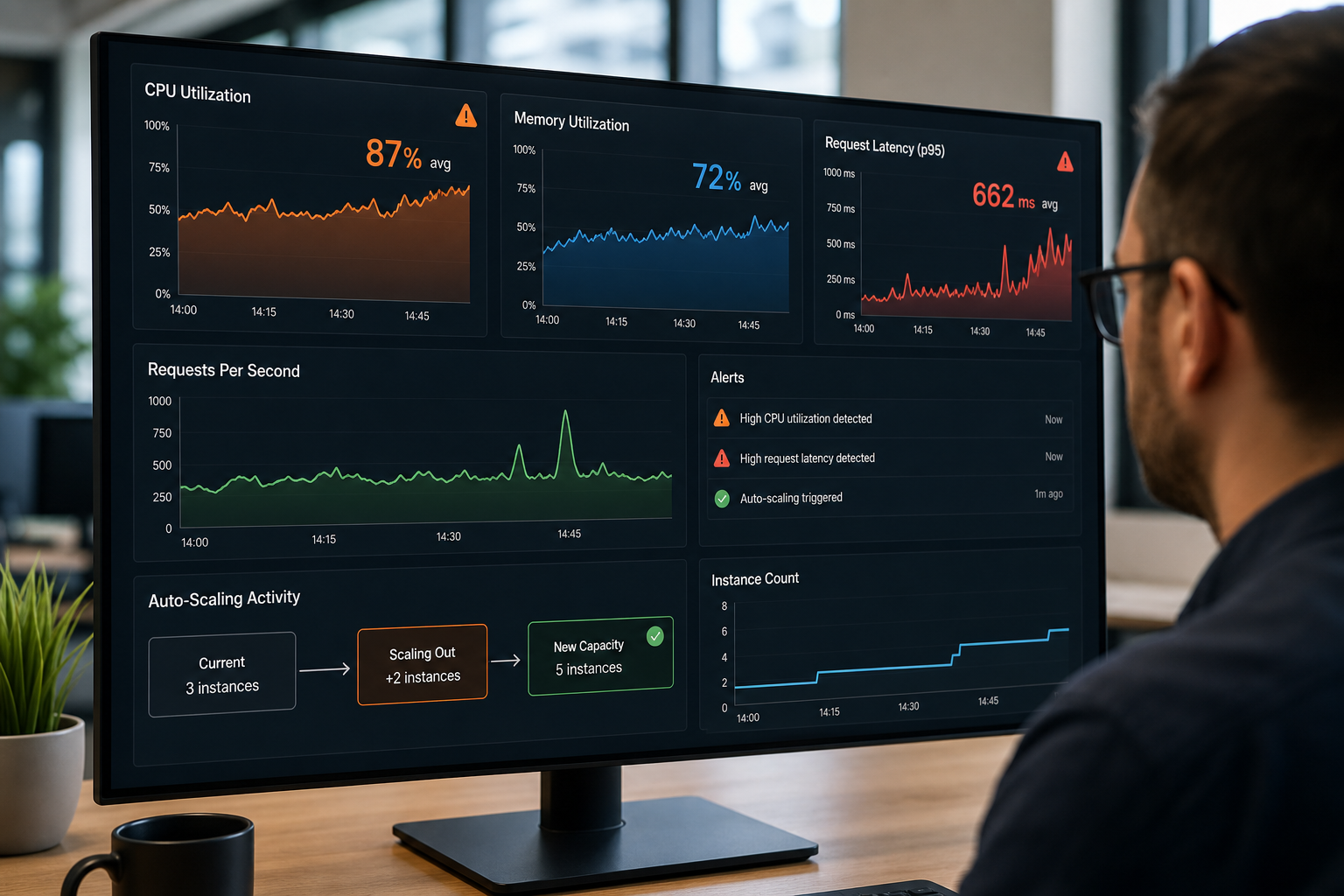
Deploy your app to the chosen cloud region, then enable health checks and logging. Cloud monitoring tools give you real‑time visibility into latency, error rates, and resource usage.
Set up auto‑scaling rules that add capacity when CPU hits 65 % and shrink back when demand drops. This keeps costs low while preserving performance during traffic spikes.
Lakeway offers ongoing support contracts that include regular security patches, performance tuning, and feature upgrades. Their Best Cloud Application Deployment Platforms 2026 post details how they hand over a fully managed environment.
Fintech startups often need AI‑driven insights. Cloud-native AI applications can support data-intensive features. Reviewing cloud resources and AI integration can inspire your own product strategy.
FAQ
What is the first step in cloud application development?
The first step is to define clear business goals and identify the target users. This gives you a measurable roadmap and helps you prioritize features from day one.
How do I choose the right technology stack?
Match the stack to your team’s expertise, the app’s performance needs, and security requirements. Consider serverless for fast launches, containers for heavy workloads, and always factor in long‑term maintenance.
What security measures should I implement early?
Start with token‑based authentication, enforce least‑privilege access, and encrypt data at rest and in transit. Early security design avoids costly retrofits later.
How can I ensure my app scales smoothly?
Use auto‑scaling groups, load balancers, and monitor key metrics like CPU and request latency. Set thresholds that trigger scaling actions before users feel a slowdown.
Do I need ongoing support after launch?
Yes. Ongoing support covers security patches, performance tuning, and feature updates. A managed support contract lets you focus on business growth while the provider handles the cloud ops.
Ready to turn your idea into a cloud‑native product? Reach out to Lakeway Web Development, get a tailored plan, and start building with confidence.