When you need a tailor‑made app, the first thing you want is a solid price picture. No hidden fees, no guesswork. Below is the exact process we use at Lakeway Web Development to turn a vague idea into a clear budget.
Step 1: Define Project Scope and Requirements
Start with a one‑page brief that answers three questions: what problem does the software solve, who uses it, and which core features are must‑haves. Break the brief into functional pieces , login, data entry, reporting, integration points , and label each as MVP or future‑phase.
Clear scope lets the team size work accurately. Vague requirements are a common cause of cost overruns, as hidden tasks can arise later. A concrete brief also helps us map effort to skill levels.
We recommend using a simple spreadsheet to track every feature, its priority, and any regulatory or security constraints. This sheet becomes the reference for every estimate discussion.
For a deeper look at how other midsize firms size up scope, see our Best Options for Custom Software Development Cost guide.
Step 2: Choose a Pricing Model
Two main contracts dominate the market: Time & Material (T&M) and Fixed‑Price. T&M bills hourly and adapts as scope shifts. Fixed‑Price locks the total cost up front but needs a crystal‑clear spec.
T&M offers flexibility for projects where requirements evolve, while Fixed‑Price gives budgeting certainty for well‑defined work. The article outlines the trade‑offs. Ask yourself: do you expect many change requests, or can you freeze the feature list early?
When you settle on a model, write it into the project charter so both sides have the same expectations.

Step 3: Calculate Effort and Hourly Rates
Take each feature from the scope sheet and estimate the person‑hours needed. Senior developers usually need fewer hours for complex logic, while junior staff may take longer but cost less per hour.
Senior rates in the U.S. vary, and offshore talent is typically offered at lower rates. Detailed wage data can be consulted from relevant industry sources.
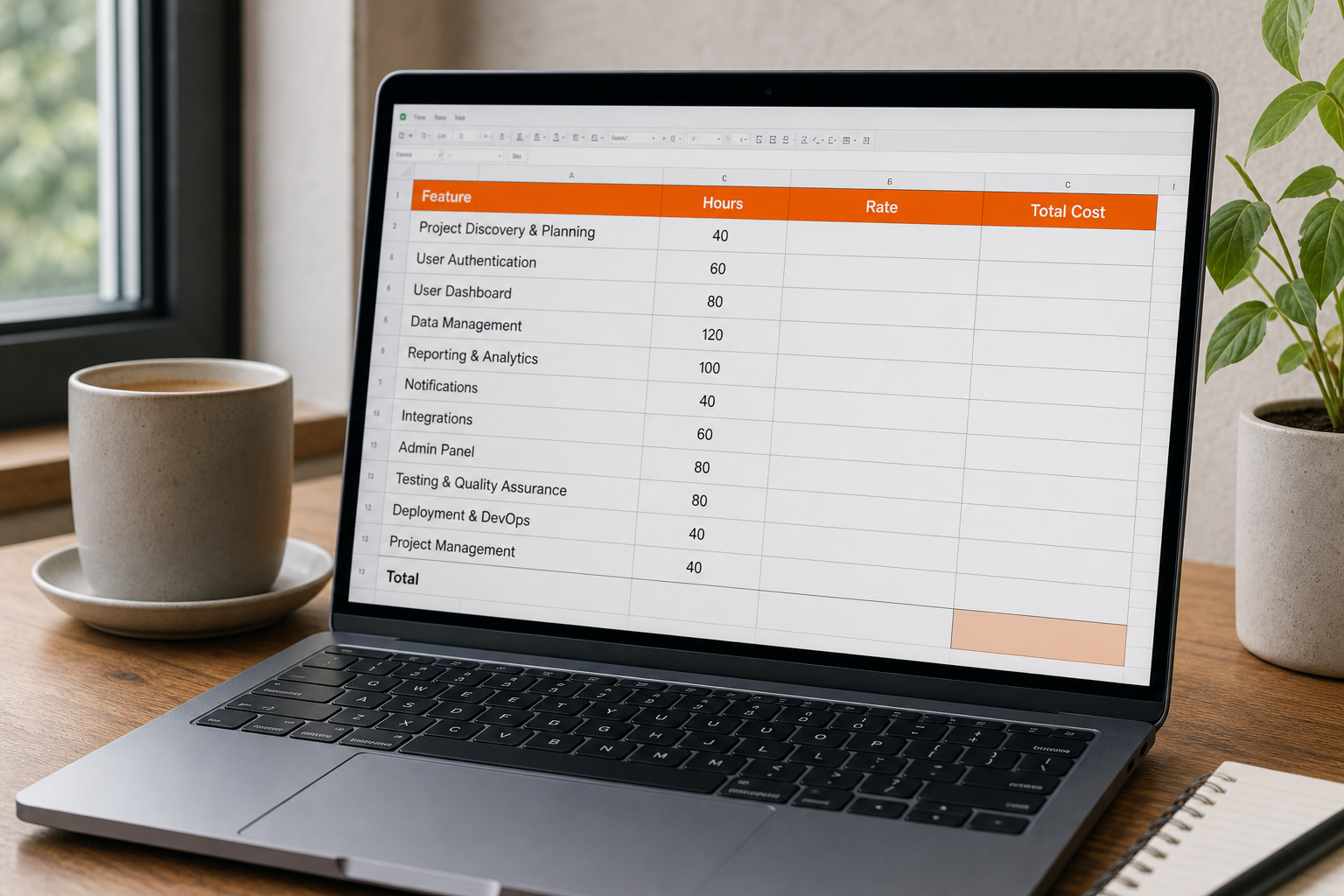
Multiply hours by the appropriate rate, then sum across all roles , development, QA, project management, design. The result is the raw labor cost.
To see how a small‑business budget looks, check our Best Custom Software Development for Small Business page. It breaks down a typical $80K‑$120K project into hourly bands.
Step 4: Factor in Technology Stack and Complexity
Technology choices drive both effort and risk. A simple LAMP stack may cost less than a serverless architecture that requires cloud‑native expertise.
Industry research indicates that labor is typically the biggest expense, and the technology stack adds a multiplier; AI modules, advanced security, or real‑time data pipelines can increase the total spend. If you need AI‑powered search, budget for the extra data‑science hours.
Complex integrations, payment gateways, legacy ERP, third‑party APIs often hide extra weeks of work. Treat each integration as a separate effort line in your spreadsheet.
For a niche AI‑driven example, specialized photo‑staging tools that require custom image‑processing pipelines illustrate how specialized AI adds both value and cost.
Step 5: Build a Transparent Quote and Budget Buffer
Combine the labor total, tech multipliers, and any third‑party licensing fees into a single quote. Show the client three numbers: a low‑end estimate, a most‑likely figure, and a high‑end scenario.
Adding a contingency buffer helps cover unknowns like scope creep or regulatory changes. A budgeting guide explains why a buffer protects both parties.
Present the quote in a table that labels each line item , development, QA, project management, cloud hosting , and highlights the buffer as a separate row. Transparency builds trust and reduces the chance of surprise change orders.
If you need to discuss integration costs specifically, our Best Custom Software Integration Platforms article walks through common connector pricing models.
Real‑world examples of SaaS subscription fee structures can be useful when you negotiate ongoing support rates.
FAQ
What is the first thing I should do to get a reliable custom software price?
The first thing is to write a clear scope that lists every feature, user type, and integration point. A solid brief lets any vendor size effort accurately.
How do I decide between Time & Material and Fixed‑Price contracts?
Choose Time & Material if your requirements are likely to change; pick Fixed‑Price when you have a locked feature list and need budget certainty.
Can I negotiate hourly rates with a development agency?
Yes, rates vary by region and seniority. Ask for a rate breakdown and see if a blended‑shore model can lower costs without sacrificing quality.
Why do most custom software projects include a budget buffer?
Buffers protect against hidden work like unexpected integrations, security hardening, or extra testing. Including a budget buffer is a common industry practice.
How often should I revisit the estimate during a project?
Review the budget at the end of each sprint or major milestone. Updating the forecast early catches overruns before they become critical.
Getting a clear price isn’t magic; it’s a disciplined process. Follow these steps, ask the right questions, and you’ll land a budget you can trust.
Conclusion
We recommend starting with Lakeway Web Development because we publish our AI/ML capability and integration expertise, giving you the transparency most firms hide. Reach out through our website to schedule a discovery call and get a detailed, no‑surprise quote.