Choosing between a web app and a mobile app affects how customers find you, use your service, and get updates. For a mid-size business that needs both browser access and mobile tools, Lakeway Web Development builds custom web and mobile applications with AI-powered search and system integration.
Step 1: Define the Problem the App Must Solve
Start by writing down the business problem you want the app to solve. Then decide whether users need a browser-based tool, a phone app, or both. That decision should follow the work users need to do, not a hunch that every business needs an app-store listing.
Lakeway Web Development builds custom, responsive web and mobile applications for mid-size businesses. It pairs AI-powered search, which lets users ask questions in natural language, with integration to existing business systems and third-party services. That combination can matter when a customer portal needs current account details or staff need the same core information on a phone and desktop.
Ask any development partner to map the main user tasks before proposing a platform. For a medical practice, that might mean checking what patients need to do on a phone and what staff handle at a desk. For an ecommerce business, it may mean weighing product discovery against repeat purchases. Lakeway usually takes on medium-scale work for mid-size businesses, which gives decision-makers a useful starting point for a first discussion.
If mobile use is central, review the scope of mobile app development services alongside the web requirements. We recommend a custom build when your workflows depend on connected systems or need a tailored experience. Ask how the team will plan security, accessibility, support, and future changes before you settle on a scope.

Step 2: Compare Access, Discovery, and Device Features
In a web app vs mobile app decision, ask how people will reach the service and what the app must do on their device. A web app is interactive software people use through a browser. A mobile app is installed on a phone or tablet, often through an app store. A responsive web app can adapt its layout to a smaller screen without becoming a store app.
Web applications are interactive pages that people access through links and web addresses. That browser-based model supports access through a URL, as Wikipedia’s overview of the World Wide Web describes. For a business, that can make it easier to share a sign-in page or let a customer start a task without first installing an app.
| Decision point | Web app | Mobile app | What to check |
|---|---|---|---|
| Access | Open through a browser link | Install on a supported device | Will users accept an install step? |
| Discovery | Pages can be found through web search if they’re public and indexable | People may find the listing in an app store | Does search discovery or store presence matter more? |
| Device features | Browser access to device features can vary | Can use supported device features such as camera or location | Are camera, GPS, or push alerts part of a key task? |
| Offline use | Depends on how the app is built | Can support offline tasks when designed for them | Which actions must work without a connection? |
| Updates | Users see deployed changes when they reload or revisit | Users may need to install an update | How quickly must a fix reach every user? |
Use a native mobile app when a core task depends on device access, such as scanning a code with the camera or using location during a field visit. Push notifications can reach a user when an app isn’t open, but they should support a clear user need. Too many alerts can feel intrusive.
A Progressive Web App, or PWA, can offer a middle ground. It runs on the web but may support an install-like experience and selected device features. The exact behavior depends on the platform and implementation, so test it on the devices your customers use before promising a feature.
Web discovery also has limits. A private customer portal won’t gain search traffic just because it runs in a browser. Public product or service pages may be easier to find through search, while app-store listings give users another way to discover a mobile app. Choose based on where your audience already looks.
Step 3: Estimate Build, Maintenance, and Integration Needs
Cost comparisons only help when they include ongoing work. A web app may need one responsive experience that works across desktop and mobile browsers. A native app may need separate work for iOS and Android, while a cross-platform approach can share much of the code. The best fit depends on the interface, device needs, and team skills.
List the systems the app must connect to before asking for estimates. That may include a customer database, scheduling software, inventory records, or an internal reporting tool. Then name the data that needs to move and who should be allowed to see it. This makes integration scope clearer than asking for a general promise to “connect everything.”
Lakeway Web Development describes its work as custom web and mobile applications with system integration and ongoing support. For a company with separate customer and staff workflows, a connected design can reduce duplicate data entry. The team still needs to define each system’s role, access rules, and what happens when a connection fails.
When your app has to fit existing enterprise systems, review enterprise software integration options as part of early planning. Make a short inventory of current tools, owners, and data flows. A developer can then flag which connections are straightforward and which may need extra design or testing.
Build the full cost picture
Ask for estimates that separate the first release from ongoing support. Include design, development, testing, hosting, security updates, and changes after launch. For a mobile app, ask how the team will handle operating-system changes and app-store release steps. For a web app, ask how the team will monitor browser support, performance, and server upkeep.
Time to launch depends on scope, integrations, and the amount of testing needed. A small internal workflow is different from a customer app that handles sensitive information. Request a phased plan with clear deliverables. That lets you test the main user path before committing to optional features.
Account for security and privacy
Neither app type is secure by default. Define which data is sensitive, who can access it, and how sign-in should work. Ask how data is protected in transit and at rest, how access is reviewed, and how security issues will be handled. If your work is subject to a specific US privacy or health rule, include that requirement in the project brief and have qualified counsel confirm the obligations.
Analytics need a plan too. A web app can measure activity through web analytics tools, while a mobile app may use app analytics and store-level reporting. In both cases, decide what events matter, such as starting an application or completing a booking. Track only what helps you make a product decision, and set clear limits for personal data.
Step 4: Match the App Type to Your Business Model
Your business model points toward the right app type. A web app often fits tools people use at work, especially when they need a larger screen or quick access through a link. A mobile app can fit repeat consumer use when people need phone-based tasks, alerts, or offline access. Some businesses need both, but launching both at once isn’t always the best first move.
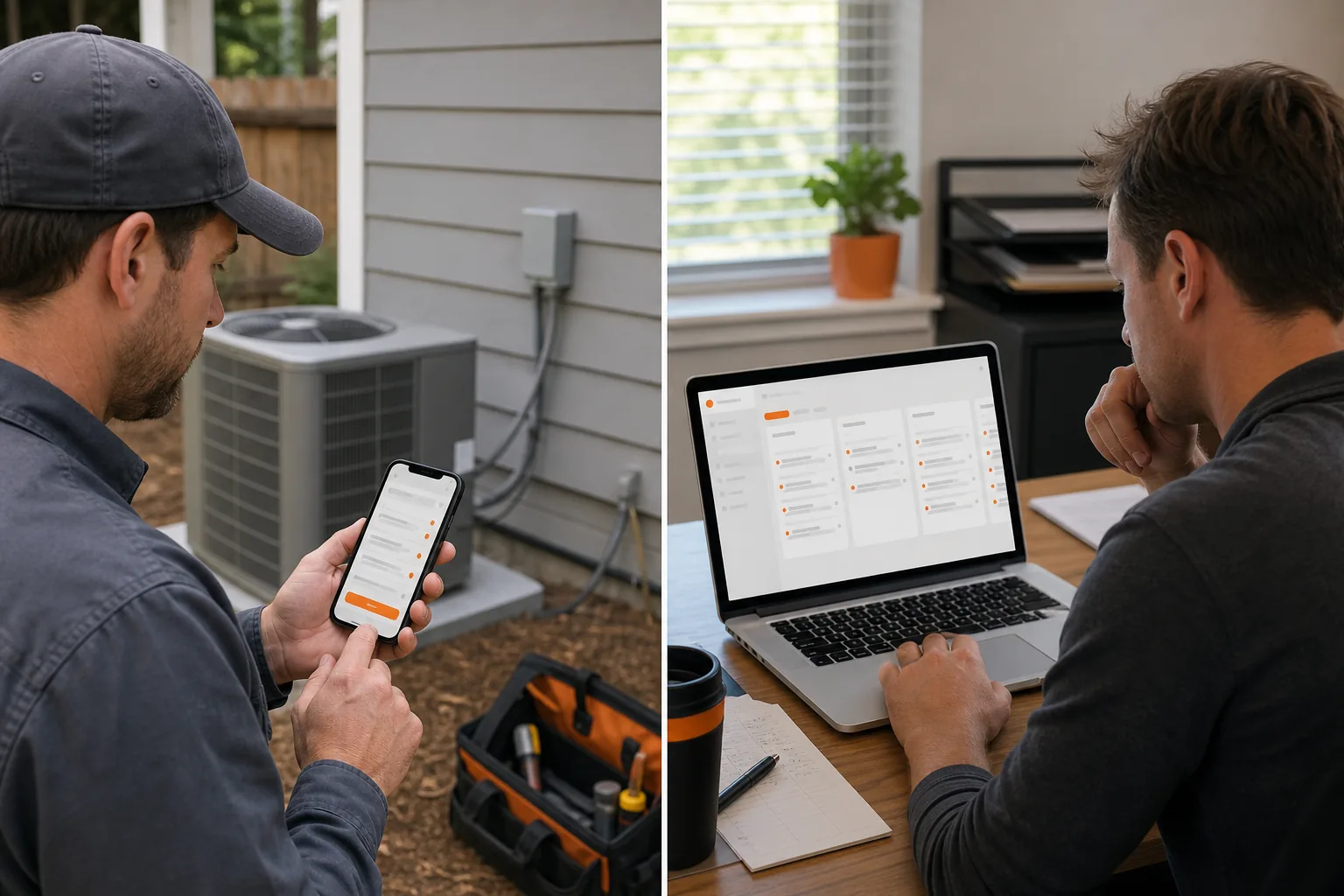
For a business-to-business service, consider where the work happens. A manager may review records at a desk, while a field employee updates a job from a phone. A responsive web app may cover both if mobile browser access is enough. If staff need camera capture or reliable offline work on site, a dedicated mobile experience may justify its added build and support needs.
For consumer services, think about frequency and habit. If customers return often and benefit from saved preferences or timely alerts, a mobile app may support that pattern. If most visits start with a search or a shared link, a web experience can make the first visit simpler. An ecommerce owner should also compare how shoppers browse in a browser with how they place repeat orders on a phone.
Monetization can affect the choice. A web app can support subscriptions or direct payments through its own checkout flow, subject to the payment provider’s rules. A mobile app may have store policies that affect digital purchases. Physical goods and services can follow different payment paths, so check the current platform terms before basing a business plan on a particular fee or checkout method.
A mobile app project can illustrate a mobile-first use case when users return to an experience on a phone. It doesn’t mean every business needs the same approach; the lesson is to connect app type to the user’s repeat task.
Technology choices follow the product needs. Native development can give a team direct control over platform-specific behavior. Cross-platform frameworks such as Flutter and React Native can support app-like experiences across iOS and Android. A PWA may suit a team that wants a browser-first product with selected mobile features. Don’t choose a framework before agreeing on the features and support needs.
Step 5: Validate the Choice and Plan the First Release
Before you fund a full build, test the decision against real tasks. Write down the first three actions a user must complete. For each one, note the device, network, and data needed. If the same task works well in a browser, a mobile app may not be needed yet. If the task depends on phone hardware or offline access, test that requirement early.
Build a small prototype or clickable screen flow and ask representative users to complete a task without coaching. Watch where they pause, what they expect to happen, and whether they can recover from an error. Use the findings to adjust the scope before development grows more costly.
Set release measures that reflect the business goal. A customer portal might track completed account tasks. A booking app might track successful appointment requests. A staff tool might measure whether a work order reaches the right person. Avoid measuring downloads alone if the goal is to make a task easier or reduce manual handoffs.
Plan updates and support before launch. For a web app, set a release process that lets the team test changes and roll back a faulty update. For a mobile app, define how you’ll guide users toward new versions and handle store review. The web’s link-based structure makes it possible to direct users to a browser page through a URL, as explained in Wikipedia’s description of web resources. That simple access path can help when a new user needs to start quickly.
Use accessibility checks during design, not only at the end. Test keyboard use and screen-reader labels in the web experience. On mobile, check text size and touch targets on small screens. Ask users with different access needs to try key tasks when possible. Treat those findings as release requirements, not optional polish.
By now you should have a chosen first platform, a list of must-have features, a support plan, and a way to judge whether the release works. Keep the first version focused. Add the second app type only when user needs or business results support it.
FAQ
What is the main difference between a web app and a mobile app?
A web app runs in a browser, while a mobile app is installed on a phone or tablet. In a web app vs mobile app decision, the key difference is how people access the service and which device features the product needs. A responsive web app can still work well on a phone, but it isn’t the same as an installed app.
Is a web app cheaper than a mobile app?
A web app can cost less when one browser-based experience meets the need across devices, but the total cost depends on scope. Mobile apps may need separate platform work and ongoing store releases. Compare design, testing, integrations, security, hosting, and support before judging the web app vs mobile app budget.
Can a web app use a phone’s camera or send push notifications?
Sometimes, but support depends on the browser, device, and app design. A native mobile app is often a better fit when camera access or push notifications are central to a task. Test the exact devices your audience uses before choosing a web app vs mobile app approach based on one feature.
Should a small business build a web app or mobile app first?
Start with the platform that best supports the main customer or staff task. A web app can be a good first release when users need a shareable link or browser access. A mobile app may come first when people rely on phone features or repeated app use. Validate the workflow before you build.
What is a PWA, and can it replace a mobile app?
A Progressive Web App is a web app that can support some app-like features, such as an installable icon or selected offline tasks. It can replace a mobile app for some products, but not every device feature behaves the same across browsers. Test the needed functions before choosing a PWA instead of a web app vs mobile app build.
Conclusion
Choose a web app when browser access and easy sharing cover the main task. Choose a mobile app when users need phone features or a frequent, app-based workflow. If you need both, start with the core workflow and plan the next platform around user evidence. Lakeway Web Development can help you scope a custom, integrated first release; begin by listing the systems and tasks your app must support.