When an API call fails, the whole workflow can grind to a halt. This api integration error handling guide shows you how to spot weak spots, classify errors, build safe retries, and keep an eye on production so your business stays moving.
Step 1: Map the Integration and Identify Failure Points
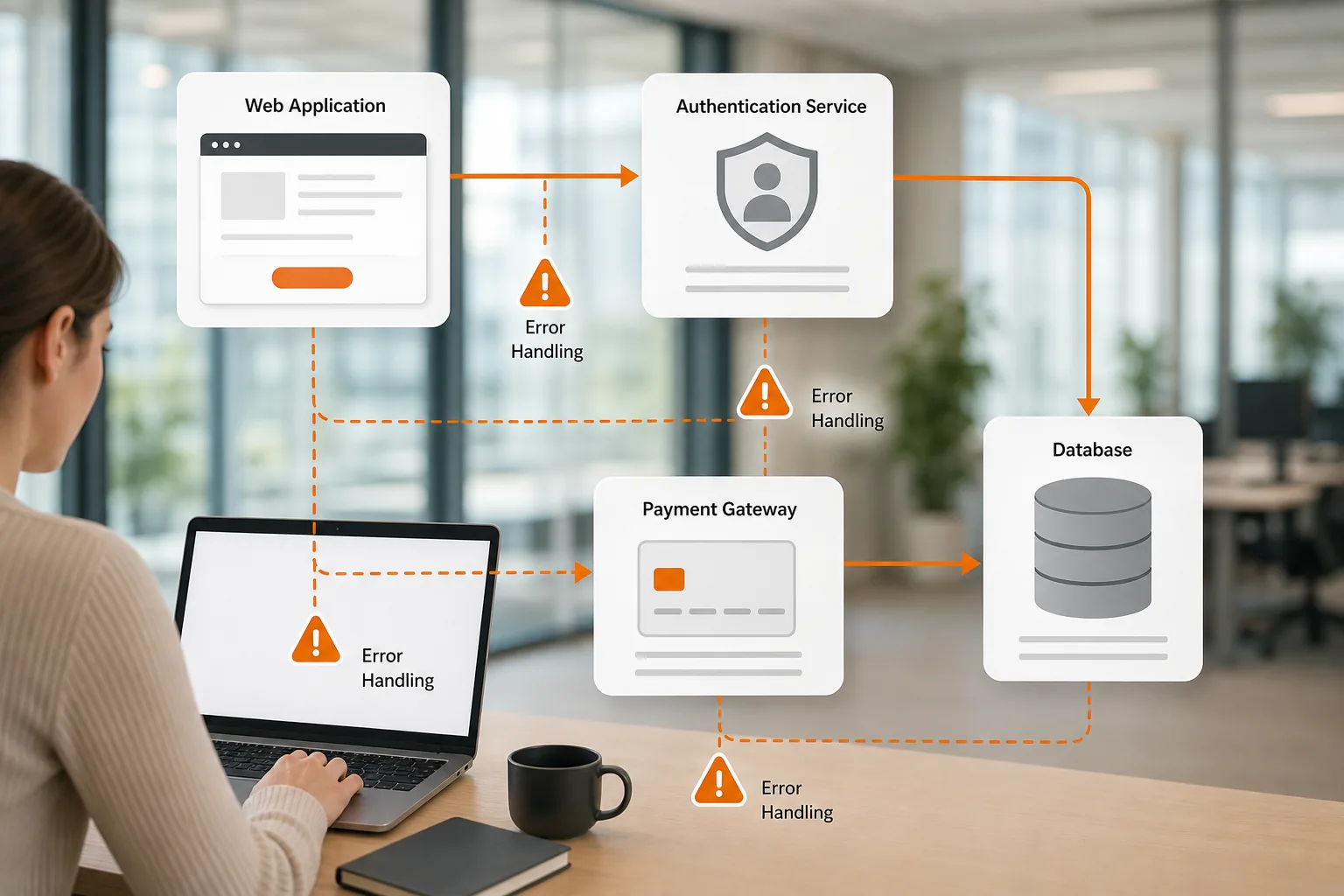
First, draw a clear picture of every system that talks to your API. List the source, the target, the data exchanged, and the trigger (real‑time request, scheduled job, webhook). When you have that map, you can spot the places where a network glitch, a bad payload, or a slow downstream service could break the flow.
Lakeway Web Development helps clients create these diagrams early in a project. Our team works with you to capture business requirements and to tag each connection with expected latency, retry limits, and ownership. That foundation makes the later error‑handling steps far easier.
On the technical side, wrap each fetch or HTTP call in a try‑catch block and check the response status. A 500 status indicates an internal server error, while a 404 means the requested resource is missing. By handling both cases explicitly, you avoid silent failures that leave users guessing.
Also watch for parsing errors. If the response isn’t valid JSON, the catch block should log the raw payload and surface a friendly message to the user. This pattern lets you separate transport errors from data‑format issues.
Finally, add a timeout guard. A request cancellation mechanism lets you cancel a request after a set period, turning a hanging call into a predictable error you can retry.
By now you should have a visual flow chart, a list of each API call, and a basic error‑catch skeleton ready for the next step.
For a deeper walk‑through of how we structure the map, see our API Integration Error Troubleshooting: Step‑by‑Step guide.
Step 2: Classify Errors and Set a Response for Each Type
Once you know where errors can appear, group them by cause. Most integrations fall into four buckets: client errors, authentication issues, transient server problems, and data‑validation failures. Each bucket needs its own response rule.
Client‑error codes (4xx) tell you the request is malformed. Do not retry a 400 or 422; instead return a clear validation message to the caller. Retrying these codes generally wastes resources.
Authentication failures (401, 403) require a fresh token or a permission check. Store the x‑request‑id header so you can trace the failed request when you contact support.
Transient server errors (5xx, 429, 408) are safe to retry, but only after a back‑off delay. Adding jitter prevents a thundering‑herd effect that could overload the downstream service.
Data‑validation errors (422) usually need the payload fixed before you try again. Log the offending fields so developers can adjust the upstream mapping.
| Status | Category | Action |
|---|---|---|
| 400‑422 | Client error | Do not retry. Return validation feedback. |
| 401‑403 | Auth error | Refresh token or prompt re‑auth. |
| 408, 429, 5xx | Transient | Retry with exponential back‑off and jitter. |
| 200‑299 | Success | Process response normally. |
By now you should have a decision matrix that tells your code exactly what to do for each status.
Need a quick reference for error‑code handling? Check out our Best API Integration Monitoring Tools: Setup Guide for dashboards that surface these patterns in real time.
Step 3: Build Safe Retries, Timeouts, and Idempotency
Retries protect you from temporary glitches, but they can also cause duplicate actions if you’re not careful. For operations that may be retried, include an Idempotency‑Key header. The same key lets an API recognize a repeat request and return the original result instead of creating a duplicate.
Generate a UUID for each logical operation and store it with the request payload. If the request times out, resend it with the same key. For GET, PUT, and DELETE methods, most APIs are already idempotent, so you can safely repeat them without a special header.
Configure your client’s retry policy to use exponential back‑off with full jitter. This pattern spreads out retries and reduces the chance of overwhelming the downstream service.
Keep the base delay smaller than the maximum delay, or many retry libraries will reject the setting. Set each request timeout a little above the longest normal processing time for that call, so slow but healthy requests aren’t cut off.
When you finish, your retry logic should look like a small function that catches errors, checks the status, applies the back‑off formula, and respects the idempotency key.
This pattern matters most for payment and order creation flows, where a retried request could otherwise charge a customer twice.
For more on idempotency, see this HTTP header reference.
Step 4: Test Recovery Paths and Monitor Issues in Production
Automation can only go so far. You need to prove that your error‑handling works before users see it. Build a test suite that forces each error bucket: send malformed JSON for a 422, use an expired token for a 401, and simulate a timeout for a 5xx. Verify that your code follows the decision matrix from Step 2.
Run these tests in a sandbox environment first. A sandbox that mirrors production limits can help you catch edge cases without affecting real users.
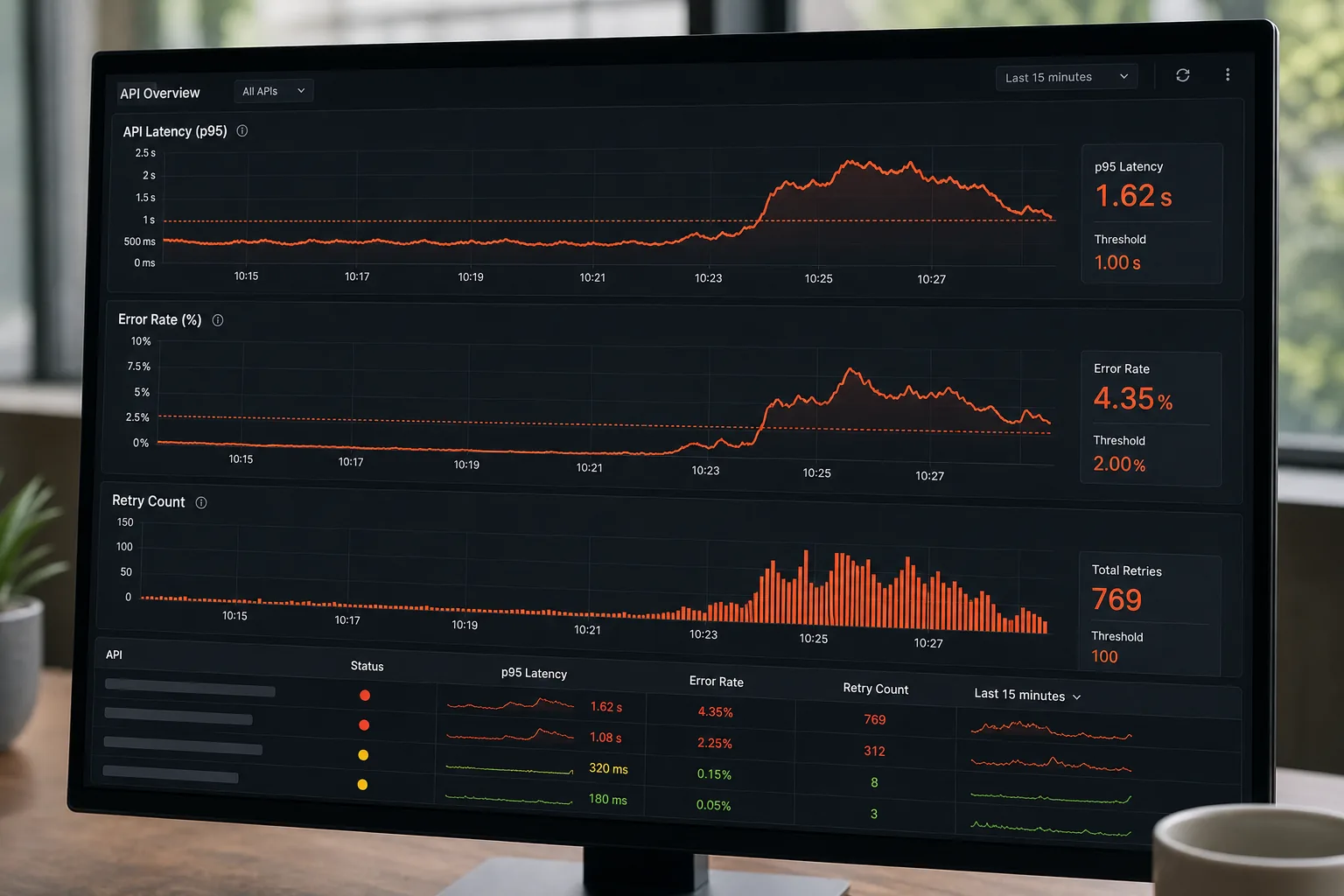
Once the code passes unit and integration tests, push it to a staging environment that feeds real traffic through a canary release. Monitor the same error categories you classified earlier. Use structured logs that include the request ID, status code, and error type. This makes root‑cause digging fast.
In production, set up alerts that fire only on genuine spikes, for example, a rise above a 5% error rate for a specific endpoint. Over-alerting can lead to fatigue, so tune thresholds carefully.
After you have live monitoring, schedule a weekly review of the error dashboard. Look for patterns. Repeated 429s may indicate a need to increase rate‑limit quotas, while frequent 422s point to upstream data‑quality issues.
This review is often where hidden edge cases show up, and the fix is usually a tweak to the retry back‑off or a missing validation rule.
FAQ
What is the first thing I should do when an API call fails?
Check the HTTP status code. A 4xx means the request needs fixing, while a 5xx or 429 suggests a temporary problem you can retry after a back‑off.
Should I retry client‑error responses like 400 or 404?
No. Client errors indicate a bad request. Retrying them wastes resources and won’t change the result until the request itself is fixed.
How do I generate a reliable idempotency key?
Use a UUID that uniquely identifies the business operation (order ID, payment intent). Store the key with the request payload so you can reuse it on retries.
What back‑off strategy works best for retries?
Exponential back‑off with full jitter spreads out retry attempts and avoids thundering‑herd storms. Start with a 200 ms base delay and double it each try, adding random jitter up to the current delay.
How often should I review my error‑handling metrics?
Run a weekly review of your error dashboard. Look for recurring patterns such as frequent rate‑limit hits or validation failures, and adjust thresholds or validation rules accordingly.
Pick a solid error‑handling foundation, then let Lakeway Web Development fine‑tune the retries, idempotency, and monitoring for your specific workflow. Ready to make your integrations resilient? Start with our free testing tools guide and set up a sandbox today.