Most software breaks down faster than we think. A bad plan can cost you time, money, and trust. In this guide we’ll show you what a software maintenance plan is, the four main types of maintenance, the pieces you need in a plan, best practices, and how to beat common roadblocks. By the end you’ll know how to keep your apps safe, fast, and ready for tomorrow.
What Is a Software Maintenance Plan?
A software maintenance plan is a written set of steps that tells you how you will fix, update, and improve an app after it goes live. It covers who does the work, when it happens, and how you check that everything works.
The plan lives inside the software life‑cycle. After developers ship code, they must still watch for bugs, add new features, and adapt to new OS versions. Without a plan, those tasks get missed, and the app can become slow or unsafe.
Think of it like a car service schedule. You don’t drive a car forever without oil changes or brake checks. The same idea applies to code.
We start with an audit. Look at the current version, the libraries it uses, and any open tickets. Then we map out a timeline , weekly builds, monthly patches, quarterly feature reviews. The plan also spells out how you log changes and who signs off.
Here’s why a clear plan matters. According to Thales’ definition of software maintenance, regular updates keep software competitive and secure. Companies that ignore this spend up to two‑thirds of the whole project cost on fixes later.
And a solid plan helps you talk to customers. When you can say “we’ll patch any security issue within 24 hours”, they trust you more. It also gives your team a clear schedule, so no one works overtime waiting for a surprise bug.
We help you write a plan that fits any size project. Lakeway maintenance and support services give you a template, a ticket system, and an AI‑powered search tool that finds the right doc in seconds.
Bottom line:A software maintenance plan turns post‑launch chaos into a predictable, repeatable process.
Types of Software Maintenance
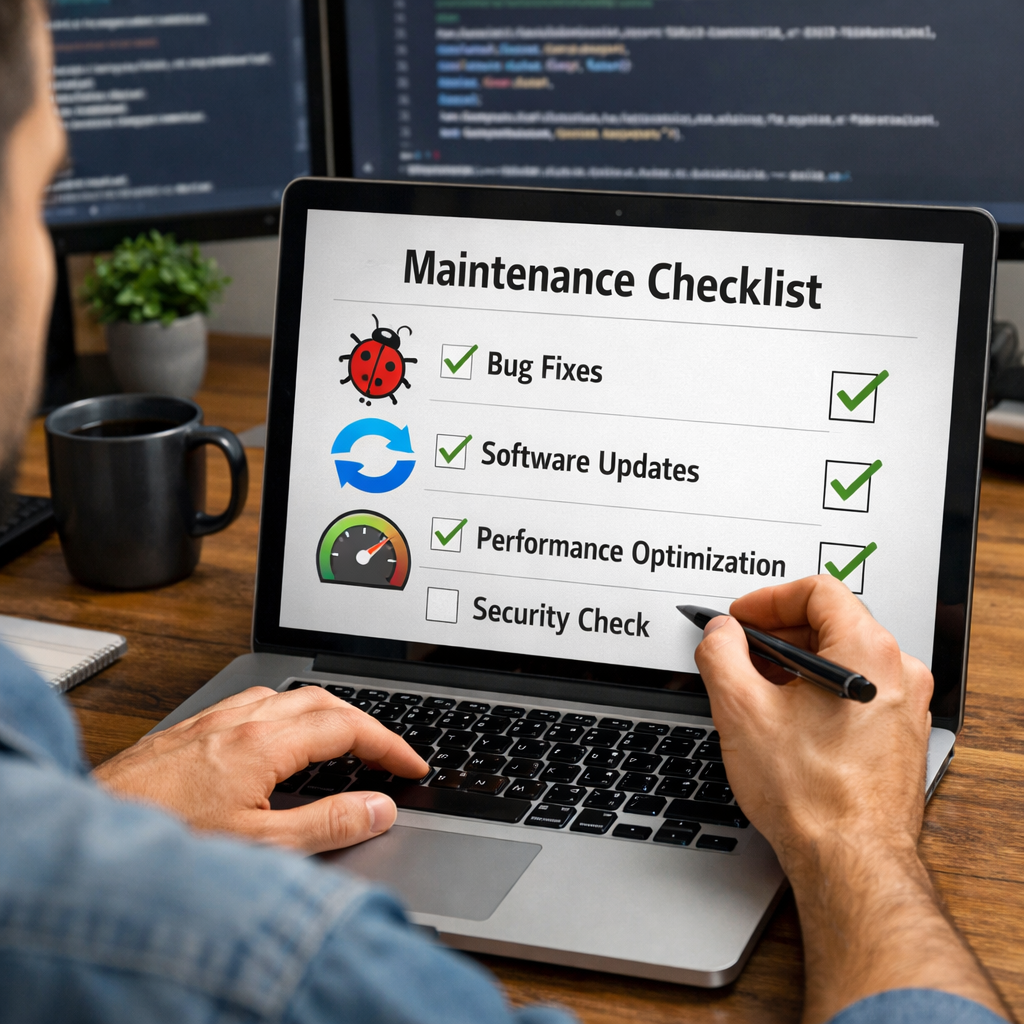
There are four main types of software maintenance. Each type solves a different need.
Correctivemaintenance fixes bugs and errors that users find. It’s the classic “bug‑fix” work.
Adaptivemaintenance updates the app so it works with new operating systems, hardware, or third‑party services.
Perfectivemaintenance adds new features or improves existing ones based on user feedback.
Preventivemaintenance looks for hidden problems and fixes them before they cause downtime.
Below is a quick matrix that shows when each type is used and what you should watch for.
Each type has its own workflow, but they all share the same steps: find the issue, design a fix, test, and roll out.
Knowing the four types helps you budget time and money. You can plan a monthly corrective sprint, a quarterly adaptive release, a semi‑annual perfective upgrade, and a yearly preventive audit.
Research from CAST Software shows that teams that separate these types see 20 % fewer emergency patches. The same study notes that clear categorisation makes impact analysis easier.
And remember, you don’t have to do all four all the time. Pick the mix that fits your product’s age and market.
Bottom line:Understanding the four maintenance types lets you match work to need, saving time and cost.
Key Components of an Effective Maintenance Plan
Every good plan has a few core parts. If you miss any, the plan will fall apart.
First, define the scope. List every app, version, and third‑party library you own. This inventory tells you where to look when something breaks.
Second, set the schedule. Decide how often you will run patches, security scans, and performance tests. A common cadence is weekly minor fixes, monthly security updates, and quarterly feature reviews.
Third, assign roles. Who writes the code? Who tests it? Who signs off? Clear ownership prevents “it’s someone else’s job” delays.
Fourth, track metrics. Measure mean‑time‑to‑repair (MTTR), number of open bugs, and uptime. These numbers show whether your plan works.
Fifth, keep documentation. Store a log of every change, why it was made, and who approved it. Good docs help new team members jump in fast.
Sixth, build a communication plan. Tell stakeholders when you will be down for maintenance, and give them a way to ask questions.
Finally, include an exit strategy. If a component becomes too old, have a plan to retire or replace it.
Our own Lakeway Web Development custom solutions use these pieces in every contract. The result is a plan that is easy to follow and cheap to run.
"The best time to start building backlinks was yesterday."
Bottom line:A solid maintenance plan has scope, schedule, roles, metrics, docs, communication, and an exit plan.
Best Practices for Creating a Software Maintenance Plan
Now that you know the parts, let’s look at how to put them together.
Start with a clear goal. Do you need higher security, better performance, or new features? Write the goal in plain English so every team member gets it.
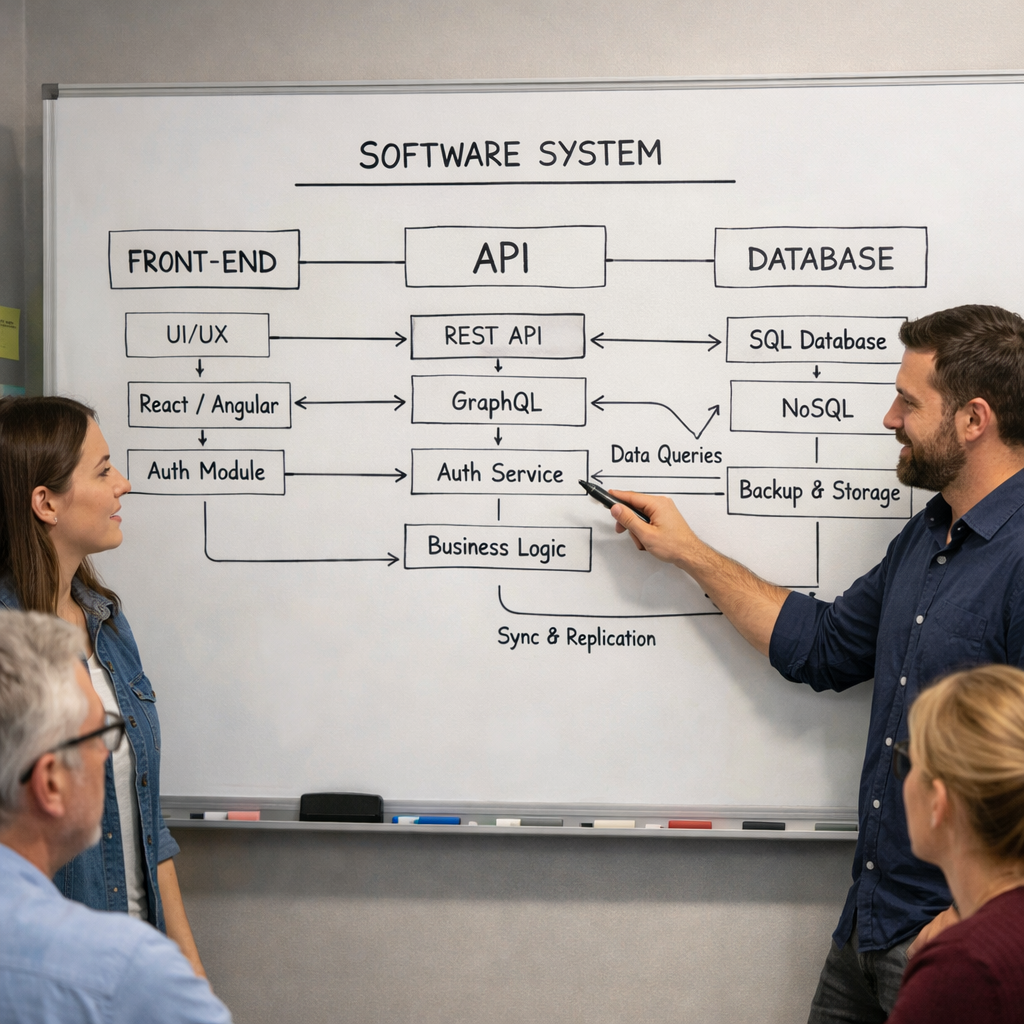
Next, map dependencies. Modern apps have many layers , front end, API, database, cloud services. Use a tool to draw a diagram that shows how each piece talks to the others.
Then, create a risk matrix. Rate each component on likelihood of failure and impact if it fails. Focus your first effort on the high‑impact, high‑likelihood spots.
After that, set up automated alerts. A simple monitoring script can email you when CPU use spikes or when a security patch is released.
Don’t forget a backup plan. Take daily snapshots of your database and keep them in a separate region. Test a restore every month.
When you write the schedule, leave buffer time for unexpected work. If you plan a two‑day update, allocate an extra day for testing and rollback.
Keep the plan simple. Too many steps make people skip them. A one‑page checklist works better than a 20‑page PDF.
We recommend a quarterly review of the plan itself. Ask: Are the goals still right? Did any new tech change the risk picture?
And always record the outcome of each maintenance window. Note what went well and what didn’t. Those notes become the basis for the next improvement.
Bottom line:Follow clear goals, map dependencies, rank risk, automate alerts, and review quarterly to keep your plan effective.
Common Challenges and How to Overcome Them
Even with a perfect plan, teams hit bumps.
One big challenge is hidden dependencies. A change in one service can break another that seems unrelated. To beat this, use a dependency‑mapping tool and run impact tests before you push code.
Legacy code is another pain point. Old libraries may not get security patches. The fix is to isolate the legacy part in a container and plan a gradual rewrite.
Budget pressure often forces teams to skip maintenance. Show the cost of downtime versus the modest cost of regular updates. A simple ROI calculator can convince finance.
Communication gaps cause missed windows. Set a standing meeting before each release and use a shared ticket board so everyone sees the status.
Resource limits can stall work. Cross‑train staff so more than one person can handle a component. That reduces bottlenecks.
Finally, many teams lack clear metrics. Track MTTR, mean‑time‑between‑failures, and uptime. Use these numbers to prove the plan’s value.
"The best time to start building backlinks was yesterday."
Bottom line:Identify hidden links, isolate legacy code, show ROI, improve communication, cross‑train staff, and track metrics to beat common hurdles.
Frequently Asked Questions
What does a software maintenance plan cover?
A software maintenance plan covers bug fixes, security patches, performance tweaks, feature upgrades, and compatibility changes. It also defines who does the work, when it happens, how you test, and how you communicate with users. By laying out each step, the plan makes post‑launch work predictable and reduces surprise downtime.
How often should I schedule maintenance windows?
Most teams use a tiered schedule. Minor bug fixes can go out weekly, security patches monthly, and larger feature releases quarterly. Adjust the cadence to match your risk level , high‑risk apps may need weekly security scans, low‑risk tools can stretch to quarterly updates.
What is the difference between corrective and perfective maintenance?
Corrective maintenance fixes something that is broken , a bug, a crash, or a security flaw. Perfective maintenance improves something that works , it adds a new button, speeds up a query, or refines the UI. Both are needed, but they solve different problems.
How can I measure the success of my maintenance plan?
Track three simple metrics: mean‑time‑to‑repair (how fast you fix bugs), uptime percentage (how often the app is available), and change failure rate (how many updates cause new bugs). When these numbers improve over time, your plan is paying off.
Do I need special tools for software maintenance?
You need a version‑control system (Git), a ticketing system (Jira, Azure DevOps), monitoring tools (Prometheus, New Relic), and an automated testing suite. These tools help you track changes, spot issues early, and verify fixes before they reach users.
What role does documentation play in a maintenance plan?
Documentation is the memory of the team. It records why a change was made, who approved it, and how to roll it back. Good docs reduce onboarding time for new engineers and make audits easier.
How can I handle emergency patches without breaking the plan?
Set an “emergency lane” in your workflow. Use a fast‑track branch that bypasses some tests but still runs a core smoke test. After the fix, merge it back into the main branch and schedule a full regression test later.
Is a maintenance plan only for large enterprises?
No. Small apps benefit just as much. A simple checklist that lists who to call, what steps to run, and how to notify users can keep a startup’s app reliable without a big team.
Conclusion
Putting a software maintenance plan in place is not optional , it’s a must for any app that wants to stay safe, fast, and useful. We covered what a plan is, the four types of maintenance, the key pieces you need, best‑practice steps, and how to dodge common problems.
When you follow this guide, you’ll see fewer bugs, faster fixes, and happier users. You’ll also have the data you need to prove the plan’s worth to finance and leadership.
Lakeway Web Development builds custom, future‑proof apps and backs them with transparent, AI‑enhanced support. Our clear maintenance contracts include 24/7 coverage and a built‑in AI search that lets your team find the right doc in seconds. Ready to protect your investment?
Contact us today for a free consultation and see how a tailored software maintenance plan can keep your software running smoothly.
Bottom line:A well‑crafted software maintenance plan saves money, protects users, and keeps your app ready for tomorrow’s challenges.