Serverless feels like magic, but it’s really just a different way to run code. You write functions, the cloud runs them, and you never touch a server again. In this guide we’ll walk through the biggest benefits, the hidden costs, and the real‑world ways you can use serverless to grow your business.
By the end you’ll know why developers love it, how the pricing works, and what you need to watch for when you move to a serverless stack.
What is Serverless Architecture?
Serverless is an application model where the cloud provider handles the servers, the operating system, and the scaling. You only write the code that does the work. When a request comes in, the provider creates a tiny container, runs your function, then shuts it down. This happens in milliseconds and you never see the underlying VM.
Because the provider owns the hardware, you don’t have to patch OSes, install drivers, or manage load balancers. The model is often called Function as a Service (FaaS) , think AWS Lambda or Google Cloud Functions. Those platforms let you upload a zip file or a container image, set a trigger, and let the cloud do the rest.
One of the first places to look for a solid definition is Wikipedia's entry on serverless computing. It explains that the term is a bit of a mis‑nomer , servers still exist, just hidden from you.
Here’s what that looks like in practice. A user signs up on your site, an API call triggers a function, the function writes a record to a database, and then the function ends. No server stays alive between calls.
Because each function runs in isolation, you get built‑in fault tolerance. If one instance crashes, another will be started automatically. The model also encourages small, single‑purpose units of work, which are easier to test and version.
But the abstraction has a price. You give up some low‑level control, and you must trust the provider’s limits and security model. That trade‑off is why many teams start with a hybrid approach , keep long‑running services on VMs and move bursty, event‑driven pieces to serverless.
Bottom line:Serverless means you write functions, the cloud runs them, and you never manage the underlying servers.
Cost Efficiency and Pay‑as‑You‑Go Pricing
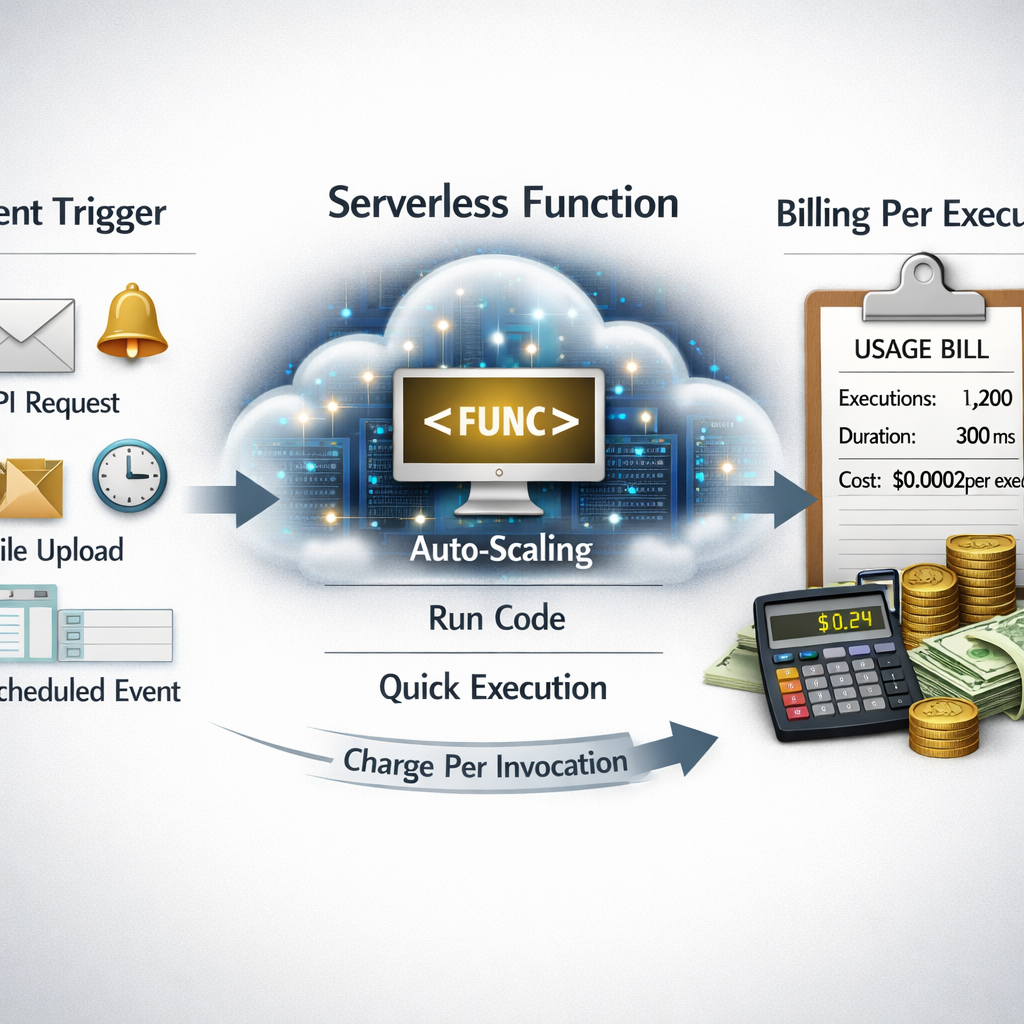
One of the biggest draws is that you only pay for what you use. Providers charge per‑invocation, per‑millisecond of compute, and for the memory you allocate. If a function never runs, you pay nothing.
That sounds cheap, but the details matter. Infracost’s guide to serverless pricing breaks down the three main cost drivers: execution time, memory size, and request count. A function that runs for 200 ms with 256 MB of memory costs far less than one that runs for 2 seconds with 2 GB.
Most providers also give a free tier , usually one million invocations and a few hundred thousand GB‑seconds each month. For low‑traffic apps, that can cover the entire bill.
When you have steady, high‑volume traffic, the per‑invocation model can become pricey. Some teams use reserved capacity or provisioned concurrency (AWS) to lock in lower rates, but that adds a fixed cost back in.
To keep spending in check, monitor your usage daily and set alerts. Tag every function with the project name so you can see which service is driving the cost.
Bottom line:Pay‑as‑you‑go can save money for bursty workloads, but steady traffic may need extra planning.
Scalability and Automatic Load Management
Scalability is the most talked‑about benefit. When traffic spikes, the platform spins up more instances automatically. You don’t have to guess how many servers you’ll need.
Google’s blog on scaling outlines six strategies, from setting max instances to using Cloud Tasks for rate limiting. For example, you can cap a function at 75 concurrent instances so it never overloads a downstream database.
If you need to batch work, you can push messages onto Pub/Sub and let a function process them in groups. That reduces the number of cold starts and keeps costs down.
Imagine an e‑commerce site during a flash sale. Traffic jumps from 100 req/s to 10,000 req/s in minutes. A traditional fleet would need to be over‑provisioned for that peak, while a serverless app adds just enough instances to meet demand.
One real example comes from a video streaming service that used Cloud Run for I/O‑bound transcoding. By allowing 80 concurrent requests per instance, they cut compute costs by 30 % compared to a one‑request‑per‑instance model.
Bottom line:Serverless gives you instant elasticity, but you still need to set limits and watch downstream services.
Reduced Operational Overhead and Faster Deployment
When you stop managing servers, you free up a lot of time. No patching, no capacity planning, no manual scaling. You can push code directly from Git to the cloud and see it run in seconds.
That speed translates to faster releases. A typical CI/CD pipeline for serverless has four stages: build, test, stage, and prod. Each stage can spin up a temporary environment that’s destroyed after the test run.
The Serverless Framework’s guide shows how a pull request can spin up a preview environment, run tests, and then be torn down automatically. This reduces the chance of human error and speeds up the feedback loop.
Our own experience building custom apps for mid‑size businesses shows that teams can go from idea to live feature in a few days, not weeks. The less time you spend on ops, the more you can spend on product ideas.
Bottom line:Less ops work means faster releases and more focus on business value.
Security and Compliance in Serverless Architecture
Security moves to a shared‑responsibility model. The cloud keeps the underlying host patched, but you own the code, IAM policies, and data handling.
Sysdig points out that serverless can increase the attack surface because each function can be triggered by many sources , HTTP, storage events, queues. If a function has overly broad permissions, an attacker can pivot to other services.
One practical step is to give each function the least privilege it needs. Use role‑based access controls and separate credentials for each function.
Compliance frameworks still expect logs, encryption, and audit trails. Make sure every function writes structured logs to a central store and that data at rest is encrypted with a customer‑managed key.
We’ve helped clients set up continuous security scans that run on every code push. By catching vulnerable dependencies early, they avoid supply‑chain attacks that have plagued many serverless projects.
Bottom line:Serverless reduces infrastructure risk but you must secure the code and permissions yourself.
ChatGPT integration servicesUse Cases and Benefits Comparison Table
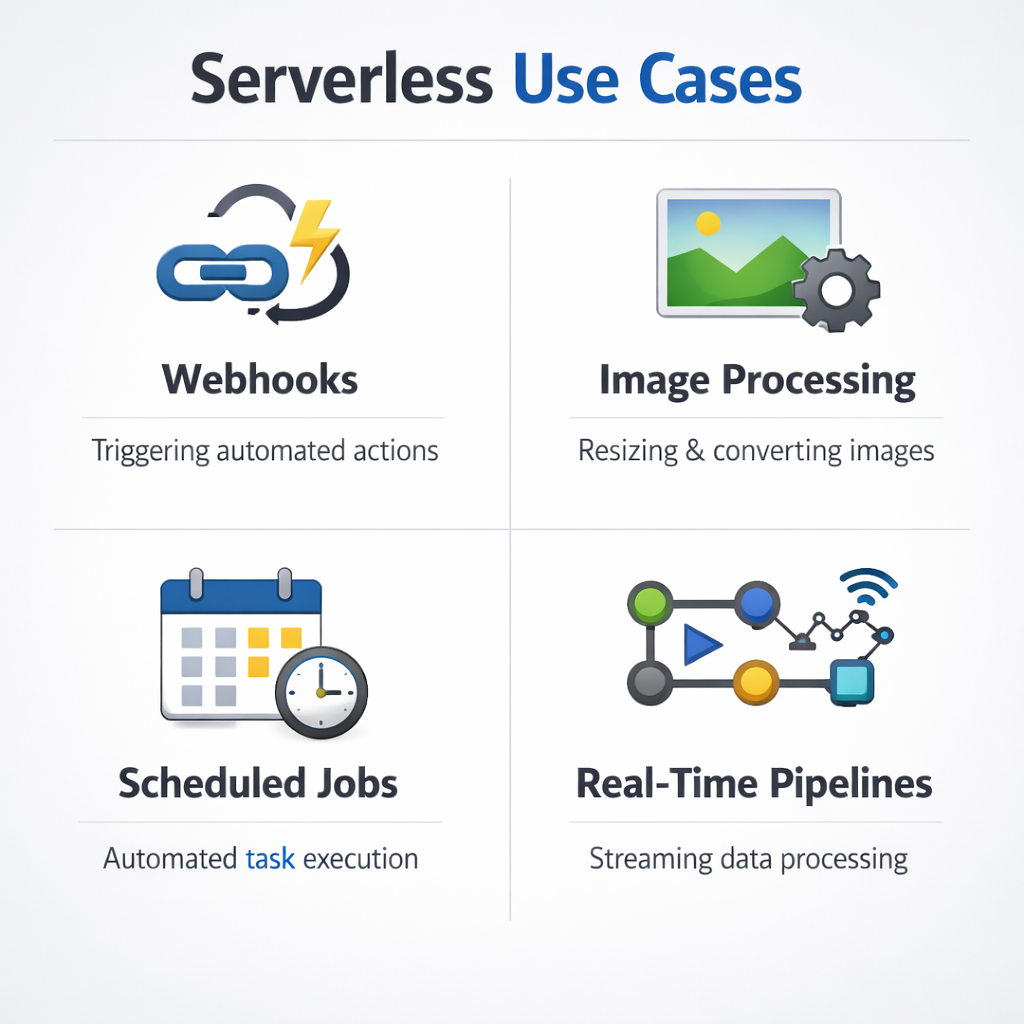
Serverless shines in many scenarios. Below is a quick look at where it works best, and how the benefits line up against traditional VMs.
For a static website that only serves HTML, CSS, and JavaScript, you can host the files in a storage bucket and use a CDN. No backend code means you pay almost nothing.
When you need a quick thumbnail generator, a single function that reacts to a new file in storage can do the work and then disappear. That pattern saves both time and money.
Bottom line:Pick serverless for event‑driven, bursty, or short‑lived workloads; keep traditional VMs for long‑running, high‑memory jobs.
 mobile app developmentcustom Shopify apps
FAQ
What types of workloads are best suited for serverless?
Event‑driven workloads work best. Think API calls, file uploads, queue processing, or scheduled jobs. If the code runs for a few seconds and you can break it into small functions, serverless will give you low cost and instant scaling. Long‑running jobs that need many minutes of CPU may be cheaper on a VM.
How does pay‑as‑you‑go pricing affect budgeting?
The model makes it easy to align spend with traffic. You set a budget alarm, and the cloud sends a notification when you hit a threshold. For steady traffic you might add provisioned concurrency or a reserved plan to smooth out spikes and avoid surprise bills.
Can I run a traditional monolithic app on serverless?
You can, but you’ll need to refactor it into smaller functions or containers. The biggest win comes from breaking the app into independent pieces that can scale on their own. If you keep everything as one big function, you lose the scaling advantage.
What about vendor lock‑in?
Because each provider has its own APIs and limits, moving code between clouds can be work. Using open‑source frameworks like the Serverless Framework or Terraform helps abstract the provider specifics, making it easier to switch later if needed.
How do I secure secrets in a serverless function?
Never hard‑code keys. Use the provider’s secret manager or an external vault. Give each function only the permissions it needs, and rotate keys regularly. Monitoring tools can alert you if a secret is accessed unexpectedly.
Is cold start latency a real problem?
Cold starts add a few hundred milliseconds the first time a function runs after a period of inactivity. For low‑latency APIs you can use provisioned concurrency (AWS) or keep a minimum number of warm instances (Google Cloud Run) to keep latency low.
Do serverless functions support long‑running tasks?
Most platforms limit execution time to 15 minutes (AWS) or similar. For jobs longer than that, split the work into multiple steps, use a queue, or fall back to a container service like Cloud Run that allows longer runtimes.
How does serverless impact compliance?
Compliance requirements (PCI, HIPAA, GDPR) still apply. You must ensure data is encrypted at rest and in transit, keep detailed logs, and control who can invoke functions. Many providers offer compliance certifications, but you need to configure your app correctly.
Conclusion
Serverless architecture brings big wins , you pay only for what you use, you get instant scaling, and you cut down the day‑to‑day ops work. The trade‑offs are real: you give up some low‑level control, you must manage IAM carefully, and you need to watch for cold starts and pricing spikes.
When you match the right workloads to the model, the benefits outweigh the downsides. For a startup launching a new mobile app, serverless can get the product to market in weeks. For a large enterprise handling spikes during a sale, it can absorb traffic without a massive upfront investment.
At Lakeway Web Development we help businesses design elegant, custom serverless solutions that fit their needs and stay secure. If you want to dive deeper, on building scalable, cloud‑integrated applications.
Ready to see how serverless can simplify your stack? Contact us to explore a tailored approach for your next project.