Every app breaks down at some point. The cost of a crash can be huge , lost sales, angry users, and a bruised brand. That’s why you need a plan that stops problems before they start. In this guide we’ll walk through what preventive software maintenance means, why it matters, what tasks you should run, how to build a plan, and which tools can help you stay ahead.
By the end you’ll know how to keep your code clean, your servers patched, and your users happy , all without waiting for a disaster to force you to act.
What Is Preventive Software Maintenance?
Preventive software maintenance is the practice of doing regular, scheduled work on an application so that it stays healthy. Think of it like a dentist visit , you go in before you have a toothache. The work includes updating libraries, applying security patches, running code reviews, and checking performance metrics.
Unlike corrective maintenance, which only reacts after a bug appears, preventive work aims to catch issues early. The WorkMetrics guide explains that a solid preventive plan mixes routine checks with automated alerts.
In the software world, the GeeksforGeeks article draws a clear line: corrective fixes broken code; preventive keeps code from breaking.
Imagine you run a retail site. Every month you update the payment gateway, scan for vulnerable dependencies, and run a load test. When a new browser version drops, you already know how it will affect your UI because you test early.
"The best time to start building a reliable app was yesterday."
That quote reminds us that waiting for a failure hurts more than a little extra effort each week.
Bottom line:By treating maintenance as a regular habit, you shift from firefighting to steady growth.

Key Benefits of Proactive Maintenance
When you keep software healthy, the business reaps real rewards. First, downtime drops. A study cited by MoldStud shows that proactive strategies can cut unplanned outages by 30‑50%.
Second, costs shrink. Accruent’s research notes that automation of work orders reduces labor spend and inventory waste, leading to a healthier bottom line.
Third, security improves. Regular patching eliminates the 60% of breaches that stem from unpatched software, according to industry data.
Fourth, compliance becomes easier. When you log each update, auditors can see a clear trail, saving time and stress during reviews.
And fifth, your team stays motivated. No one enjoys endless fire‑drills. A predictable schedule lets developers focus on new features rather than endless bug‑hunting.
We at Lakeway Web Development often pair these benefits with our own maintenance & support plans so that clients see a steady rise in reliability.
Bottom line:Proactive maintenance boosts uptime, cuts costs, hardens security, eases compliance, and keeps teams focused.
Common Preventive Maintenance Activities
There are several repeatable tasks that form the backbone of a good preventive program.
- Patch Management , apply OS, library, and framework updates on a set schedule.
- Code Reviews , have peers scan new code for bugs and security flaws.
- Automated Testing , run unit, integration, and UI tests on every commit.
- Performance Monitoring , use APM tools to watch response times and error rates.
- Security Scans , run static analysis and dependency‑checker tools weekly.
- Backup Verification , test restore procedures monthly.
- Documentation Updates , keep runbooks and run‑order lists current.
MaintainX breaks down routine work into daily, weekly, and monthly buckets. Their learning center explains how simple checklists keep teams from missing critical steps (source).
Here’s a quick example: A SaaS company schedules a quarterly dependency audit. The audit runs a script that flags any library with a known CVE. The script then creates a work order in the CMMS, assigning it to the security lead.
Automation speeds up the loop. When a performance threshold is crossed, an alert can auto‑create a ticket, eliminating the manual step.
Bottom line:Regularly scheduled patches, tests, and reviews keep software stable and secure.
Implementing a Preventive Maintenance Plan
Turning ideas into a plan takes a few clear steps.
1. Inventory Your Assets
List every app, database, server, and third‑party service. Capture version, owner, and criticality. A spreadsheet works, but a CMMS makes the job easier.
2. Choose a Scheduling Model
Time‑based schedules run on a calendar (e.g., patch every first Monday). Usage‑based schedules fire after a metric hits a limit (e.g., after 1,000 API calls). The GoFMX guide walks through both.
3. Prioritize by Risk
Calculate a Risk Priority Number (Severity × Occurrence × Detection). Focus first on assets with the highest scores.
4. Write Clear Work Orders
Each task should have a purpose, steps, required tools, and acceptance criteria. Use checklists to ensure consistency.
5. Assign Ownership
Give each work order a responsible engineer or team. Include escalation paths for missed deadlines.
6. Review and Adjust
After three months, measure missed tasks, incident frequency, and time spent. Tweak intervals or add new checks as needed.
Our own team at Lakeway Web Development follows this exact flow when we set up support contracts for mid‑size clients. The result is a plan that scales with the app’s growth.
Bottom line:A solid preventive plan starts with a clear inventory, picks the right schedule type, assigns owners, and iterates based on real data.
Tools and Technologies Supporting Preventive Maintenance
Modern software teams have a toolbox that can automate much of the work.
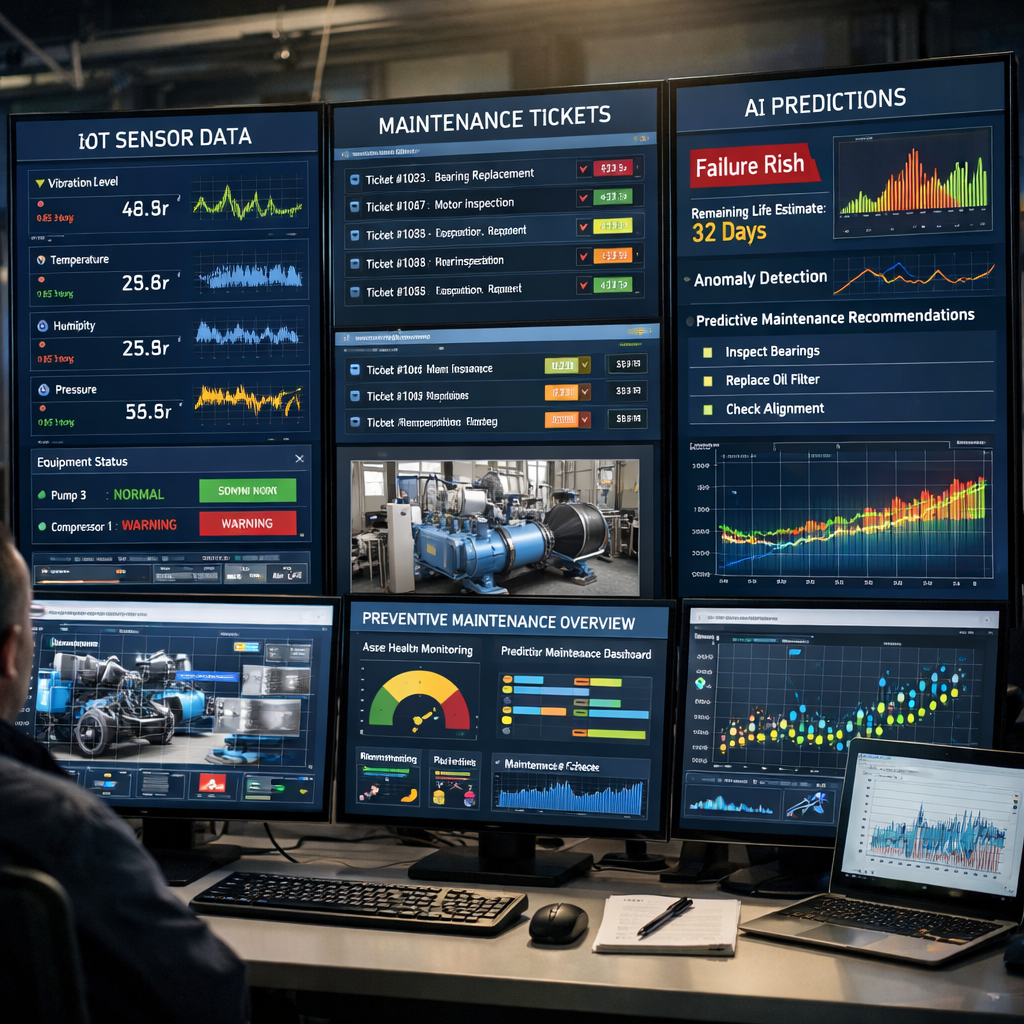
CMMS platforms like MaintainX let you create recurring work orders, track completion, and attach logs. Their AI engine can suggest how long a task will take based on history (source).
Fabrico adds a deeper layer. It connects directly to PLCs and OEE data, turning machine signals into instant work orders. The 2026 review highlights Fabrico’s AI Agent that predicts the best maintenance window (source). This is the closest thing to a nervous system for a factory floor.
Other notable tools include:
- Fiix , strong for large enterprises with Rockwell hardware.
- Limble , easy to set up recurring tasks without heavy IoT.
- MachineMetrics , pure data collection for CNC machines.
When choosing a tool, ask these questions:
- Does it pull data from my existing monitoring stack?
- Can it generate work orders automatically?
- Is the UI mobile‑friendly for field technicians?
- Does it offer AI‑driven scheduling or just static rules?
We often recommend starting with a lightweight CMMS like MaintainX, then adding a data‑rich layer such as Fabrico when the need for real‑time machine triggers grows.
Bottom line:Choose tools that automate alerts, create work orders, and give you visibility , the less manual steps, the better.
FAQ
What is the difference between preventive and corrective software maintenance?
Preventive maintenance is scheduled work that aims to stop problems before they appear. It includes regular updates, code reviews, and performance checks. Corrective maintenance reacts after a bug or outage occurs, fixing the issue after it has impacted users. By investing in preventive tasks, you reduce the frequency and severity of corrective work.
How often should I apply security patches?
Critical security patches should be applied within a week of release. For less urgent updates, a monthly cadence works well. Use automated tools to scan for missing patches and generate tickets, then prioritize based on CVE severity. A regular patch schedule keeps the attack surface small and helps you stay compliant with standards like PCI‑DSS.
Can preventive maintenance be fully automated?
Automation can handle many repetitive steps , for example, an IoT sensor can trigger a work order when temperature exceeds a threshold. AI agents can suggest optimal maintenance windows based on production schedules. However, some tasks, like code reviews, still need human judgment. The goal is to automate the “when” and “what” and keep humans focused on the “why.”
What metrics should I track to measure the success of my maintenance program?
Key metrics include Mean Time Between Failures (MTBF), Planned Maintenance Percentage (PMP), and Mean Time to Repair (MTTR). Track the number of incidents caused by missed patches, and monitor cost savings from reduced emergency repairs. A dashboard that shows trends over time helps you adjust schedules and prove ROI to stakeholders.
How do I prioritize which applications need the most preventive attention?
Start by scoring each app on business impact, user volume, and data sensitivity. Combine that with a risk score based on past incidents and known vulnerabilities. High‑impact, high‑risk apps get tighter schedules and more frequent reviews, while low‑impact utilities can follow a lighter plan.
Is preventive maintenance worth the effort for small teams?
Yes. Even a single‑person team can reap benefits by automating simple tasks: schedule nightly builds, run dependency checks, and set up alerts for failed health checks. The time saved from fewer fire‑drills often outweighs the few hours spent on planning. Small teams can start with free tools or low‑cost CMMS platforms and grow the process as they scale.
Conclusion
Keeping software running smooth isn’t magic , it’s a habit of regular checks, smart scheduling, and the right tools. You now know what preventive software maintenance means, why it saves money and time, which activities to run, how to build a repeatable plan, and which platforms can automate the heavy lifting.
If you want a ready‑made plan that fits your custom apps, explore our Maintenance & Support guide. We’ll help you set up the schedule, pick the right tools, and keep your code future‑proof.
Start small, measure results, and iterate. The sooner you act, the less you’ll spend fixing avoidable bugs later.