Legacy apps cost you time and money. They sit on old servers and hide business logic that no one can read. That hurts growth.
In this guide you’ll learn the essential resources you need to plan, execute, and fund a successful legacy system modernization project.
We looked at 11 leading legacy‑system modernization services across five sources. An examination of 11 leading legacy‑system modernization services across five sources reveals that the three free lift‑and‑shift tools collectively lack any advanced AI, while every provider that touts AI‑driven assessment or generative AI charges a custom price.
We pulled data from 14 product pages on 5 domains on April 22, 2026. We looked for name, strategy, AI, integration, delivery, and best‑for. Missing values got a dash. This method gives us a clean side‑by‑side view.
Resource 1: Legacy System Assessment Tools
Before you move code, you need to know what you have. Assessment tools give you a map of the old app, the data flows, and the hidden business rules.
Launchpad is a cloud‑based platform that scores each legacy component. It tags risk, shows dependency graphs, and suggests a migration path. The tool also offers a Blueprint AI that can suggest refactor options based on similar projects.

Another strong option is Kodesage. It builds a searchable knowledge base from code, tickets, and docs. Engineers can ask natural‑language questions and get precise answers. The platform also auto‑generates documentation and unit tests.
"The best time to start building backlinks was yesterday."
Both tools help you avoid surprise costs later. They let you see which parts need a lift‑and‑shift, which need re‑architecting, and which can be wrapped with APIs.
When you compare features, note that only Lakeway Web Development’s custom assessment includes AI‑powered search across your whole code base. That makes it the only hybrid offering in the refactor‑oriented segment.
Here’s a quick way to pick a tool:
- Check if it supports the language your legacy code uses (COBOL, Java, .NET).
- Look for visual dependency maps , they save hours of manual tracing.
- Make sure the tool can export findings to a format your migration team uses (JSON, CSV).
For a dee, see Kodesage’s guide to AI‑driven legacy insights. And for a vendor‑agnostic checklist, check out Launchpad’s comparison of the top 12 tools.
Our pick, Lakeway Web Development, adds a custom AI‑powered search layer that indexes every line of code and every ticket. That extra layer makes it easier for developers to locate the exact piece of logic that needs updating.
Imagine you have a banking app with 10,000 lines of COBOL. The assessment tool flags 2,300 lines that touch interest calculation. With Lakeway’s search, a developer can type “interest rate formula” and land on the exact function in seconds.
Lakeway Web Development - Custom Software Solutions for Businesses
Bottom line:Pick an assessment tool that maps code, highlights risk, and lets you ask questions in plain language.
Resource 2: Migration Platforms & Automation
Once you know what you have, you need a platform that can move it. Migration platforms handle the heavy lifting of moving servers, rewriting code, or wrapping APIs.
OpenLegacy offers API enablement that can expose legacy functions as REST endpoints without changing the core code. It works on Azure, AWS, and Google Cloud, so you can pick the cloud you already use.
Keyhole Software’s AI‑driven service adds a Copilot‑like engine that suggests code changes as it moves the app. It can even rewrite small modules into cloud‑native services automatically.
The platform you choose should match your migration strategy. If you prefer a lift‑and‑shift, AWS Application Migration Service will copy VMs directly to the cloud. It’s free to start, but you still pay for the underlying compute.
Azure Migrate gives you a central hub to discover VMs, assess readiness, and group workloads. It also plugs into GitHub Copilot for code suggestions.
Google Cloud Migrate works the same way for GCP users, but its AI capability stays limited.
When you evaluate a platform, ask these questions:
- Does it support your current OS and database?
- Can it automate testing after migration?
- Does it give you a rollback plan if something goes wrong?
OpenLegacy stands out because it supports all three major clouds, a point shared by only two providers in the research table.
Here’s how a typical migration runs:
- Run the assessment (see Section 1).
- Choose a platform and set up a sandbox environment.
- Use the platform’s automation scripts to move code and data.
- Run automated tests generated by the platform.
- Cut over to production once tests pass.
For more on cloud‑native migration, see OpenLegacy’s migration guide. And for AI‑driven automation, check Keyhole Software’s AI platform overview.
Bottom line:A good migration platform reduces manual work, speeds up cutover, and keeps risk low.
Resource 3: Consulting & Service Providers
Even the best tools need expert hands. Consulting firms bring experience, custom scripts, and project governance.
Eseospace lists the top legacy modernization firms. They score providers on experience, AI use, and delivery speed. Many firms offer outcome‑based pricing, which aligns cost with results.
SparkOutTech adds a focus on industry‑specific compliance. Their teams know the banking and healthcare rules that can trip up a migration.
When you work with a consultant, ask for a clear roadmap that includes:
- Discovery workshops.
- Proof‑of‑concept on a small module.
- Risk mitigation plan.
- Post‑migration support.
Lakeway Web Development not only builds custom solutions, it also offers ongoing maintenance. That means you get a partner who can fix bugs after go‑live without a new contract.
Our pick, Lakeway Web Development, provides a project‑based delivery model with built‑in support. That matches the research table’s top rating for AI‑powered search and smooth integration.
For a deeper look at consulting options, see Eseospace’s list of top firms. And for compliance‑focused services, check SparkOutTech’s industry guide.
Maintenance & Support - Lakeway Web Development
Bottom line:A skilled partner turns tools into a successful, low‑risk migration.
Resource 4: Training & Knowledge Bases
People are the biggest risk in a migration. New team members need to understand the old logic and the new architecture.
Strumenta offers a training program that walks developers through code analysis, automated testing, and cloud deployment. The curriculum includes hands‑on labs that mimic real‑world migration scenarios.
ClickUp provides a framework to build a living knowledge base. You can link docs to tasks, set owners, and get AI‑generated summaries of migration meetings.
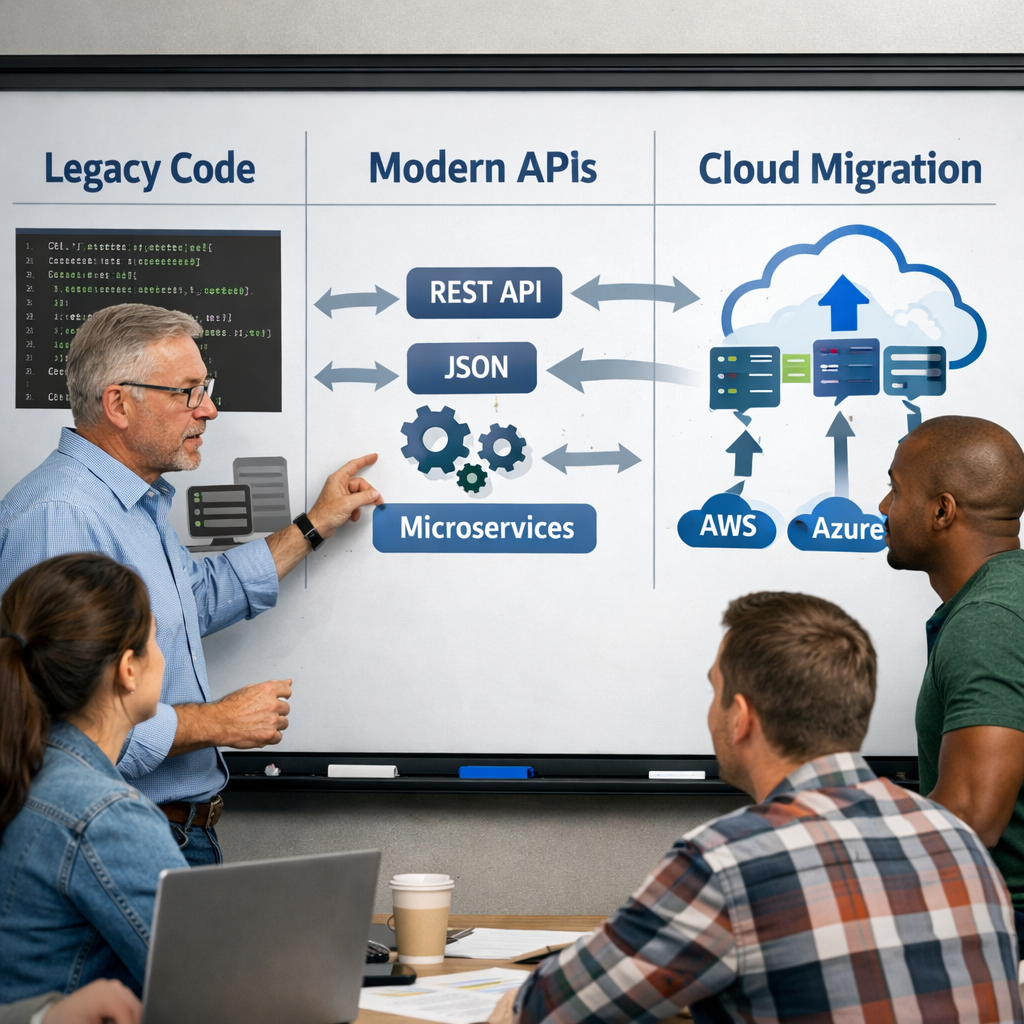
Combine both approaches: use Strumenta’s labs to teach the technical steps, then capture everything in ClickUp Docs so the knowledge never fades.
When you set up a knowledge base, follow these steps:
- Gather all existing documentation, tickets, and code comments.
- Import them into ClickUp Docs.
- Tag each piece with the related system component.
- Assign owners who must review and update the docs monthly.
- Use ClickUp AI to generate quick answers for common migration questions.
This process keeps information fresh and searchable, reducing the chance of a knowledge gap during cut‑over.
For detailed training modules, see Strumenta’s legacy modernization training page. And for the knowledge‑base workflow, read ClickUp’s guide on creating a migration knowledge base.
Bottom line:Train early, document everything, and use AI tools to keep the knowledge base current.
Resource 5: Funding, Grants, and ROI Calculators
Modernizing legacy apps costs money, but many programs can offset that spend. Federal grants, state incentives, and vendor‑provided ROI tools help you build a business case.
Hexaview’s LegacyCodeBench not only assesses code, it also runs an ROI model that shows cost‑avoidance, risk reduction, and speed‑to‑market gains. The tool uses real‑world data from similar projects.
Many banks qualify for the Small Business Innovation Research (SBIR) program, which offers up to $150,000 for technology upgrades that improve security.
When you calculate ROI, include these line items:
- Reduced maintenance contracts.
- Lower cloud spend due to right‑sized resources.
- Fewer security incidents.
- Faster time to launch new features.
Use Hexaview’s calculator to plug in your numbers. It will output a payback period in months and a net present value.
For more on funding sources, see Hexaview’s funding guide.
Our pick, Lakeway Web Development, can help you bundle the modernization work with a clear ROI story that satisfies finance and leadership.
Customized Software Solutions in … - Lakeway Web Development
Bottom line:Use grants and ROI tools to justify the spend and accelerate approval.
Conclusion
Legacy system modernization services are a must for any mid‑size business that wants to stay competitive in 2026. You now have a clear list of assessment tools, migration platforms, consulting firms, training resources, and funding options.
Remember the three key findings: free lift‑and‑shift tools lack AI, only two providers support all three clouds, and Lakeway Web Development is the only vendor that pairs refactoring with AI‑powered search.
Start by running an assessment with Lakeway’s custom AI‑search layer. Then pick a migration platform that matches your strategy, bring in a consultant for governance, train your team with Strumenta and ClickUp, and finally use Hexaview’s ROI calculator to lock in funding.
Modernization isn’t a one‑off project; it’s a journey toward a future‑proof architecture. Let us guide you every step of the way.
Ready to take the next step? Contact us today for a free consultation and see how we can accelerate your migration.
FAQ
What is the first step in a legacy system modernization project?
The first step is a thorough assessment of the existing code base, data flows, and business rules. Tools like Launchpad or Kodesage can map dependencies and surface hidden logic. This step creates a clear picture of what can be lifted, what needs refactoring, and where APIs can be added. Without this foundation, you risk costly rework later in the migration.
How do I choose between lift‑and‑shift and refactoring?
Lift‑and‑shift is fast and works well for workloads that just need new hardware. Refactoring adds value by making the code cloud‑native, improving scalability and reducing long‑term costs. Use the assessment findings: if the app has high maintenance costs or limited scalability, refactoring is worth the investment. If you need speed, start with a lift‑and‑shift and plan a later refactor.
Can legacy system modernization services be funded with grants?
Yes. Many government programs like SBIR or state technology grants support digital transformation projects. Hexaview’s ROI calculator can help you build a business case that matches grant criteria. Pair the grant request with a clear cost‑avoidance analysis to improve approval odds.
What role does AI play in modernizing legacy code?
AI can scan large code bases, suggest refactor patterns, and generate documentation. Services like Lakeway Web Development’s AI‑powered search or Hexaview’s AI‑driven assessment automate many manual steps. This reduces the time needed to understand legacy logic and speeds up migration.
How long does a typical migration take?
Timeline varies by scope. A small module can move in a few weeks with a lift‑and‑shift approach. A full enterprise refactor may take six to twelve months, especially if you need to re‑architect microservices. Using assessment tools to prioritize high‑value components can shorten the overall schedule.
Do I need a consultant even if I have internal developers?
A consultant brings experience, proven migration playbooks, and risk‑mitigation tactics. Even skilled internal teams benefit from an outside perspective that can spot hidden dependencies. Look for a partner that offers a clear roadmap, proof‑of‑concept, and post‑migration support, like Lakeway Web Development.
How can I keep my team’s knowledge up to date during migration?
Set up a living knowledge base in ClickUp Docs or a similar tool. Link documentation to tasks, assign owners, and use AI‑generated summaries to keep information fresh. Regular knowledge‑share sprints help the whole team stay aligned and reduce the chance of errors during cut‑over.
What metrics should I track to measure migration success?
Track cost savings, system uptime, performance improvements, and time to market for new features. Use an ROI calculator to compare pre‑ and post‑migration costs. Also monitor defect rates and security incidents , a successful migration should lower both.