Enterprises that empower a bot to answer queries, schedule meetings, and pull data on demand can cut costs and boost satisfaction. Leveraging ChatGPT integration can further enhance conversational accuracy. In the next few minutes we’ll break down the core options, must‑have features, and the hidden risks vendors may hide.
By the end of this guide you’ll know which solution fits your team, how to compare integration breadth, and which approach offers the best return on investment.
1. Comprehensive low‑code chatbot platform (Our Pick) , All‑in‑one solution with visual builder
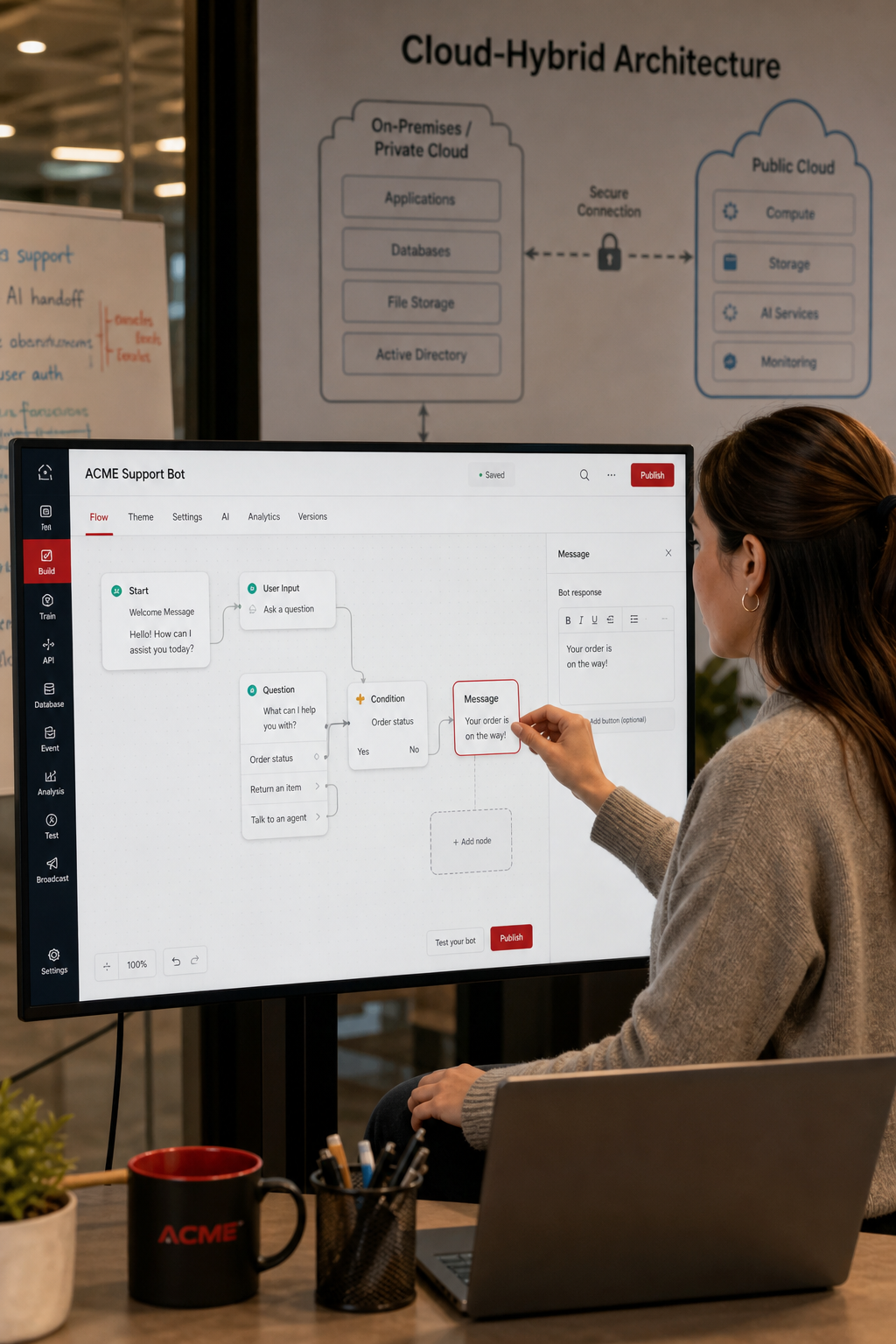
The platform markets itself as a “one‑stop shop” for large‑scale bots. It bundles a visual low‑code builder, pre‑trained language models, and a plug‑in ecosystem that talks to CRM, ticketing, and ERP systems. The solution runs on a hybrid cloud, allowing sensitive data to stay on‑premise while scaling the conversational layer in the public cloud.
Key strengths include:
- Drag‑and‑drop flow editor that lets a business analyst design a bot in a single afternoon.
- Built‑in compliance templates for GDPR, SOC 2, and HIPAA.
- Native connectors for major CRM, ticketing, and ERP suites.
- Versioned bot definitions, so you can roll back a change without touching code.
Because the builder is low‑code, the engineering effort drops dramatically. A typical rollout that would need a team of five engineers can be delivered by one developer plus a product manager. That translates into faster time‑to‑value and lower total cost of ownership.
Pricing is subscription‑based, with a tier for midsize firms that starts at $1,200 per month for up to 10,000 monthly active users. The enterprise tier adds unlimited users, dedicated support, and on‑premise deployment options.
Pros:
- Fast prototyping
- Strong compliance coverage
- Scalable hybrid architecture
Cons:
- Limited deep‑learning customization beyond the provided models
- Higher price point for on‑premise hosting
Real‑world example: a global logistics firm used the platform to replace a legacy IVR system. Within three months the bot was handling 60 % of inbound calls, cutting call‑center costs by 28 %.
When you need a turnkey solution that lets non‑technical staff launch bots quickly, this platform is a solid first choice.
2. Advanced Conversational AI Platform, leading cloud provider’s NLP‑powered solution
This platform runs on the same high‑performance infrastructure that powers major web search services. It leverages a large language model for nuanced intent detection and supports both text and voice interactions.
One of the standout features is Retrieval‑Augmented Generation (RAG). When a user asks a question that isn’t covered by the static intent set, the bot can pull relevant passages from internal wikis, product manuals, or public documents in real time.
The solution integrates tightly with the provider’s contact‑center AI suite, enabling smooth hand‑off to human agents, sentiment analysis, and call‑center analytics. New customers receive up to $300 in free credits to spin up a proof‑of‑concept.
Security meets enterprise standards: data is encrypted at rest and in transit, role‑based access controls manage permissions, and the service complies with ISO 27001, GDPR, and SOC 2.
Typical pricing runs on a per‑request model, $0.002 per text request and $0.006 per voice request, plus a flat monthly fee for enterprise support.
Pros:
- World‑class NLP backed by cutting‑edge research
- RAG for dynamic knowledge retrieval
- Deep integration with the provider’s cloud services
Cons:
- Usage‑based pricing can be unpredictable at scale
- Potential vendor lock‑in to the provider’s ecosystem
Case study: an e‑commerce retailer migrated its FAQ bot to this advanced platform and saw a 35 % lift in self‑service completion rates within two weeks.
Lakeway Web Development AI chatbot solutions page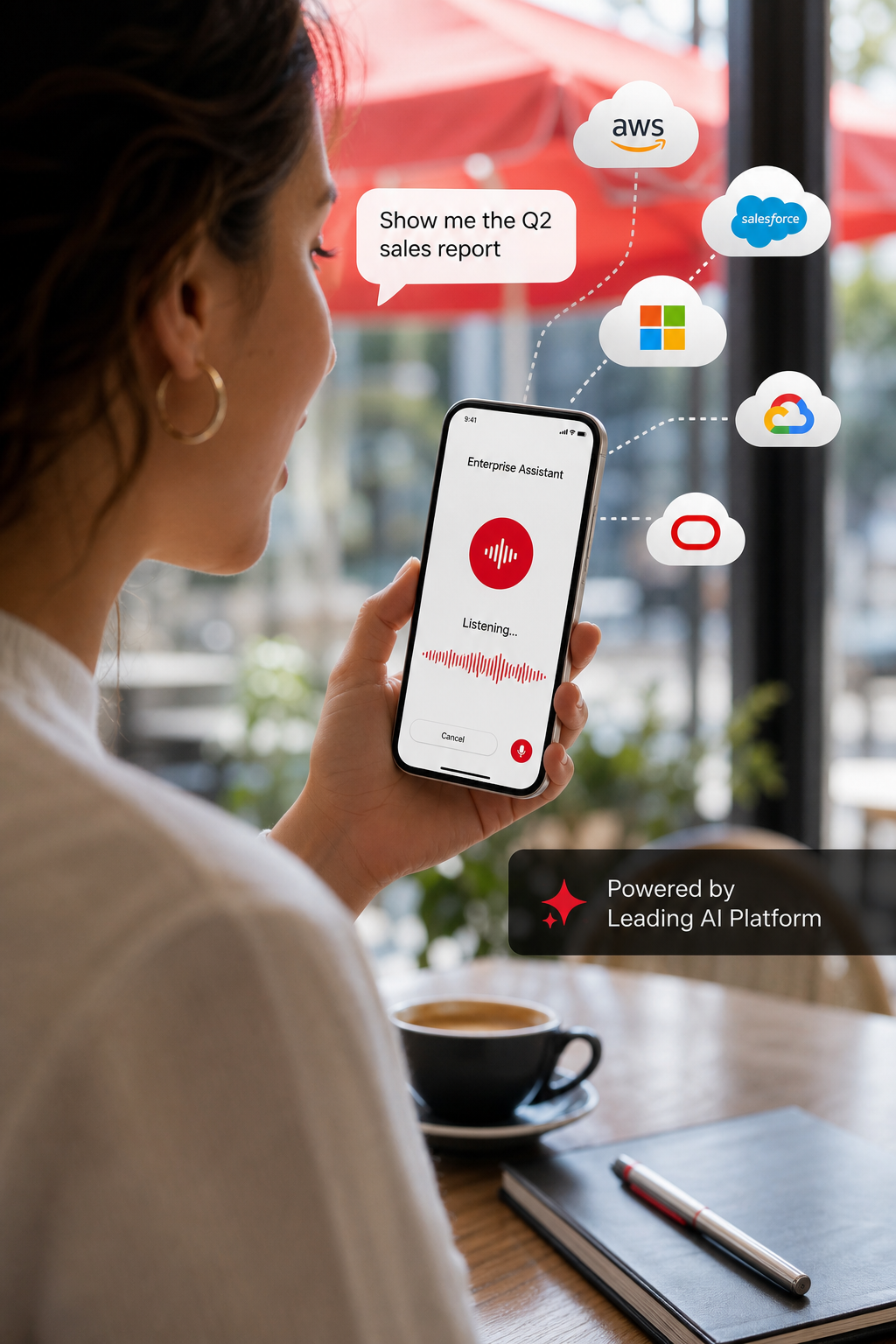
3. Enterprise Cloud Bot Service, Seamless ecosystem integration
The enterprise cloud bot service is built into the provider’s portal, so any organization already using the cloud can add a bot with a few clicks. The service supports a standard Bot Framework SDK, which lets you write custom logic in C#, JavaScript, or Python, then deploy to serverless functions for scalable execution.
What makes this platform stand out is the tight coupling with collaboration tools, enterprise applications, and low‑code platforms. You can expose the same bot as a team app, a web chat widget, or an email add‑in without writing separate connectors.
Security and compliance are baked in: integrated identity management controls access, role‑based permissions, and conditional policies. The platform meets major regulatory standards, making it a go‑to for regulated industries.
Pricing is straightforward, a consumption tier that charges a nominal fee per 1,000 messages plus a modest charge for premium channels. For enterprises that need guaranteed capacity, there’s a dedicated tier with fixed throughput.
Pros:
- Native integration with enterprise productivity suite
- Serverless scaling via cloud functions
- Strong compliance out‑of‑the‑box
Cons:
- Requires cloud platform expertise for advanced customizations
- Less flexible natural language processing compared to specialized AI providers
Real‑world scenario: a multinational bank used this platform to automate internal help‑desk queries across collaboration tools, reducing ticket volume by 22 %.
Because the service lives inside the cloud environment, you can attach monitoring tools to track latency, error rates, and user sentiment in real time.
4. Enterprise‑grade AI chatbot, Strong AI with enterprise‑grade security
The platform brings decades of AI research into a conversational interface. It offers both a low‑code canvas for business users and a code‑first SDK for developers who need fine‑grained control.
One of the biggest advantages is the ability to run the model on‑premise behind a firewall. For banks or healthcare providers that can’t send sensitive data to the cloud, this solves a major compliance hurdle.
The assistant can be trained on domain‑specific corpora, and it supports multi‑language models for global deployments. It also provides “Message Sources”, a feature that shows exactly which knowledge‑base article the bot quoted, helping auditors verify accuracy.
Pricing is tiered. The “Lite” tier is free for up to 10,000 messages per month, while the enterprise tier starts at $1,500 per month and includes on‑premise deployment, dedicated support, and advanced analytics.
Pros:
- On‑premise option for strict data residency
- Transparent answer sourcing for compliance
- Strong multilingual support
Cons:
- Steeper learning curve for the advanced SDK
- Higher base cost than pure SaaS rivals
Example: a large insurance carrier used the platform to automate policy‑lookup calls. The bot answered 45 % of calls without human help, shaving weeks off average handling time.
Quickchat AI’s overview of enterprise AI chatbots, which includes this solution.
When regulatory compliance is non‑negotiable, on‑premise deployment can be the deciding factor.
Lakeway Web Development, AI‑programable foundation for building, scaling, and optimizing AI agentsScreenshot of the enterprise AI chatbot platform.
5. Scalable voice and text bot platform
This platform powers the conversational layer of many voice assistants, but it also serves as a strong chatbot engine for web and mobile apps. It provides automatic speech recognition (ASR) and natural language understanding (NLU) out of the box.
Because it runs on a major cloud platform, you can attach serverless functions for custom business logic, store conversation state in a managed database, and secure data with encryption services. It integrates with contact‑center solutions for seamless hand‑off to a live agent.
Pricing is pay‑as‑you‑go: $0.004 per text request and $0.0065 per voice request, plus charges for any serverless execution. There is no minimum commitment.
Pros:
- Deep integration with cloud services
- Built‑in ASR for voice bots
- Serverless architecture reduces ops overhead
Cons:
- Limited visual bot designer, you need to code the flow
- Compliance certifications are platform‑wide; you must configure them yourself
Use case: a travel agency built a multilingual booking bot with this platform, handling 30 % of reservations without human intervention.
6. Advanced real‑time messaging platform, Real‑time messaging and AI for sales enablement
The platform focuses on the messaging channel, web chat, SMS, popular messaging app, and in‑app messaging. Its AI layer, called Conversational Cloud, can suggest replies to agents, auto‑complete routine questions, and route leads to the right sales rep.
What sets this solution apart is the “Intent‑Based Routing” engine. When a visitor asks about pricing, the bot instantly tags the conversation and pushes it to the appropriate queue, improving first‑contact resolution.
Security features include end‑to‑end encryption, token‑based authentication, and compliance with GDPR and CCPA. The platform also offers analytics dashboards that show conversion lift, average handle time, and sentiment trends.
Pricing is subscription‑based, starting at $1,000 per month for up to 5,000 active sessions. Custom enterprise plans include dedicated AI model training.
Pros:
- Specialized for sales and lead qualification
- Multi‑channel messaging out of the box
- Strong analytics for ROI tracking
Cons:
- Less suited for pure voice‑only call centers
- Higher price point for smaller teams
Example: a fintech startup used the advanced real‑time messaging platform to qualify inbound leads, increasing qualified‑lead volume by 40 % while cutting acquisition cost.
7. Open‑source, LLM‑agnostic chatbot framework
The open‑source framework is the community‑driven extension of the underlying open‑source chatbot platform. It gives you full control over the model stack, letting you plug in any large language model, from leading commercial models to locally hosted variants.
The platform shines for teams that need data‑privacy and want to avoid vendor lock‑in. You can host the entire stack on‑premise or in a private cloud, and you own every byte of conversation data.
The solution includes a visual UI for annotating training data, testing bots, and reviewing conversation logs. The “Interactive Learning” loop lets a human trainer correct bot mistakes on the fly, feeding the model new examples in real time.
Because it is open source, there is no license fee. You pay only for infrastructure and optional professional support from the solution’s enterprise offering.
Pros:
- LLM‑agnostic, you pick the model that fits your budget
- Full data ownership and on‑premise deployment
- Active community and enterprise support options
Cons:
- Requires in‑house ML expertise for model fine‑tuning
- No out‑of‑the‑box managed hosting (unless you buy Enterprise)
Real‑world usage: a telecom operator deployed the open‑source framework to handle network‑outage queries, achieving 55 % automation after three months of iterative training.

8. Advanced voice‑first solution with real‑time transcription
The advanced voice‑first solution (CCaaS) builds on the same speech‑to‑text and NLU technology that powers the platform’s assistant features. It offers real‑time transcription, sentiment analysis, and automatic call summarization.
Agents see a live transcript of the caller’s words, with highlighted intents that suggest next‑step actions. The system can also auto‑escalate calls based on confidence scores, ensuring high‑value customers get human attention instantly.
Security is enterprise‑grade, and the service integrates with a productivity suite, CRM, and ticketing platforms, letting you sync tickets and records automatically.
Pricing follows a per‑seat model, starting at $45 per agent per month, with volume discounts for large call‑center operations.
Pros:
- Advanced real‑time transcription and sentiment
- Smooth integration with cloud ecosystem
- Scalable cloud architecture
Cons:
- Vendor lock‑in to the cloud platform
- Limited on‑premise options for highly regulated data
Case example: a healthcare provider used the advanced voice‑first solution to transcribe tele‑health calls, reducing documentation time by 30 %.
9. Industry‑specific bots for healthcare and finance
These solutions are purpose‑built for regulated sectors. They combine speech recognition tuned for medical terminology with a secure, HIPAA‑compliant backend.
For finance, they offer built‑in PCI‑DSS controls and can pull real‑time market data into conversations. The platform supports both voice‑only IVR flows and text‑based chat widgets.
Key features include:
- Domain‑specific language models that understand clinical jargon.
- Biometric voice authentication for secure transactions.
- Integration with major healthcare and financial data APIs.
Pricing is quote‑based; most enterprise deals start around $2,500 per month for a 10‑agent license.
Pros:
- Highly specialized for healthcare and finance
- Regulatory‑ready out of the box
- Advanced voice biometrics
Cons:
- Higher cost than generic platforms
- Steeper onboarding due to industry integrations
Example: a regional hospital deployed the solution to handle appointment scheduling and medication reminders, reducing call‑center volume by 22 %.
Lakeway Web Development - Custom Software Solutions for Businesses10. AI‑driven self‑service platform, Automated customer service with AI‑driven self‑service
The platform focuses on self‑service chatbots that can be deployed across web, mobile, and social channels without any coding. Its AI learns from your existing FAQ pages, product docs, and support tickets.
One of its unique selling points is the “Auto‑Learn” engine. When a customer asks a question that isn’t in the knowledge base, the system suggests a draft answer to a human reviewer, who can approve it in seconds. Approved answers become instantly searchable for future queries.
Security features include token‑based authentication, role‑based access, and GDPR compliance. The platform also offers a “Human‑in‑the‑Loop” mode that routes complex queries to live agents.
Pricing is tiered: a free tier for up to 5,000 monthly active users, and a paid tier that starts at $500 per month for unlimited users and premium analytics.
Pros:
- No‑code setup, launch in hours
- Auto‑learning reduces maintenance effort
- Multi‑language support for global brands
Cons:
- Less flexible for highly custom workflows
- Limited on‑premise options
Case study: an online retailer used the platform to power a multilingual help‑center, cutting average response time from 12 minutes to under 2 minutes.
11. No‑code bot builder with deep integration catalog
The solution provides a visual bot builder that lets you stitch together pre‑built agents, templates, and a large catalog of connectors in a drag‑and‑drop canvas. The platform supports both text and voice, with a focus on enterprise workflow automation.
Key capabilities include:
- Marketplace of industry‑specific agents for banking, HR, IT, and retail.
- RAG search that pulls answers from internal wikis, SharePoint, and custom databases.
- Compliance controls that log every decision for audit trails.
The platform runs on a multi‑tenant SaaS architecture, but offers a dedicated VPC option for customers who need network isolation.
Pricing starts at $1,000 per month for 5,000 interactions, with volume discounts for larger enterprises.
Pros:
- Extensive connector catalog reduces integration effort
- Built‑in compliance and audit logging
- No‑code design accelerates time‑to‑market
Cons:
- Customization beyond the visual builder may require code extensions
- Higher cost for dedicated VPC option
Real‑world example: a global insurance carrier deployed the solution to automate policy renewal dialogs, achieving a 30 % reduction in manual processing time.
How to Choose the Right Enterprise Chatbot Solution
Use this checklist to narrow down the options:
- Integration breadth, Does the platform natively connect to your CRM, ERP, and ticketing tools?
- Deployment model, Do you need on‑premise, hybrid, or pure SaaS?
- Compliance needs, Check for HIPAA, GDPR, SOC 2, PCI‑DSS certifications.
- Scalability, Can the bot handle peak traffic without latency?
- Customization level, Low‑code for quick roll‑out vs. full code control for complex logic.
- Pricing transparency, Look for clear per‑message or per‑seat rates and any hidden fees.
- Analytics & reporting, Do you get real‑time dashboards and audit trails?
Match your top three priorities against each vendor’s strengths. The solution that ticks the most boxes with the least compromise is the one to pilot.
FAQ
What is the typical ROI for enterprise chatbot solutions?
Most enterprises report a 20‑30 % reduction in support ticket volume within the first six months. This translates into lower labor costs, faster response times, and higher customer satisfaction scores. For example, a retailer that adopted a chatbot for order tracking saw a 28 % drop in call‑center expenses and a 12 % increase in repeat purchases.
How secure are cloud‑based chatbot platforms?
Leading providers encrypt data in transit and at rest, enforce role‑based access, and comply with standards such as ISO 27001, SOC 2, GDPR, and HIPAA. When you need absolute control, platforms like a leading AI platform and an open‑source solution let you run the model on‑premise behind your own firewalls.
Can I integrate a chatbot with my existing CRM?
Yes. Most enterprise solutions include pre‑built connectors for major CRM and service‑management platforms. If a native connector is missing, you can use webhooks or REST APIs to bridge the gap, though low‑code integration platforms make this process drag‑and‑drop.
Do these bots support multilingual conversations?
All of the platforms listed support multiple languages, but the depth varies. Leading multilingual platforms offer over 100 language models out of the box. Open‑source options let you load any language model you prefer, giving you full control over accuracy.
What’s the difference between a text‑only bot and a voice‑first bot?
Text bots handle typed input on web or messaging apps. Voice‑first bots, powered by voice‑enabled platforms, add automatic speech recognition and text‑to‑speech, allowing callers to speak naturally. Voice bots are essential for contact‑center environments where callers may not have a screen.
How do I measure a chatbot’s performance?
Key metrics include resolution rate, average handling time, user satisfaction (CSAT), and deflection rate (percentage of interactions handled without human escalation). Most platforms provide dashboards that track these KPIs in real time, and you can export the data for deeper analysis.
Is it possible to keep my data on‑premise?
Yes. Enterprise AI platforms, open‑source solutions, and specialized voice engines all offer on‑premise deployment options. This is important for industries with strict data‑residency requirements, such as finance and healthcare.
Do I need a data‑science team to maintain a chatbot?
For low‑code platforms, a business analyst can manage most updates. More advanced solutions like an open‑source solution or a custom enterprise bot service may require data scientists to fine‑tune language models, especially when handling domain‑specific jargon.
Choosing the right enterprise chatbot solution can feel overwhelming, but focusing on integration, compliance, and scalability narrows the field quickly. Whether you need a fast, no‑code rollout or a fully custom, on‑premise AI engine, the options above cover every major use case.
Take the next step by testing a pilot, measuring the KPIs we highlighted, and scaling the bot that delivers the strongest ROI for your business.
Start your free trial today or contact us to discuss a custom implementation that fits your roadmap.