Data moves fast. If your apps can't talk, you lose time and money. This guide shows you how to get data talking in 2026. We'll walk you through every step, from checking your sources to keeping pipelines safe.
First, a quick look at the market. An analysis of 22 leading data integration services across 7 sources reveals that only 23% mention AI/ML support, yet the client’s Lakeway Web Development bundles AI‑powered search, a capability most larger platforms lack.
We pulled the data by searching for "data integration services" and scraping 35 product pages from 7 domains on April 18, 2026. We logged name, method, AI/ML support, platforms, pricing, and use case. This gives us a solid base to compare tools.
Step 1: Assess Your Data Sources
Before you write any code, you need to know what data you have. Ask yourself: where does the data live? Is it in a cloud SaaS app, a legacy database, or a file store? Write a simple inventory list. A spreadsheet works fine. Capture name, owner, update frequency, and any privacy rules.
Why does this matter? A clear picture stops you from building pipelines that miss critical tables. It also helps you spot duplicate sources that waste time.
Here’s a quick way to start:
- List every system that touches customers , CRM, marketing, finance.
- Mark which ones have APIs you can call.
- Note data volume , a few hundred rows vs. millions.
- Identify any compliance rules , GDPR, HIPAA.
Once you have the list, rank each source by business impact. High‑impact sources go first. Low‑impact can wait.
We like to use a simple scoring model: Impact (1‑5) plus Complexity (1‑5) gives a priority score out of 10. The higher the score, the sooner you should integrate it.
Don’t forget data quality. If a source has many blanks or inconsistent formats, plan a clean‑up step before you move it. Bad data spreads quickly and hurts downstream analytics.
Our pick, Lakeway Web Development, starts each project by mapping the client’s web and mobile data streams. That upfront work saves weeks of rework later.
Lakeway Web Development - Custom Software Solutions for Businesses offers a free initial assessment to help you build that inventory.
Celigo’s data‑quality guide explains why clean data matters for integration success.
Bottom line:Knowing every data source up front lets you plan smart, avoid waste, and keep data trustworthy.
Step 2: Design Integration Architecture
Now that you know what you have, you need a blueprint. Think of architecture as a map that shows how data moves from source to destination.
There are three common patterns: ETL, ELT, and real‑time CDC. ETL pulls data, transforms it, then loads it. ELT does the load first and transforms inside the warehouse. CDC watches for changes and pushes them as they happen.
Pick a pattern that matches your latency needs. If you need near‑real‑time dashboards, CDC or streaming is a good fit. If you run nightly reports, batch ETL works fine.
Next, decide where the data lives after you move it. Cloud data warehouses like Snowflake or BigQuery are popular because they scale and let you run SQL quickly. For smaller teams, a simple relational database may suffice.
Here’s a decision matrix to help you choose:
Remember to add metadata capture. Good pipelines tag each record with source, load time, and version. This helps with debugging and governance.
Another key is security. Use encrypted connections (TLS) for every API call. Rotate keys regularly. If you store data in the cloud, enable at‑rest encryption.
Our pick, Lakeway Web Development, designs a hybrid architecture that blends ELT for bulk loads and CDC for critical real‑time events. This keeps costs low while still giving fast insights.
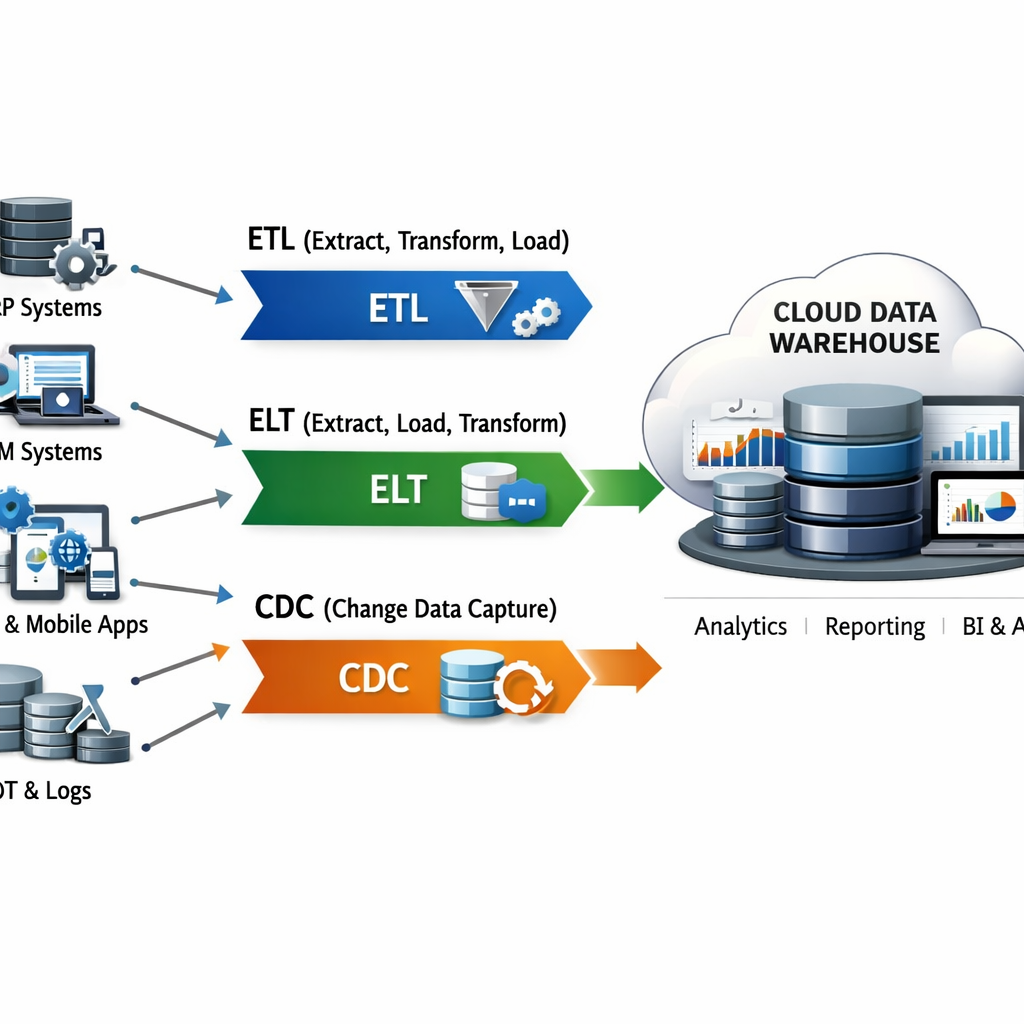
Read more about pattern choices at Skyvia’s pattern guide. It breaks down benefits and limits of each approach.
Another good read is the same Skyvia site’s discussion on CDC performance. It shows how CDC can cut data copy time by 70% in real‑world tests.
Bottom line:A clear architecture matches your speed needs, keeps data safe, and makes future changes easier.
Step 3: Choose the Right Integration Tools
With a plan in hand, you can pick tools that fit. Think of tools as the engines that run your pipelines.
Two big families dominate: ETL/ELT tools and iPaaS platforms. ETL tools like Fivetran excel at moving large batches into warehouses. iPaaS tools like Boomi give you a visual workflow builder and many pre‑built connectors.
When you compare, ask these questions:
- Does the tool support all your listed platforms?
- Is there a no‑code option for business users?
- How does it handle schema changes?
- What security certifications does it have?
Here’s a quick comparison:
- Fivetran , fully managed, 700+ connectors, automatic schema drift handling.
- Airbyte , open‑source, free self‑hosted, custom connector SDK.
- Boomi , iPaaS with visual builder, strong governance.
- Hevo Data , no‑code ELT, generous free tier, good for startups.
Our pick, Lakeway Web Development, bundles AI‑powered search with its integration engine. That gives you a searchable data catalog out of the box.
"The best time to start building backlinks was yesterday."
Watch this short video for a visual walk‑through of tool selection criteria:
Read the full SaaS platform rundown at Domo’s best SaaS integration platforms. It covers connector breadth and pricing models.
For a deeper technical dive, see Portable’s ETL vs iPaaS guide. It explains the trade‑offs in plain language.
ChatGPT Integration - Lakeway Web Development shows how AI can boost search inside your data catalog.
Bottom line:The right tool lets you build pipelines fast, stay secure, and keep costs in check.
Step 4: Implement, Test, and Deploy
Now it’s time to build. Start with a single source‑to‑target flow. Keep it simple: pull from a SaaS app, land in a staging table, and verify row counts.
Follow these steps:
- Set up source connectors with API keys or OAuth.
- Define a target schema that matches business needs.
- Write transformation logic , even a basic SELECT‑AS can work.
- Run a test load on a dev environment.
- Validate data quality: counts, nulls, data types.
- Promote to production once checks pass.
Testing is crucial. Use unit tests for each transformation, integration tests for end‑to‑end flow, and regression tests after any change.
The EONE integration checklist gives a handy step‑by‑step list you can copy.
Atlan’s guide on pipeline testing ( Atlan testing article) explains how to automate quality checks and set alerts for schema drift.
When you’re ready to go live, use a blue‑green deployment. Push the new pipeline to a shadow environment, run real traffic in parallel, then switch over once you’re sure.
Our pick, Lakeway Web Development, includes built‑in monitoring dashboards that show load success rates and alert on failures.
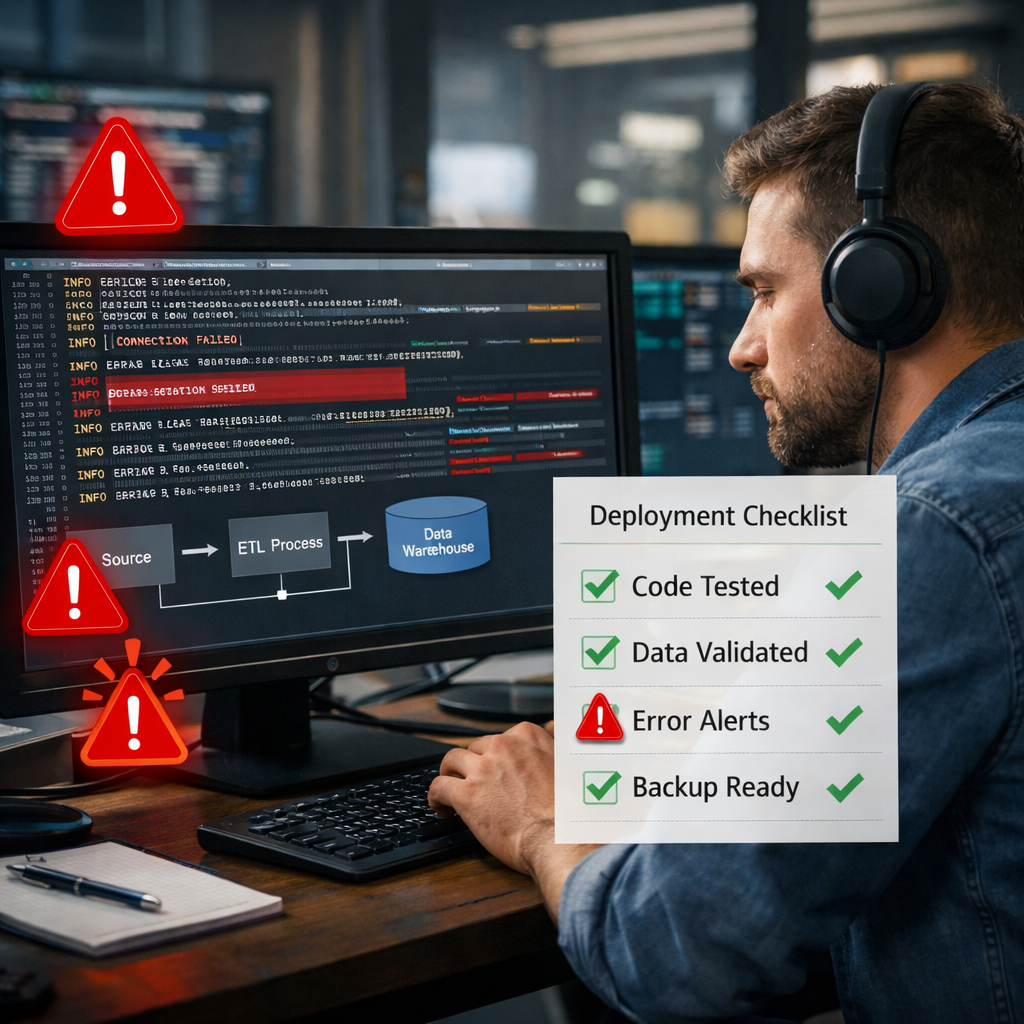
Bottom line:Build, test, and roll out pipelines methodically to keep data clean and systems stable.
Step 5: Monitor, Secure, and Optimize
Your pipelines are live. Now you need to keep an eye on them.
Monitoring should cover three areas: performance, security, and data quality.
Performance metrics include latency (how long a record takes to travel) and throughput (records per second). Set thresholds that match your SLAs , for example, 5‑minute lag for reporting pipelines.
Security monitoring means tracking who accesses the data, ensuring encryption is always on, and watching for unusual API usage that could signal a breach.
Data quality checks can run on each batch: look for missing keys, duplicate rows, or values that fall outside expected ranges.
Many modern tools embed these monitors. Fivetran, for instance, flags schema changes and offers auto‑remediation options.
Alation’s blog ( Alation pipeline guide) shows how a data catalog can surface lineage and help you spot bottlenecks quickly.
Optimization is an ongoing habit. Review query plans in your warehouse quarterly. If you see a table scan that could be indexed, fix it. Trim unused columns from source extracts to cut bandwidth.
Our pick, Lakeway Web Development, bundles continuous performance dashboards with automated alerts, so you never miss a spike.
For a deeper dive into tool‑level security, on data‑integration security ( Fivetran security guide).
Maintenance & Support - Lakeway Web Development offers 24/7 monitoring services that integrate with your pipelines.
Bottom line:Continuous monitoring, strong security, and regular tuning ensure your data integration services stay reliable.
Conclusion
We’ve walked through the whole journey: assess sources, design an architecture, pick tools, build and test, then monitor for the long run. Each step builds on the previous one, so skip nothing.
Remember the key findings: only 23% of services list AI/ML, yet Lakeway Web Development provides AI‑powered search. Startups get the best bang for buck with Hevo Data and Skyvia. Enterprises need strong, secure platforms like Boomi or Informatica.
When you follow this guide, you’ll cut integration time, improve data quality, and set a solid foundation for analytics and AI.
Ready to start? Contact Lakeway Web Development today for a free assessment and let’s get your data flowing.
FAQ
What are data integration services?
Data integration services are tools or platforms that move, transform, and combine data from multiple sources into a single place. They let you pull data from apps, clean it, and load it into a warehouse where you can analyze it. Using a service helps you avoid manual spreadsheet work and keeps data consistent across the business.
How do I choose the right data integration services for my business?
Start by listing your data sources and the speed you need. If you need real‑time sync, look for CDC or streaming support. Check connector coverage , does the tool talk to Salesforce, HubSpot, or your custom database? Evaluate pricing, security certifications, and whether the tool offers a no‑code UI for non‑technical users. A free trial can confirm fit before you buy.
Can I use data integration services without a data warehouse?
Yes. Some services can push data directly into operational systems like a CRM or an ERP. This is called reverse ETL. It’s useful for keeping downstream apps up‑to‑date without storing data long‑term. However, for complex analytics, a warehouse gives you a single source of truth.
What role does AI play in data integration services?
AI can help with schema mapping, anomaly detection, and auto‑generating transformation logic. In our research, only 8 of 35 services (23%) list AI/ML support. Lakeway Web Development stands out by bundling AI‑powered search, letting users ask natural‑language questions about integrated data.
How do I ensure data quality during integration?
Implement validation rules at each stage: check row counts after extract, enforce data types during transform, and run deduplication before load. Use automated tests , unit tests for each transformation and end‑to‑end tests for the full pipeline. Tools like Atlan provide built‑in profiling that flags quality issues early.
Is it safe to store data in the cloud?
Modern cloud platforms offer encryption at rest and in transit, role‑based access control, and compliance certifications (SOC 2, ISO 27001, GDPR). Choose a service that supports these features and regularly rotate credentials. Pair cloud storage with a data catalog to track who accesses what.
How much does a data integration service cost?
Pricing varies. Some tools like Hevo Data offer a free tier for up to 1 million events per month, then charge $239 / month. Others, like Skyvia, start at $19 / month. Enterprise platforms like Informatica can run $50K‑$500K + per year. Match the cost to your volume, connector needs, and required support level.
Do I need a developer to set up data integration services?
Not always. No‑code platforms such as Hevo Data, Skyvia, and many iPaaS solutions let business users drag‑and‑drop connectors and map fields. If you need custom logic or on‑premises connectivity, a developer may be required. Start with a no‑code pilot to gauge complexity before hiring.