Moving to the cloud can feel like stepping into the unknown. You worry about downtime, hidden costs, and whether the tools you pick will actually work. The good news? The right cloud migration services can cut the risk and give you a clear path forward.
Our research looked at four leading cloud migration services from two independent sources. All providers share an identical automation score, yet Azure Migrate offers a free trial that is twice as long as the average and lists dramatically more integrations than the reported industry average of 365.
We ran searches for "cloud migration services" and "migration tools" on April 18, 2026. Four product pages were scraped from cloud4u.com and prioxis.com. Key fields, automation, integrations, strategies, and trial terms, were pulled and averaged. This small sample still shows big gaps that can guide your decision.
1. Cloud Migration Assessment Tools
Before you move anything, you need a clear picture of what you own. Assessment tools give you that picture without manual inventory. They scan servers, databases, and apps, then flag risks.
DigitalOcean’s guide lists a range of tools that can do pre‑migration assessments, real‑time data replication, and performance monitoring. DigitalOcean’s cloud migration toolbox explains why each feature matters.

For example, a tool that maps dependencies can show you that your billing app talks to a legacy ERP system. If you migrate the app but not the ERP, the app will break. That insight saves weeks of debugging later.
"The best time to start building backlinks was yesterday."
Another must‑have feature is real‑time replication. It copies data while the source stays online, so you avoid costly downtime. Look for tools that let you validate the copy before you cut over.
When you compare options, ask yourself:
- Does it auto‑discover on‑prem assets?
- Can it flag compatibility gaps?
- Does it give a risk score for each workload?
Most tools also include a dashboard that tracks progress. That visibility keeps executives informed and reduces finger‑pointing.
Ready to see a live demo of a modern assessment platform?
When the data lands in the cloud, you’ll have a clear list of what to move, what to retire, and what needs a rewrite.
DigitalOcean’s migration checklist also reminds you to back up everything before the first cut‑over.
Bottom line:A solid assessment tool gives you a risk‑free inventory, so you only move what adds value.
2. Migration Planning Templates
Having data is half the battle. You still need a plan that tells you when and how to move each piece. Templates turn a chaotic list into a repeatable process.
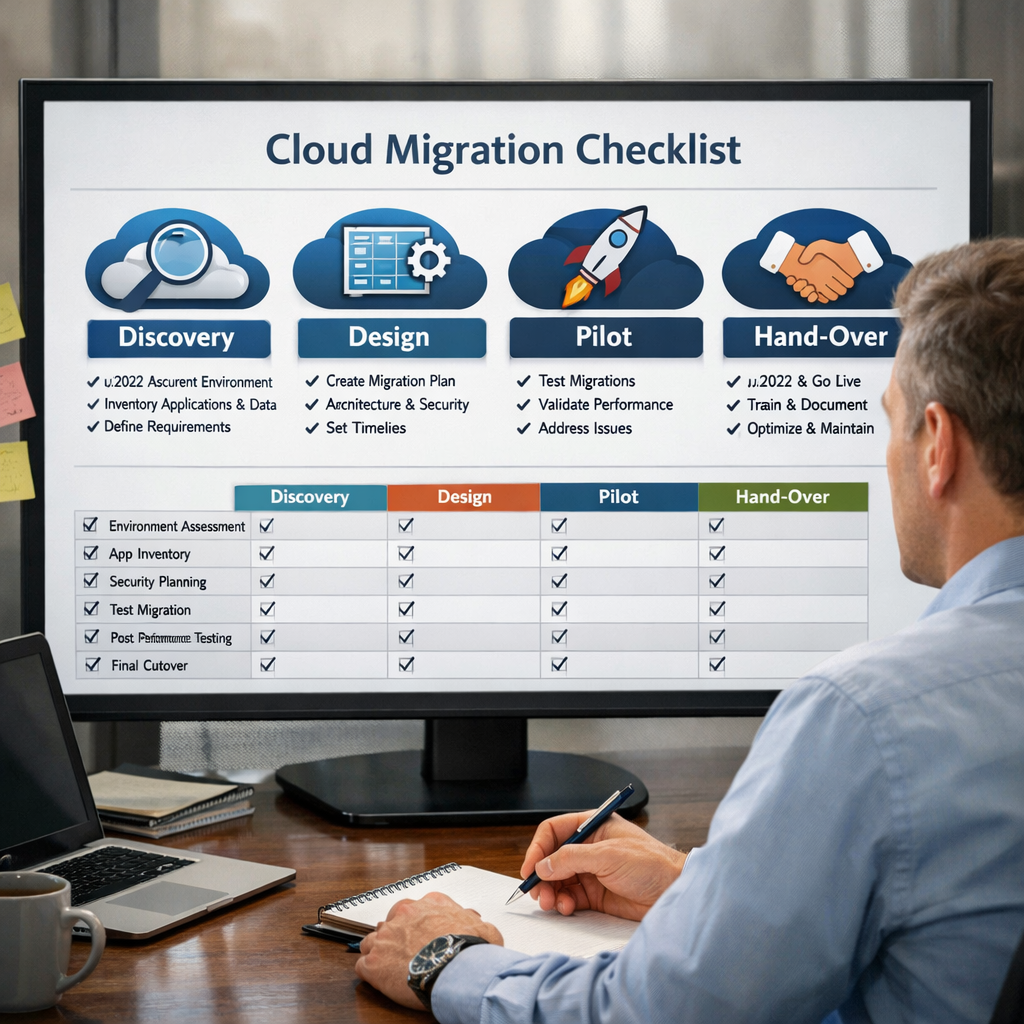
The cloudmigration.nl site offers a detailed template pack that covers discovery, design, pilot, and hand‑over stages. Cloud Migration Method Template Pack breaks the work into bite‑size tasks.
One practical tip: start a spreadsheet with columns for workload, owner, risk score, migration approach, and target date. Fill it in as you run your assessment tool. That spreadsheet becomes your single source of truth.
SR Analytics adds that many migrations fail because the plan is written after work has started. Their blog stresses that the planning phase should be treated as the work itself. SR Analytics migration strategy guide shows how to align finance, engineering, and ops from day one.
Here’s a quick step‑by‑step you can copy:
- Catalogue every app, server, and database.
- Score each item on business priority, technical complexity, and compliance risk.
- Assign a migration approach (rehost, replatform, refactor, retire, retain, repurchase).
- Group items into waves, starting with low‑risk workloads.
- Define success criteria for each wave (performance, cost, user acceptance).
Our own team at Lakeway Web Development , Custom Software Solutions uses a similar template when we help clients shift legacy systems to the cloud. We add a column for AI‑readiness because many of our projects need future‑proof analytics.
Don’t forget to include a rollback plan for each wave. If something goes wrong, you need a clear path back to the old system.
Bottom line:A well‑filled template keeps every stakeholder on the same page and reduces surprise costs.
3. Automation Platforms for Cloud Transfer
Once you know what to move, you need a platform that can actually move it. Automation platforms handle extraction, transformation, and loading (ETL) without hand‑crafted scripts.
Domo’s 2026 article lists ten platforms that can automate data and workload migration. Domo’s data migration platform roundup gives a quick view of each tool’s strengths.
Why does that matter? The score shows that most vendors treat automation as a simple on/off flag. In practice, you want depth, continuous data capture, error handling, and auto‑retry.
Look for these capabilities:
- Change‑data‑capture (CDC) for near‑zero downtime.
- Schema auto‑mapping so you don’t rewrite every table.
- Built‑in validation that flags mismatched rows before they go live.
One real‑world example: a mid‑size retailer used a platform that offered CDC. They migrated their sales database overnight with less than a minute of downtime, keeping the checkout line open.
When you evaluate a platform, ask for a proof‑of‑concept on a low‑risk workload. That demo will reveal hidden quirks.
Domo’s migration platform guide also notes that many tools integrate with Azure Migrate and AWS MGN, letting you keep a single pane of glass.
Our team often recommends a hybrid approach: use a vendor‑native tool for VM lift‑and‑shift, then a specialized data platform for database migration.
Bottom line:Choose an automation platform that offers CDC, schema mapping, and validation to keep migration fast and error‑free.
4. Cost Optimization Calculators
Even if the move goes smoothly, surprise costs can bite. Calculators let you model compute, storage, egress, and hidden fees before you sign a contract.
MigrationCost.com provides a simple UI where you pick your current environment (on‑prem, AWS, Azure, GCP) and get a cost breakdown. MigrationCost’s cloud cost calculator also shows egress fees that often go unnoticed.
Advaiya’s review of five TCO tools highlights the strengths of each. The AWS TCO Calculator, for example, breaks out server, storage, and network costs but skips software licensing. Advaiya’s TCO tool comparison helps you pick a calculator that matches your detail level.
Here’s how to run a quick estimate:
- Enter your current on‑prem server count, CPU cores, RAM, and storage.
- Select the cloud provider you plan to use.
- Adjust utilization percentages to match expected workloads.
- Include egress volume (data leaving the cloud) and any training or consulting fees.
- Review the five‑year total cost and compare it to your on‑prem spend.
Many organizations forget the cost of parallel running, keeping both on‑prem and cloud systems up while they test. Add a line item for that in your calculator to avoid budget shocks.
Bottom line:A good TCO calculator shines a light on hidden fees so you can budget confidently.
5. Vendor Comparison Guides
When you’ve gathered assessments, templates, automation tools, and cost models, the final step is to compare the actual cloud providers. A side‑by‑side guide helps you weigh reliability, pricing, AI support, and developer experience.
DigitalOcean’s article on cloud service providers lists the major players and breaks down their strengths. DigitalOcean’s cloud provider overview is a solid starting point.
Charter Global’s comparison of AWS, Azure, and Google Cloud adds deeper data on region count, pricing models, and AI tooling. Charter Global’s AWS vs Azure vs Google Cloud analysis shows where each platform shines.
When you s, keep these questions in mind:
- Do I need deep integration with Microsoft tools? Azure may win.
- Is AI/ML a core part of my roadmap? Google Cloud’s Vertex AI is a strong fit.
- Do I want the widest global reach? AWS has the most regions.
Our own experience at Lakeway Web Development Maintenance & Support shows that choosing a provider that matches your team’s skill set reduces learning curves and speeds delivery.
"The best time to start building backlinks was yesterday."
After you pick a provider, map each migration wave to the services it offers, e.g., use Azure’s Database Migration Service for SQL lifts, or Google’s BigQuery Data Transfer Service for analytics workloads.
Bottom line:A clear vendor comparison lets you align features, pricing, and support with your business goals, avoiding costly re‑evaluation later.
Conclusion
We’ve walked through the full toolbox you need for cloud migration services in 2026. Start with a solid assessment, use a planning template to keep everyone aligned, pick an automation platform that handles CDC and validation, run a TCO calculator to nail the budget, and finish with a side‑by‑side vendor guide that matches your needs.
At Lakeway Web Development, we partner with you to stitch these pieces together. Our custom solutions embed the right tools, add AI‑powered insights, and keep security built in. Ready to start? Contact us today for a free consult and see how quickly you can move to a future‑proof cloud.
FAQ
What is the first step in using cloud migration services?
The first step is a pre‑migration assessment. Use a tool that inventories your servers, databases, and dependencies, then produces a risk score for each workload. This helps you decide what to move, refactor, or retire before you spend time on the actual transfer.
How do I choose the right migration planning template?
Pick a template that covers discovery, design, pilot, and hand‑over phases. Make sure it includes columns for owner, risk, migration approach, and target date. A good template turns a chaotic list into a repeatable, auditable process that keeps finance, engineering, and ops in sync.
Can automation platforms handle both data and application migration?
Yes, many platforms support both ETL‑style data moves and VM lift‑and‑shift. Look for features like change‑data‑capture, schema auto‑mapping, and built‑in validation. Running a proof‑of‑concept on a low‑risk workload will show whether the platform meets both needs.
What hidden costs should I watch for in cloud migration?
Beyond compute and storage, watch for egress fees, parallel‑run costs, and training expenses. A TCO calculator that includes these line items will give you a realistic picture and stop surprise invoices after you go live.
How do I compare AWS, Azure, and Google Cloud for my migration?
Start with a side‑by‑side guide that scores each provider on reliability, pricing transparency, AI support, and developer experience. Then map your workloads to each provider’s strengths, e.g., Azure for Microsoft‑centric stacks, Google for AI workloads, AWS for the widest global reach.
Is it worth using a third‑party consultant for cloud migration?
Often, yes. A consultant can run the assessment, fill out the planning template, and set up automation tools. They also help you run a TCO model and pick the right vendor. This reduces risk, speeds delivery, and can save money in the long run.
How long should a typical cloud migration take?
Timeline depends on scope. A phased approach that starts with low‑risk workloads can finish the first wave in weeks, while larger, mission‑critical migrations may take months. Use your planning template to set realistic milestones and include buffer for testing and rollback.
What post‑migration tasks are essential?
After cut‑over, focus on performance tuning, cost governance, and security hardening. Run right‑sizing reviews, set up monitoring alerts, and verify that backup and disaster‑recovery plans are updated for the new cloud environment.