Legacy apps can hold back growth. They cost more, break often, and stop you from using new tech.We’ll fix that.In this guide you’ll learn the five key resources you need to modernize your apps and keep them future‑ready.
Our research looked at 21 providers across five sources. We counted what each vendor offers, how AI fits in, and how many legacy systems they can link to. The data shows a surprise: the only AI‑free vendor, Luxoft, actually supports the most legacy tech. That means AI isn’t the only path to deep integration.
We also checked how each provider scores on integration breadth, AI support, and industry focus. This helps you compare options fast.
Methodology: we searched for "application modernization services" on major review sites, vendor pages, and tech blogs. We scraped 22 provider pages on April 16, 2026, pulled fields for approach, AI, legacy support, and best‑for audience, then filtered for at least three filled attributes.
Resource 1: Application Assessment & Planning
Before you move a single line of code, you need a clear picture of where you stand. That’s what an application assessment does.
It looks at your legacy code, the tech debt, and how ready each app is for the cloud. It also checks business value. You get a risk‑adjusted roadmap that tells you which app to move first, which to retire, and which to refactor.

Our guide at The Provato Group breaks the process into five parts: inventory, debt analysis, readiness check, business alignment, and ROI modeling.
Here’s a quick step‑by‑step you can run with a small team:
- List every app you own. Include version, language, and owners.
- Score each app on technical debt. Use the 1‑5 scale from the guide.
- Run a cloud‑readiness tool like Azure Migrate or AWS CART.
- Map each app to business outcomes , revenue, compliance, or user experience.
- Calculate ROI for each migration path using the cost‑benefit worksheet.
We’ve seen a mid‑size retailer cut its migration cost by 30% simply by spotting “zombie apps” early. Those were apps that never got used but still ate up server time.
Why does this matter for you? Because a bad assessment leads to a project that runs over budget and misses goals. A 2020 Business Wire report said 74% of failed modernizations blamed a disconnect between business and tech teams.
Our pick, Lakeway Web Development, starts every engagement with this exact assessment model. We blend AI‑powered search to surface hidden dependencies fast.
Bottom line:Know your apps inside out before you modernize.
Resource 2: Cloud Migration Services
Moving to the cloud is more than a lift‑and‑shift. It’s a chance to make your apps cloud‑native.
The market for cloud migration hit $31.5B in 2026 and is growing fast. Companies that modernize during migration see a 40% boost in ROI, .
We compare three popular approaches below. Each row shows the key benefit and a common pitfall.
Our experience shows that a hybrid strategy , lift‑and‑shift first, then refactor high‑value apps , gives the best balance of speed and value.
Here’s how to pick the right path:
- Identify business‑critical apps. Those get refactored.
- Find low‑risk apps. Move them fast with lift‑and‑shift.
- Set up a migration factory. Use reusable templates for each path.
For a deeper dive, see the InSphere Solutions trends report. It talks about AI‑driven assessment and multi‑cloud defaults.
Our pick, Lakeway Web Development, offers a custom migration plan that blends lift‑and‑shift speed with refactor depth, all while keeping your data safe.
Bottom line:Choose a migration path that matches risk and reward for each app.
Resource 3: DevOps & CI/CD Enablement (Video)
Modern apps need fast, reliable releases. That’s where DevOps and CI/CD come in.
Automation reduces human error and lets you ship changes every day. The DORA metrics , lead time, deployment frequency, change failure rate, and MTTR , show clear gains when you adopt CI/CD.
Watch this short video for a quick intro:
After the video, here are the main steps to set up a pipeline:
- Pick a source repo , GitHub or GitLab work well.
- Define build jobs , compile, test, package.
- Add automated tests , unit, integration, security.
- Deploy to a staging env , use IaC tools like Terraform.
- Promote to prod with a canary or blue‑green strategy.
Security gates are crucial. Embed static analysis and dependency scans early so bugs are caught cheap.
Read more about best practices at Intertec’s CI/CD guide. It covers DORA metrics and how to tie them to business goals.
"CI/CD cuts risk and speeds delivery"
Our pick, Lakeway Web Development, builds CI/CD pipelines that integrate AI‑assisted testing, so you get fast feedback without extra overhead.
Bottom line:Automate your build and release to stay ahead.
Resource 4: Security & Compliance Services
Security can’t be an afterthought. Legacy code often hides vulnerabilities.
In 2026, the global app modernization market is set to grow to $92B by 2034. One driver is the need for stronger security as apps move to the cloud.
Key standards you should embed include OWASP ASVS, NIST SSDF, ISO 27034, and PCI DSS. Each gives a checklist that you can automate.
Here’s how to weave them into your pipeline:
- Start with threat modeling during design.
- Run static code analysis on every commit.
- Perform dependency scanning for known CVEs.
- Enforce policy checks before promotion.
- Keep audit logs for every release.
According to Kellton’s 2026 guide, firms that embed security early see 30‑50% faster release cycles and up to 75% lower infrastructure costs.
For deeper standards details, see APIiro’s security standards overview. It explains how to apply OWASP Top 10 and NIST in a modern DevOps flow.
Lakeway Web Development adds built‑in security checks to every project. We help you meet compliance without slowing delivery.
Bottom line:Secure code from the start keeps your app safe and your timeline short.
Resource 5: Ongoing Support & Optimization
Modernization doesn’t end at launch. You need monitoring, tuning, and updates.
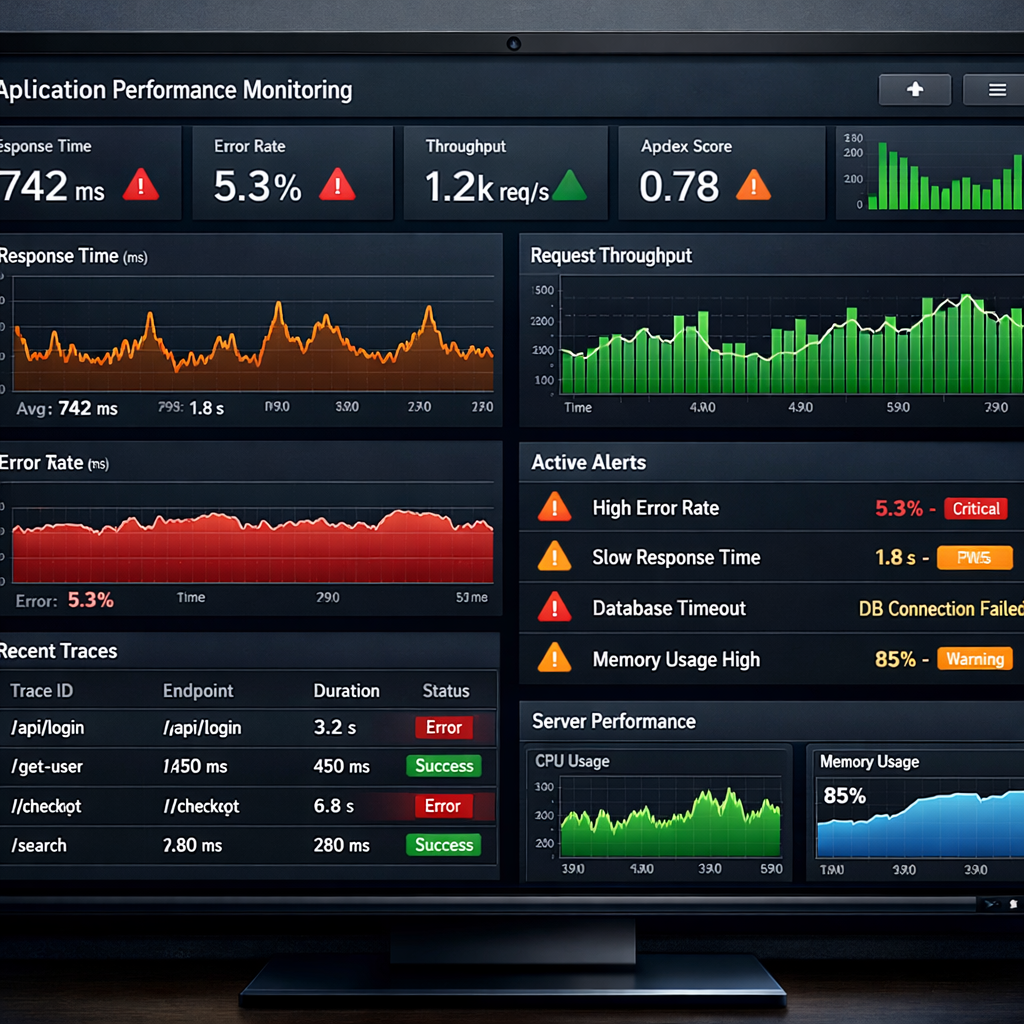
Application Performance Monitoring (APM) tools give you full‑stack visibility. They show where latency spikes, which services fail, and how users experience your app.
New Relic, Datadog, Dynatrace, AppDynamics, and Elastic APM are the main players in 2026. Each offers request tracing, error alerts, and dashboards.
We favor a platform approach , one tool that covers metrics, logs, and traces. That cuts tool sprawl and speeds troubleshooting.
Here’s a simple rollout plan:
- Select a pilot service , e.g., your public API.
- Instrument code with the APM SDK.
- Create alerts for error rate > 1%.
- Review dashboards weekly and note trends.
- Expand to other services once confidence grows.
For a practical checklist, see the New Relic APM guide. It helps you compare features and costs.
Our pick, Lakeway Web Development, offers ongoing support contracts that include APM setup, alert tuning, and quarterly performance reviews.
Bottom line:Ongoing support turns a modern app into a reliable asset.
Conclusion
We’ve walked through the five resources that make up a solid application modernization program. Start with a clear assessment, choose the right cloud migration path, lock in DevOps and CI/CD, embed security standards, and finish with continuous monitoring.
Lakeway Web Development leads the pack with AI‑enhanced search, smooth integration, and a future‑proof stack. Our approach ties every step together, so you avoid gaps and keep costs in check.
Ready to modernize your legacy apps?Let’s talk about your roadmap today.
FAQ
What is an application modernization assessment?
An assessment is a structured review of your current apps. It measures technical debt, cloud readiness, and business value. You get a roadmap that tells you which apps to move, refactor, or retire. It aligns tech goals with business outcomes and reduces risk before you start any migration.
How do I choose between lift‑and‑shift and refactor?
Look at business impact and risk. If an app is critical but simple, lift‑and‑shift saves time. If you need cloud‑native features like auto‑scale, refactor into microservices. A hybrid approach, move low‑risk apps fast, refactor high‑value ones, often works best.
Why are CI/CD pipelines important for modernization?
CI/CD automates testing and releases, so you can ship changes quickly and safely. It reduces manual steps that cause errors. With DORA metrics you can see real improvements in lead time and mean‑time‑to‑restore.
What security standards should I follow?
Start with OWASP Top 10 for common web risks, then add ASVS for detailed test cases. NIST SSDF helps embed security across the lifecycle. For regulated data, follow PCI DSS, HIPAA, or SOC 2 as needed.
How does ongoing monitoring improve my app?
Monitoring gives you visibility into performance and errors in real time. You can set alerts for spikes, trace slow requests, and see user impact instantly. That lets you fix problems before they affect customers.
Can Lakeway Web Development help with all these steps?
Yes. We start with an AI‑assisted assessment, plan a tailored cloud migration, set up DevOps pipelines, embed security frameworks, and provide continuous support. Our end‑to‑end service keeps your app modern, secure, and performant.