AI is no longer a buzzword. It’s a daily tool that can cut costs, speed up work, and keep you ahead of rivals. In this post we break down several platforms you can add to your stack right now. You’ll see how each one works, what it costs, and which type of business gets the most out of it. By the end you’ll know which solution matches your goals and budget.
1. All‑in‑One AI Suite , All‑in‑One Automation for SMBs
The platform packs a whole ecosystem into one place. It covers CRM, email, finance, and a low‑code builder. The AI layer sits on top and offers predictive lead scoring, smart email drafts, and inventory forecasts.
Why it matters for a small business is simple. You can replace three separate tools with one subscription. That means fewer log‑ins, lower overhead, and data that flows automatically between modules.
- Predictive sales insights help reps focus on hot deals.
- Automated invoice matching reduces manual entry errors.
- AI‑driven chatbot answers common support tickets.
Pricing starts at a flat monthly fee per user, which keeps costs predictable. There are no hidden usage fees, so you can budget confidently.
Pros:
- All‑in‑one platform reduces vendor sprawl.
- Easy to set up, most features are ready out of the box.
- Strong integration with popular productivity and communication tools.
Cons:
- Deep customization may need a developer.
- Advanced AI models are only in higher‑tier plans.
Real‑world example: a boutique e‑commerce shop used the AI suite to forecast demand for seasonal items. The forecast cut over‑stock by 22% and saved $4,000 in storage fees during the first quarter.
For custom AI features that need deeper integration, you might look at a specialist partner. ChatGPT Integration , Lakeway Web Development can extend the platform with natural‑language search across your data.
2. AI‑enhanced Scalable Workflows
The automation platform lets you build flows that move data between applications without writing code. The AI extension adds intelligent triggers, such as “when a new lead matches this pattern, create a task”.
It works especially well if you already use a popular productivity suite, collaboration tools, or cloud infrastructure. The platform can read emails, extract key terms, and route them to the right person.
Pricing is tiered by flow runs per month, so you pay only for the volume you need. Small teams can start with a free tier and upgrade as usage grows.
Pros:
- Native integration with productivity applications.
- AI builder lets you train simple models on your own data.
- Enterprise‑grade security and compliance.
Cons:
- Learning curve for complex flows.
- Advanced AI features require separate licensing.
Imagine a small law firm that automates client intake. A web form feeds the automation platform, which uses AI to classify the case type and creates a folder in a document management system. The firm saves hours each week on manual filing.
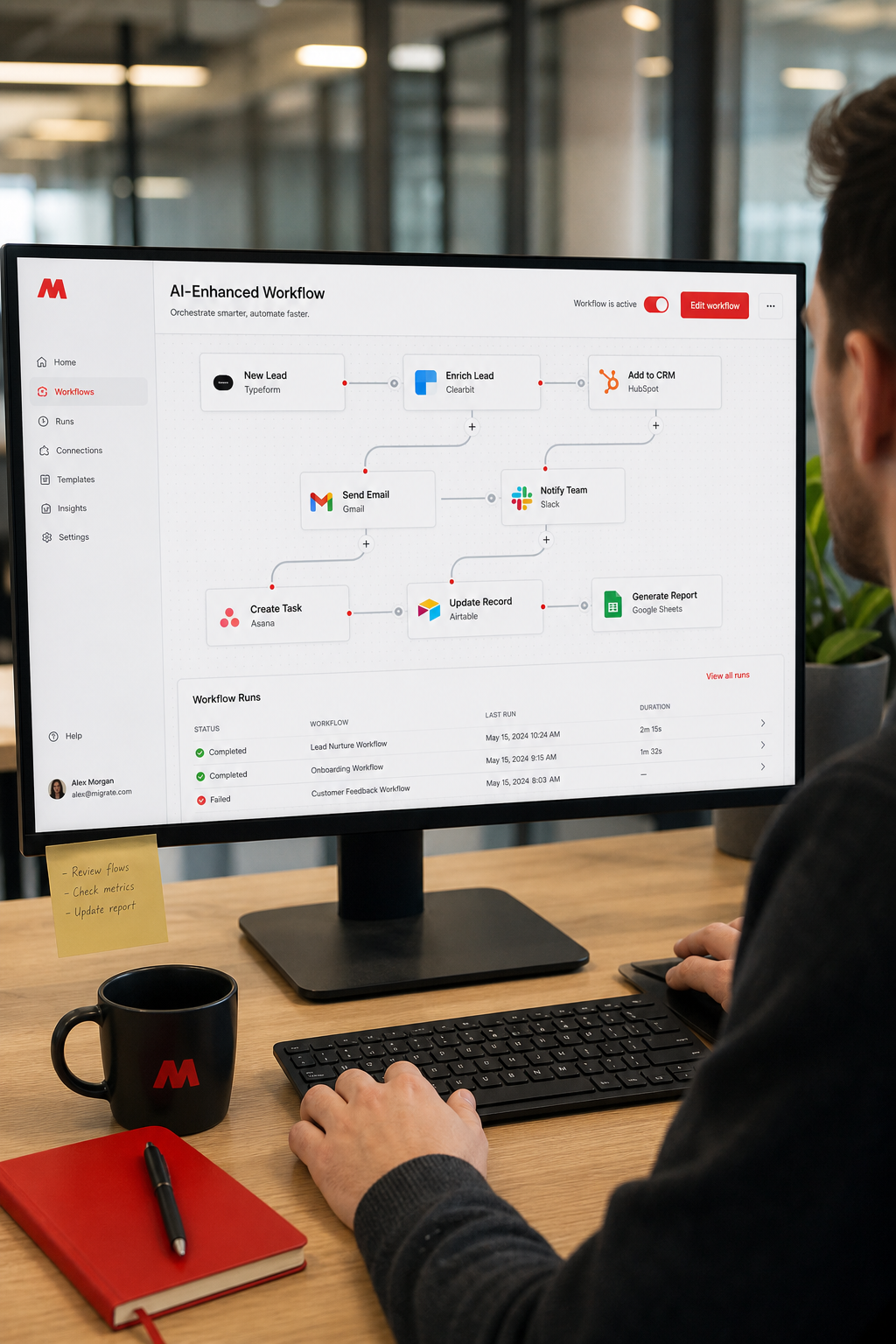
Because the platform is built on cloud infrastructure, you can scale to thousands of runs per day without a hitch.
3. Advanced Conversational AI API, Automation
The conversational AI API lets you embed a powerful language model into any app. You can build chatbots, generate content, or turn raw data into natural‑language summaries.
The API returns JSON, so developers can easily hook the response into existing back‑ends. Authentication is handled with API keys, and rate limits let you control costs.
Typical use cases include automated FAQ bots, email drafting assistants, and smart document summarizers.
Setup steps are straightforward: create a service account, generate a key, and call the endpoint. The official documentation walks you through Python and Node.js examples.
Pros:
- State‑of‑the‑art language understanding.
- Scalable from prototype to production.
- Supports text, images, and voice with the latest model.
Cons:
- Pricing is usage‑based, so costs can vary.
- Data privacy must be managed carefully.
Real example: a SaaS startup added the API to its ticketing system. The bot drafts a reply in seconds, letting agents focus on complex issues. The startup reported a 30% reduction in response time.
The provider publishes clear pricing tiers. Pricing page shows costs per 1,000 tokens, making it easy to forecast spend.
If you need a tailored integration that blends chat with search, Lakeway Web Development , Custom Software Solutions can build a smooth bridge.
4. Integrated AI Tools for Marketing & Sales Intelligence
The platform bundles AI into its CRM and marketing hub. The tools suggest email subject lines, write blog outlines, and score leads automatically.
Because everything lives in the same database, AI can pull from contacts, deals, and website activity to give a full picture of each prospect.
The AI assistant can draft a follow‑up email in seconds. You can also ask it to pull a report on pipeline health using plain English.
Pricing is tied to the overall subscription, so you pay once for CRM, marketing, and AI features together.
Pros:
- All‑in‑one CRM with built‑in AI.
- Natural‑language query interface.
- Strong integration with email and social tools.
Cons:
- Higher price for small teams.
- Advanced AI models need Enterprise tier.
A small B2B consultancy used the AI tools to generate proposal drafts. The time to create a proposal dropped from hours to minutes, letting the team chase more leads.
The AI features are best when you already rely on the integrated platform. If you need a more open‑source or custom stack, consider a partner that can weave platform data into other apps.
For a custom search layer that works across this platform and other tools, Custom Integration Services, Lakeway Web Development offers expertise that can be repurposed for any e‑commerce solution.
5. Visual Integration Builder with AI Connectors
The visual integration platform lets you draw a flow chart that moves data between applications. The AI connectors add a step that can call a language model, classify text, or generate content on the fly.
Because the builder is visual, non‑technical users can create complex automations without writing code. Each module shows inputs, outputs, and error handling.
Pricing is based on operations per month. Small firms can start with the free plan, which includes a limited number of AI calls.
Pros:
- Drag‑and‑drop interface.
- Supports hundreds of apps out of the box.
- AI modules can be swapped for any leading language model.
Cons:
Case in point: a local marketing agency set up a flow that watches a cloud spreadsheet for new leads, runs them through a conversational AI to craft a personalized email, and then sends it via an email service. The agency saw a 15% lift in response rates.
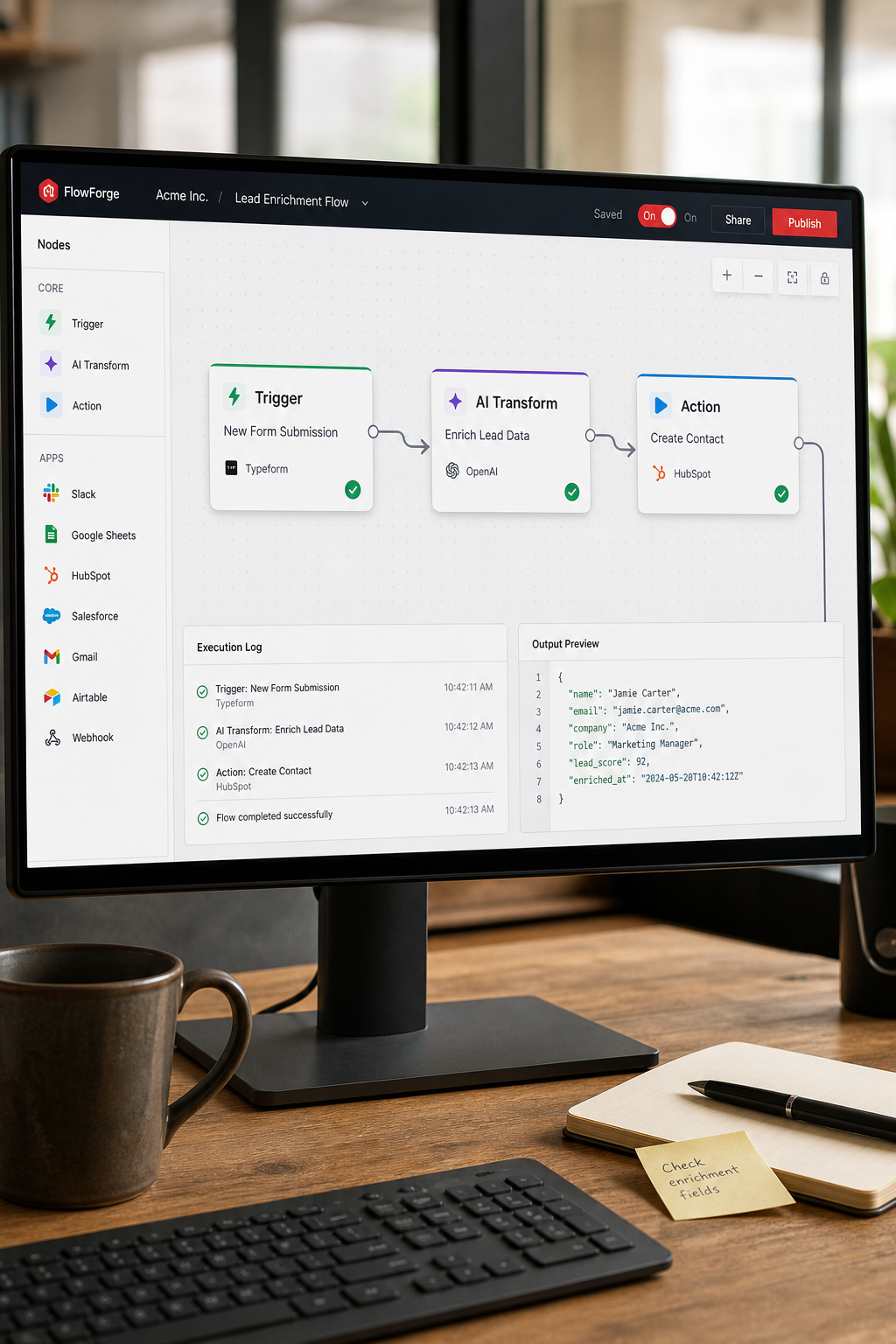
The platform also offers webhooks, so you can trigger AI actions from any system that can send an HTTP request.
How to Choose the Right AI Integration Platform
Picking a platform feels like a big decision, but a simple checklist can keep you on track.
First, map your core processes. Identify which tasks need automation, such as lead routing, invoice matching, or customer chat.
Second, check the AI capabilities. Do you need simple text generation, or deep predictive analytics? Some tools only offer basic chat, while others include custom model training.
Third, compare pricing models. Fixed per‑user fees give predictability. Usage‑based pricing can be cheaper if you run few calls but may surprise you as you scale.
Fourth, verify integration options. A platform that talks directly to your existing CRM, accounting software, or e‑commerce store will save you time.
Fifth, read the security and compliance docs. Look for end‑to‑end encryption, role‑based access, and data residency guarantees.
According to leading industry guides on AI tools, businesses that match tools to clear goals see faster ROI and fewer implementation headaches.
Finally, run a small pilot. Test the platform on a single workflow, measure time saved, and decide if you’ll roll it out more widely.
Feature Comparison Table
When you compare the rows you’ll see each platform leans toward a different workflow style. Pick the one that matches how your team works today.
FAQ
What size business can benefit from AI integration?
Even a solo‑owner can see gains. AI automates repetitive steps, cuts errors, and frees up time for strategy. Small teams often get the biggest percentage lift because each saved minute matters more.
Do I need a developer to use these platforms?
Not always. Tools such as visual workflow builders offer drag‑and‑drop interfaces that let a power user create flows. More advanced customizations, such as deep data‑science models, do need a developer or a partner like Lakeway.
How do I keep my data secure when using AI services?
Look for end‑to‑end encryption, role‑based access controls, and clear data‑retention policies. Many vendors let you disable logging of raw prompts to protect proprietary information.
Can AI replace my staff?
No. AI handles routine tasks, not strategic thinking. It lets your team focus on higher‑value work, such as client relationships and creative planning.
What is the typical cost to start?
Most platforms have a free tier or a low‑cost starter plan. Expect to spend anywhere from $20 to $100 per user per month for core AI features, plus any usage‑based fees if you process large volumes.
How quickly can I see results?
Simple automations, like routing an email or generating a draft, show benefits in days. More complex workflows, such as predictive forecasting, may take a few weeks to tune and deliver steady ROI.
Are there any legal risks?
Yes. AI‑generated content can raise copyright or bias concerns. Review outputs, keep a human in the loop, and follow any industry‑specific regulations.
What if I need help after I choose a platform?
Many vendors offer support plans, and third‑party partners can fill gaps. Lakeway Web Development provides custom AI integration services that keep your system running smoothly and securely.
Conclusion
AI integration for small business is no longer a luxury. The tools listed above each bring a different strength to the table, whether you need an all‑in‑one suite, a visual workflow builder, or a flexible API. Match the platform to your core processes, run a pilot, and measure the impact.
If you want a partner that can add custom search, build bespoke bots, and ensure smooth system integration, we’re ready to help.Start your free trial with Lakeway Web Development today and see how AI can simplify your operations.
- Performance can lag for very large data sets.
- Advanced error handling may need scripting.