AI chatbots are popping up everywhere, from car dashboards to health portals. The data shows they already help drivers, screen patients, and keep call centers humming. Below is a step‑by‑step guide that takes you from idea to live bot, with usable tips you can act on today.
Step 1: Match AI Chatbot Use Cases to Your Business Goals
First, write down the outcomes you need. Do you want to cut support costs, boost sales, or meet compliance rules? Turn each goal into a measurable metric, like a 20% drop in ticket volume or a 15% lift in qualified leads.
Next, map those metrics to real‑world chatbot examples. In the automotive world, Auteco built a conversational agent that turned days‑long tasks into seconds, slashing internal effort and improving marketing ROI. In business services, the ConvoZen AI support bot is projected to handle up to 40% of future calls and save a billion dollars annually. Health‑sector pilots use chatbots for age verification and crisis detection, keeping vulnerable users safe.
When you line up your goals with these proven outcomes, you’ll see which use case offers the biggest lift. If cost reduction is top‑of‑mind, a customer‑support bot that resolves FAQs automatically is a clear win. If revenue growth drives you, a lead‑qualification bot that books demos in real time makes sense.
Finally, rank the matched use cases by impact and effort. High‑impact, low‑effort items, like routing simple billing questions to a bot, should go first. This ranking gives you a clear launch roadmap.
We can help you flesh out that roadmap during the ChatGPT Integration phase, where we translate your goals into a concrete bot plan.
Step 2: Choose a High-Value Customer-Facing Chatbot Workflow
Customer‑facing bots need to do more than answer static questions. Look for workflows that combine data lookup, transaction handling, and personalized recommendations.
One high‑value workflow is order‑status tracking. A bot pulls the latest shipping data from your ERP, shows the user a real‑time map, and even offers to reschedule delivery. Another is appointment booking, integrate with your calendar API, let users pick a slot, and confirm instantly.
When you choose a workflow, ask three questions: Does it solve a pain point that users complain about most? Can the bot access the needed backend system via API? Will the interaction feel natural enough to keep users engaged?
For a concrete example, a retail brand used a chatbot to guide shoppers through product recommendations based on past purchases. The bot increased conversion rates by 12% within the first month. That success came from linking the bot to the brand’s recommendation engine and showing a short video demo to the shopper.
Remember, the workflow you pick should align with the metrics you defined in Step 1. If you aim to lift sales, prioritize a purchase‑assist flow; if you aim to reduce support tickets, focus on self‑service FAQs.
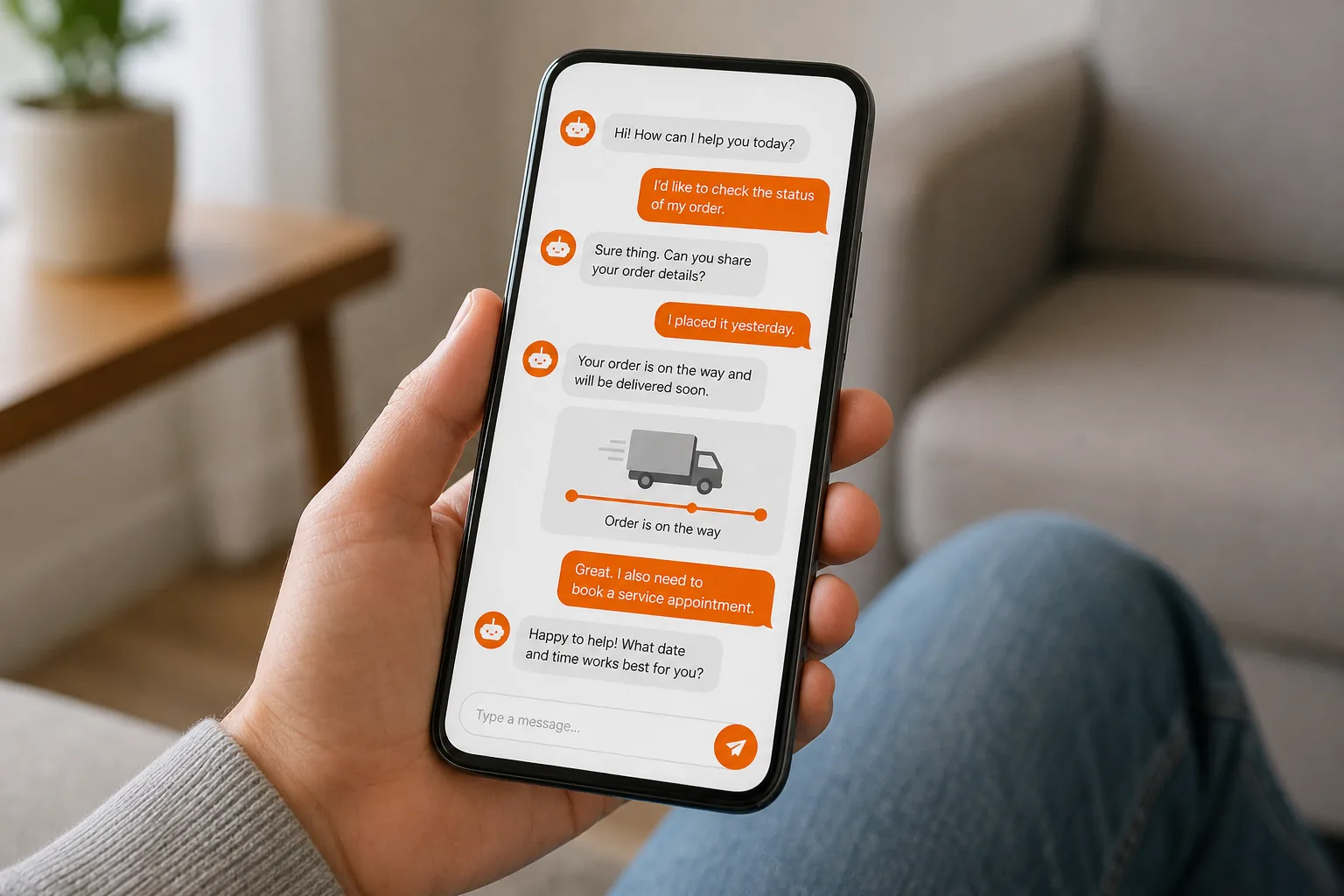
Step 3: Connect the Chatbot to Trusted Knowledge and Business Systems
A bot is only as good as the data it can pull. Hook it up to your knowledge base, CRM, and inventory system so it can answer with up‑to‑date facts.
Start with a reliable source like an internal wiki or a FAQs page. Pull that content into the bot using a retrieval‑augmented generation (RAG) pipeline. Next, add API calls to your CRM so the bot can look up a customer’s order history on the fly.
Here’s a simple decision matrix you can use to decide how deep the integration should go:
| System | Integration Method | Typical Use |
|---|---|---|
| Knowledge Base | RAG / vector search | Answer FAQs with current policies |
| CRM (e.g., HubSpot) | REST API calls | Show order status, recommend upsells |
| ERP / Inventory | GraphQL or SOAP | Check stock, reserve items |
| Calendar Service | OAuth‑protected API | Book appointments instantly |
Make sure each connection uses secure authentication, OAuth for modern APIs or API keys stored in a secret manager. Test the end‑to‑end flow with real data before you go live.
When you’re comfortable with the data pipeline, embed a short explainer video for internal stakeholders. It helps them see the bot’s value and speeds up sign‑off.
Guidance on building secure data pipelines can be found in our API Documentation Best Practices guide.
Step 4: Add Privacy, Safety, and Human Escalation Rules
Privacy and safety are non‑negotiable. Your bot must ask for consent before storing personal data and must flag risky language for human review.
Apply caution to any industry: implement age verification, disclose that users are chatting with AI, and provide an easy “talk to a human” button.
Set up escalation triggers based on sentiment analysis or keyword detection. For example, if a user says “I want to quit” or “I feel unsafe,” the bot should immediately route the conversation to a qualified professional.
Document your privacy policy in plain language and store it where users can find it. Align the policy with regulations like GDPR or CCPA, even if you serve only U.S. customers, because best practice drives trust.
For a quick overview of privacy best practices, see this privacy resource. It can help explain the core obligations you’ll need to meet.
Step 5: Launch, Measure, and Improve AI Chatbot Use Cases with Lakeway Web Development
When the bot passes all tests, roll it out to a small user segment first. Track key metrics: resolution rate, average handling time, and conversion lift. Use a dashboard that pulls data from your bot platform and your analytics stack.
After a week, review the numbers. If the bot resolves 80% of simple queries but drops off on complex issues, tighten the escalation rules you set in Step 4.
Iterate fast. Update the underlying language model with new FAQ entries, retrain sentiment detectors, and add any missing API endpoints. Each improvement should be measured against the baseline you set during launch.
Lakeway Web Development can manage the entire post‑launch cycle, monitoring performance, applying updates, and scaling the solution as your traffic grows.

Ready to start? Contact us to schedule a kickoff call and let us turn your chatbot vision into a live, measured asset.
FAQ: AI Chatbot Use Cases
What are the most common AI chatbot use cases?
The most common use cases include customer support, lead qualification, appointment scheduling, order tracking, and internal employee help desks. Each tackles a high‑volume, repetitive task and frees up human staff for higher‑value work.
How do I know which use case will give the biggest ROI?
Start by linking each potential use case to a business metric, like cost per ticket or lead‑to‑sale conversion. Then estimate effort vs. impact using a simple impact‑effort matrix. Choose the high‑impact, low‑effort option first.
Can AI chatbots handle multiple languages?
Yes, many platforms support multilingual models out of the box. If you serve a global audience, enable language detection and route each request to the appropriate language model.
What safety features should I build into a health‑focused chatbot?
Include age verification, clear AI disclosure, and automatic escalation to a qualified professional for crisis language. Follow guidelines from health regulators.
How often should I update the chatbot’s knowledge base?
Update it whenever policies change, new products launch, or you notice gaps in user conversations. A quarterly review keeps the bot accurate and maintains user trust.
AI chatbots can boost efficiency, revenue, and safety when you follow a clear, measured process. Start with a goal‑driven plan, pick a high‑value workflow, connect to trusted data, lock down privacy, and iterate with real metrics. Contact Lakeway Web Development today to get your bot live and start measuring results.